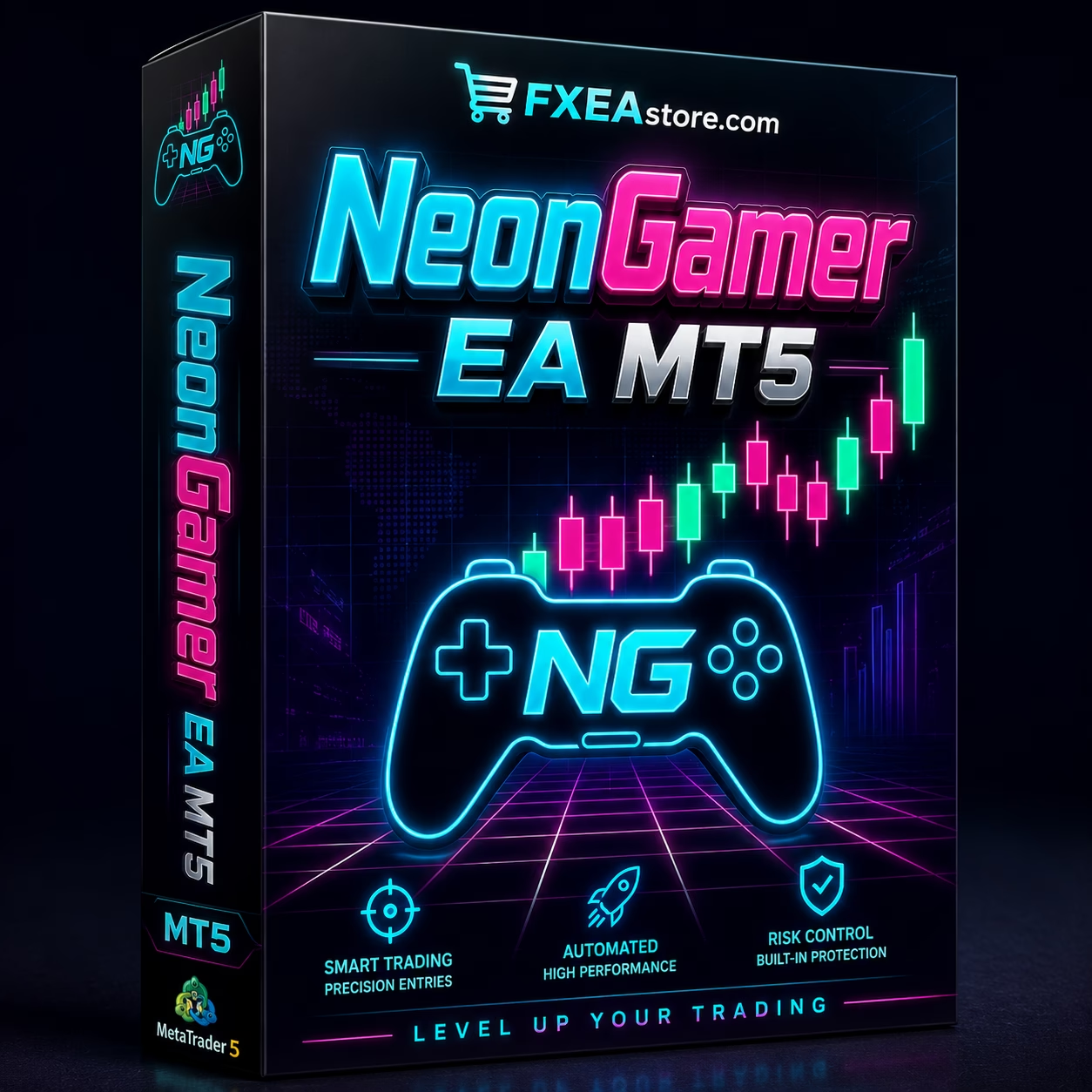

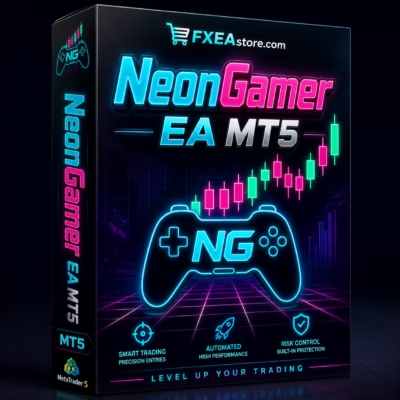
NeonGamer EA MT5 V1.4 Unlimited + SetFiles
$15
NeonGamer EA MT5 is a smart XAUUSD Expert Advisor for MetaTrader 5, combining trend filters, momentum confirmation, adaptive ATR-based grid spacing, basket profit management, and daily drawdown protection. The Unlimited Version includes SetFiles for easier setup.

Description
NeonGamer EA MT5 – Smart XAUUSD Grid Trading Expert Advisor
Trade XAUUSD with a Smarter Grid Strategy
NeonGamer EA MT5 is a professional MetaTrader 5 Expert Advisor designed specifically for automated XAUUSD Gold trading on the M15 timeframe.
Unlike traditional grid systems that may continue adding positions without considering market direction, NeonGamer EA MT5 combines grid trading with multiple trend, momentum, volatility, volume, spread, and candle filters.
The goal is to identify more suitable market conditions before opening the first position and then manage the trading sequence using an adaptive grid system.
For more automated Forex trading solutions, explore our Expert Advisor collection.
Seven Filters Before the First Trade
NeonGamer EA MT5 uses a multi-layered entry system designed to filter market conditions before initiating a trading sequence.
The EA evaluates several factors, including:
- Three EMA Alignment across two timeframes to identify market direction
- ADX Confirmation to measure directional market strength
- Tick Volume Analysis to evaluate market activity
- ATR Filtering to identify suitable volatility conditions
- Spread Protection to avoid unfavorable trading costs
- Candle Body Confirmation to validate directional price action
- Trading Session Filtering to control when the EA is allowed to trade
The initial position is opened only when the required conditions are satisfied.
This approach is designed to make NeonGamer EA MT5 more selective than a simple grid system that enters trades without sufficient market confirmation.
Adaptive ATR-Based Grid Trading
A major feature of NeonGamer EA MT5 is its adaptive grid methodology.
Instead of using the same fixed distance between every order, the EA calculates grid spacing using ATR (Average True Range).
Because ATR responds to current market volatility, the spacing between additional positions can adapt as market conditions change.
When volatility expands, the grid can adjust accordingly. When market conditions become quieter, the spacing can adapt as well.
This dynamic approach is designed to make the grid more responsive to the actual behavior of XAUUSD.
Trend-Following Grid Logic
NeonGamer EA MT5 is built around a trend-following grid concept.
Traditional averaging systems may continue adding positions even when the market moves strongly against the original trade. NeonGamer EA MT5 instead applies multiple trend and momentum confirmations before starting a trading sequence.
This means the grid is designed to operate within an identified directional environment rather than blindly trading against market movement.
For traders who want to explore additional technical analysis tools, visit our Indicator collection.
Basket-Based Profit Management
NeonGamer EA MT5 manages positions as a complete trading basket.
When additional orders are opened, the EA monitors the combined position and calculates the overall average entry price.
Once the basket reaches the predefined profit objective, the open positions can be closed together.
This basket-based management allows the EA to focus on the overall trading sequence instead of treating every individual grid order as a separate trade.
Built-In Daily Drawdown Protection
Risk management is an important component of NeonGamer EA MT5.
The EA includes a configurable daily drawdown protection based on a percentage of the account.
When the selected daily loss threshold is reached, the system can stop opening new trades. Traders can also enable an optional feature to close open positions immediately when the daily protection level is triggered.
The protection system resets automatically after the trading day ends.
This feature is designed as a risk-control mechanism. It does not eliminate the possibility of losses or guarantee protection against all market risks.
Spread & Trading Session Protection
Automated trading performance can be affected by changing spreads and market conditions.
To help manage these conditions, NeonGamer EA MT5 includes:
- Configurable spread protection
- Trading-session controls
- Entry restrictions during unfavorable spread conditions
- Broker-specific handling for supported environments
These controls allow traders to restrict automated trading when execution conditions are less favorable.
Fixed Lot or Auto Lot Trading
NeonGamer EA MT5 provides two position-sizing options.
Fixed Lot
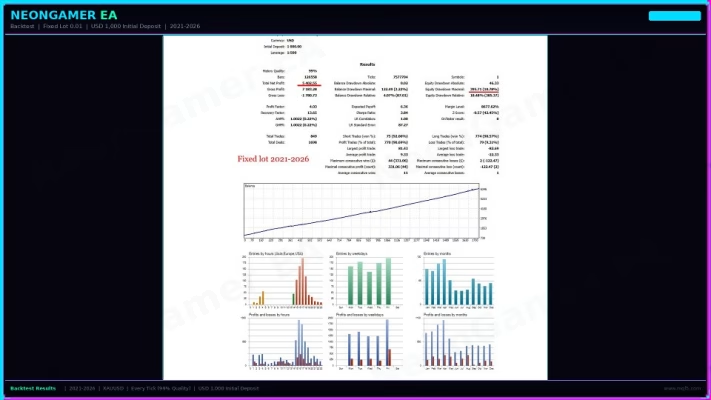
The Fixed Lot mode allows traders to use a consistent lot size for each trading sequence.
Auto Lot
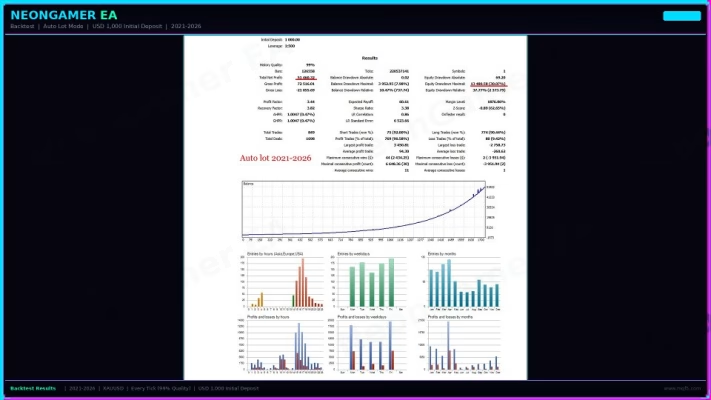
The Auto Lot mode allows the EA to adjust position size according to the account balance.
This flexibility gives traders greater control over how the EA manages position sizing and allows them to select a method that better suits their trading preferences.
Professional On-Chart Trading Dashboard
NeonGamer EA MT5 includes a live dashboard directly on the MetaTrader 5 chart.
Depending on the active configuration, the dashboard can display useful trading information such as:
- Account balance
- Account equity
- Current profit
- Open positions
- Win rate
- Current spread
- Trading status
- Other EA statistics
The EA also features a distinctive neon-style visual interface with EMA lines, making important trading information easier to monitor directly from the chart.
XAUUSD M15 Trading Setup
NeonGamer EA MT5 is designed for XAUUSD on the M15 timeframe.
Recommended Setup
- Symbol: XAUUSD
- Timeframe: M15
- Platform: MetaTrader 5
- Account: Hedge or Netting
- Account Type: ECN or Raw Spread
- Minimum Capital: $1,000 with 0.01 lot
- Recommended Capital: $2,000 or more
- Leverage: 1:100 or higher
- VPS: Strongly recommended
For supported broker environments, traders should select the appropriate broker type in the EA settings.
Broker spreads, execution, contract specifications, margin requirements, and trading conditions can vary, so always verify your broker’s conditions before running the EA on a live account.
Supported Trading Environments
NeonGamer EA MT5 is designed for automated XAUUSD trading environments with suitable execution conditions.
The product information lists support for several broker environments, including:
- Exness Raw
- Vantage Raw
- Fusion Markets
- FP Trading
- VT Markets
- IC Markets
- Pepperstone
Broker conditions can change, so traders should always confirm current trading conditions and compatibility before live deployment.
Key Features of NeonGamer EA MT5
- MetaTrader 5 Expert Advisor
- Designed for XAUUSD Gold
- M15 trading strategy
- Trend-following grid logic
- Three EMA confirmations
- ADX trend-strength filter
- Tick-volume filter
- ATR volatility filter
- Adaptive ATR-based grid spacing
- Spread protection
- Candle confirmation
- Trading-session control
- Basket-based profit management
- Daily drawdown protection
- Optional emergency basket closure
- Fixed Lot mode
- Auto Lot mode
- Real-time trading dashboard
- Hedge and Netting account support
- VPS-friendly automated operation
- No DLL version
- SetFiles included
- Unlimited Version
NeonGamer EA MT5 Unlimited + SetFiles
The NeonGamer EA MT5 Unlimited + SetFiles package is designed for traders who want a complete automated XAUUSD trading solution for MetaTrader 5.
The included SetFiles can simplify the initial configuration process and provide a convenient starting point for setting up the EA.
The product is provided as an EA No DLL version, currently listed as Version 1.4, with SetFiles included.
If you are interested in developing or customizing automated trading systems, explore our Source Code collection.
Easy Installation & Setup
Getting started with NeonGamer EA MT5 is straightforward:
- Open MetaTrader 5.
- Open an XAUUSD chart.
- Set the timeframe to M15.
- Attach NeonGamer EA MT5 to the chart.
- Select Fixed Lot or Auto Lot mode.
- Configure the daily drawdown limit.
- Select the appropriate broker type.
- Configure your preferred trading session.
- Review all EA settings carefully.
- Test the EA on a demo account before using real funds.
A VPS is strongly recommended for traders who want the EA to operate continuously without relying on a personal computer being online.
Instant Digital Delivery
After purchasing NeonGamer EA MT5 Unlimited + SetFiles, you can access your purchased files through your account.
Use our Download Immediately After Payment page to access your available downloads.
The product is delivered digitally, making it convenient to receive and install your EA after purchase.
Who Is NeonGamer EA MT5 For?
NeonGamer EA MT5 may be suitable for:
- XAUUSD Gold traders
- MetaTrader 5 users
- Forex traders interested in automated trading
- Traders familiar with grid strategies
- Algorithmic trading enthusiasts
- Traders looking for adaptive grid spacing
- Users who want trend-filtered grid trading
- Traders who prefer configurable risk controls
- Users looking for an MT5 Gold EA with SetFiles
Important Risk Disclaimer
Forex and CFD trading involve significant financial risk. NeonGamer EA MT5 does not guarantee profits.
Grid and averaging strategies can experience substantial drawdowns when markets move strongly or continuously against a trading position. Daily drawdown protection and other risk controls are designed to help manage risk but cannot eliminate market losses.
Always test the EA under your own broker conditions, use appropriate risk management, and evaluate the strategy on a demo account before considering live trading.
Get NeonGamer EA MT5 Today
If you are looking for an XAUUSD Gold Expert Advisor for MetaTrader 5 that combines trend confirmation, momentum analysis, adaptive ATR grid spacing, basket profit management, and daily drawdown protection, NeonGamer EA MT5 Unlimited + SetFiles offers a structured solution for automated Gold trading.
Get the Unlimited Version with SetFiles and build your automated XAUUSD trading setup on MetaTrader 5.
Stay updated with new Forex EAs, indicators, trading tools, and product releases through our Official Trading Channel.
For product, installation, or purchase assistance, contact our Customer Support.
Related products




Expert Advisor
IS New Project EA MT4 Unlimited with SetFiles (latest build)


Expert Advisor


Expert Advisor


Expert Advisor


Expert Advisor


Expert Advisor


Expert Advisor