QUANT MATRIX EA MT5 V23.0 Unlimited
$22
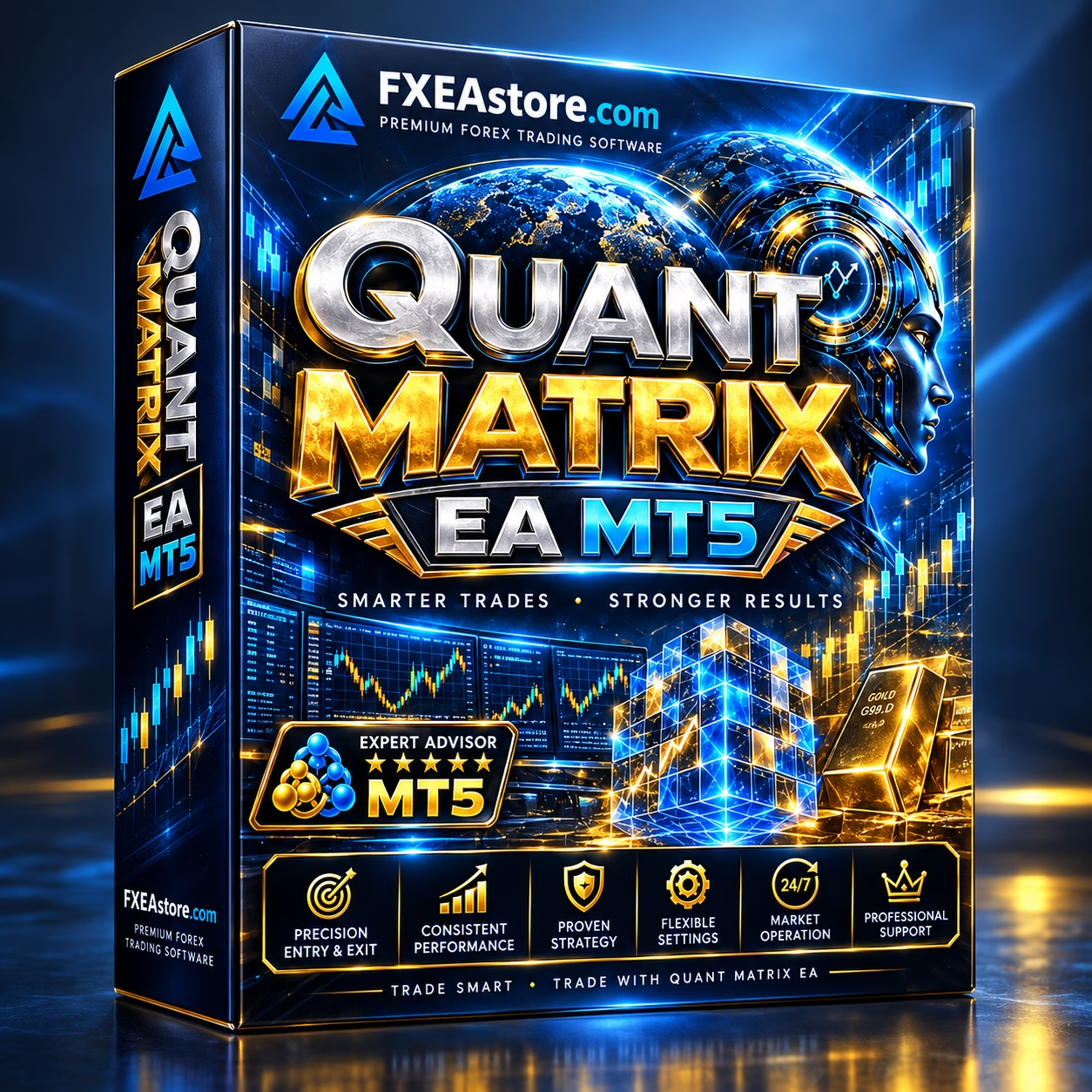
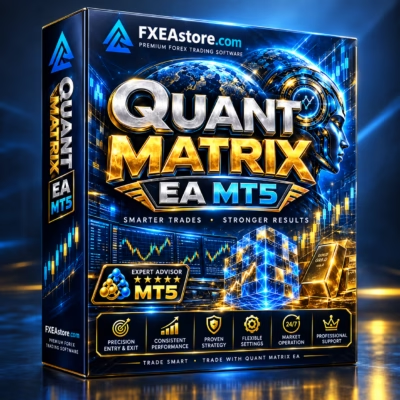
QUANT MATRIX EA MT5 is an automated Expert Advisor for MetaTrader 5, designed specifically for XAUUSD Gold trading on the M5 timeframe. It uses a one-shot trading approach and is intended for traders looking for a short-term automated Gold trading solution with low-spread broker conditions and support for low-balance accounts.

Description
QUANT MATRIX EA MT5 – Automated XAUUSD M5 Trading EA
QUANT MATRIX EA MT5 – Automated Gold Trading for MT5
QUANT MATRIX EA MT5 is a dedicated XAUUSD Gold Expert Advisor for MetaTrader 5, built around short-term trading opportunities on the M5 chart.
Unlike systems that rely on continuous recovery positions, the EA follows a one-shot trading approach, focusing on individual trade opportunities and position management according to its programmed trading logic.
For traders looking for an automated XAUUSD M5 trading solution, QUANT MATRIX EA MT5 provides a focused setup for Gold trading with particular attention to broker spread and execution conditions.
Explore more automated trading solutions in the Expert Advisor collection.
Key Features of QUANT MATRIX EA MT5
- Automated XAUUSD Gold trading
- Designed for MetaTrader 5
- Primary timeframe: M5
- One-shot trading approach
- Dedicated Gold trading configuration
- Suitable for short-term automated trading
- Designed with low-spread broker conditions in mind
- Supports low-balance accounts according to the product specification
- DLL-based EA
- Version 23.0
- Build 6204+
- Backtesting and Demo testing recommended
XAUUSD Gold Trading on M5
QUANT MATRIX EA MT5 is primarily configured for XAUUSD on the M5 timeframe.
The M5 chart provides a short-term view of Gold price movements, making the EA suitable for traders interested in automated intraday opportunities rather than longer-term swing trading.
Because short-term Gold trading can be sensitive to transaction costs, traders should pay close attention to:
- XAUUSD spread
- Commission
- Slippage
- Execution speed
- Liquidity
- Broker trading conditions
- Minimum lot size
- Contract specifications
Broker conditions can vary significantly, even when the same XAUUSD symbol is available.
One-Shot Trading Approach
One of the defining characteristics of QUANT MATRIX EA MT5 is its one-shot trading structure.
The system is designed around individual trading opportunities rather than continuously opening a sequence of recovery positions. This provides a different trading structure from Grid or Martingale-style systems.
The one-shot approach focuses on opening a trade when the programmed conditions are met and managing that position according to the EA’s internal logic.
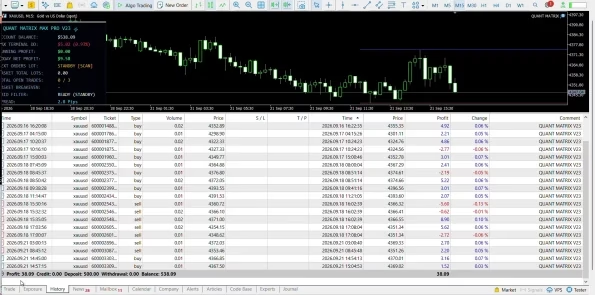
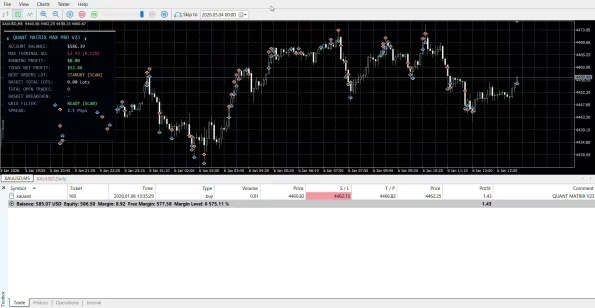
Actual trading results can vary depending on market volatility, execution quality, spread, liquidity, and other trading conditions.
Why Low Spread Matters
For an M5 XAUUSD Expert Advisor, trading costs can have a meaningful impact on results.
A low-spread trading environment can help reduce the effect of transaction costs on short-duration trades. Before running QUANT MATRIX EA MT5, traders should verify their broker’s actual XAUUSD spread under normal and active market conditions.
Important factors to check include:
- Current XAUUSD spread
- Spread stability
- Commission
- Slippage
- Execution latency
- Liquidity
- Trading hours
- Contract specifications
Always test the EA using the actual conditions provided by your broker rather than relying only on advertised specifications.
Broker Spread Configuration
The product information emphasizes checking the broker’s XAUUSD spread before configuring and testing the EA.
A practical workflow is:
- Open XAUUSD in MetaTrader 5.
- Check the current broker spread.
- Compare the spread with the relevant EA configuration.
- Apply the required input adjustment according to the supplied product instructions.
- Run a backtest using appropriate historical data.
- Review the results before proceeding to Demo testing.
Input names and calculations can vary between EA versions, so users should always verify the correct parameter before changing settings.
Backtesting QUANT MATRIX EA MT5
Backtesting is an important part of evaluating an automated trading system.
Before using QUANT MATRIX EA MT5 with real funds, traders can use the MetaTrader 5 Strategy Tester to examine historical behavior.
For a more useful evaluation, consider testing:
- XAUUSD
- M5 timeframe
- Broker-specific spread conditions
- Different historical market periods
- Trade frequency
- Winning and losing trades
- Consecutive losses
- Drawdown
- Trading costs
- Different volatility environments
Historical backtest results are observations of past or simulated conditions and should not be treated as a prediction of future performance.
Recommended Setup
| Setting | Specification |
|---|---|
| Product | QUANT MATRIX EA MT5 |
| Platform | MetaTrader 5 |
| Trading Instrument | XAUUSD / Gold |
| Primary Timeframe | M5 |
| Trading Style | One-Shot |
| Broker Condition | Low XAUUSD Spread |
| Account Type | Supports Low-Balance Accounts |
| Version | 23.0 |
| Build | 6204+ |
| DLL | Required |
| Testing | Backtest + Demo Testing Recommended |
How to Start With QUANT MATRIX EA MT5
Step 1 – Prepare MetaTrader 5
Install and log in to your MetaTrader 5 trading account, then make sure automated trading is enabled.
Step 2 – Open XAUUSD M5
Open your broker’s XAUUSD Gold symbol and select the M5 timeframe.
Step 3 – Install the EA
Install QUANT MATRIX EA MT5 and attach it to the appropriate XAUUSD M5 chart.
Step 4 – Check Broker Conditions
Verify the current XAUUSD spread, commission, execution conditions, and contract specifications before testing.
Step 5 – Configure the EA
Apply the supplied configuration and only modify parameters that are documented for your particular EA version.
Step 6 – Backtest
Run historical tests through the MetaTrader 5 Strategy Tester using realistic spread and trading-cost assumptions.
Step 7 – Demo Test
After reviewing the backtest, forward-test the EA on a Demo Account to observe real-time execution, spread behavior, slippage, and trade management.
Who Is QUANT MATRIX EA MT5 For?
QUANT MATRIX EA MT5 may be suitable for traders who are researching:
- Automated XAUUSD trading
- Gold trading robots for MetaTrader 5
- M5 Gold Expert Advisors
- Short-term automated trading systems
- One-shot trading strategies
- Dedicated XAUUSD EAs
- Automated solutions that support low-balance accounts
- EA systems that can be evaluated through backtesting
If you are looking for other automated systems, you can also explore the Expert Advisor collection and Indicator collection.
Download QUANT MATRIX EA MT5
After completing your purchase, you can access your purchased files through the Download immediately after payment section.
For product assistance or installation questions, contact FxEAstore Support.
You can also follow the FxEAstore Telegram Channel for product updates and new releases.
Risk Management and Trading Disclaimer
Automated trading does not eliminate financial risk. Gold and other leveraged financial instruments can experience rapid price movements, and actual results may differ from historical or backtested results.
Trading performance can be affected by:
- Market volatility
- XAUUSD spread
- Slippage
- Liquidity
- Commission
- Broker execution
- Economic news
- Leverage
- Account balance
- Position sizing
- Market gaps
- Trading-session conditions
Any historical performance or drawdown information should not be interpreted as a guarantee of future results.
Always conduct thorough backtesting and Demo testing before considering live deployment. Use appropriate position sizing and trade only with capital you can afford to lose.
Final Overview
QUANT MATRIX EA MT5 is an automated XAUUSD Gold Expert Advisor for MetaTrader 5, primarily designed for M5 one-shot trading.
Its dedicated Gold configuration, short-term trading structure, low-spread requirements, and low-balance support make it a focused solution for traders researching automated XAUUSD trading.
For a proper evaluation, pay close attention to broker spread, execution conditions, EA configuration, historical backtesting, and Demo performance before considering live trading.
Related products


Expert Advisor


Expert Advisor


Expert Advisor


Expert Advisor


Expert Advisor


Expert Advisor


Expert Advisor


Expert Advisor