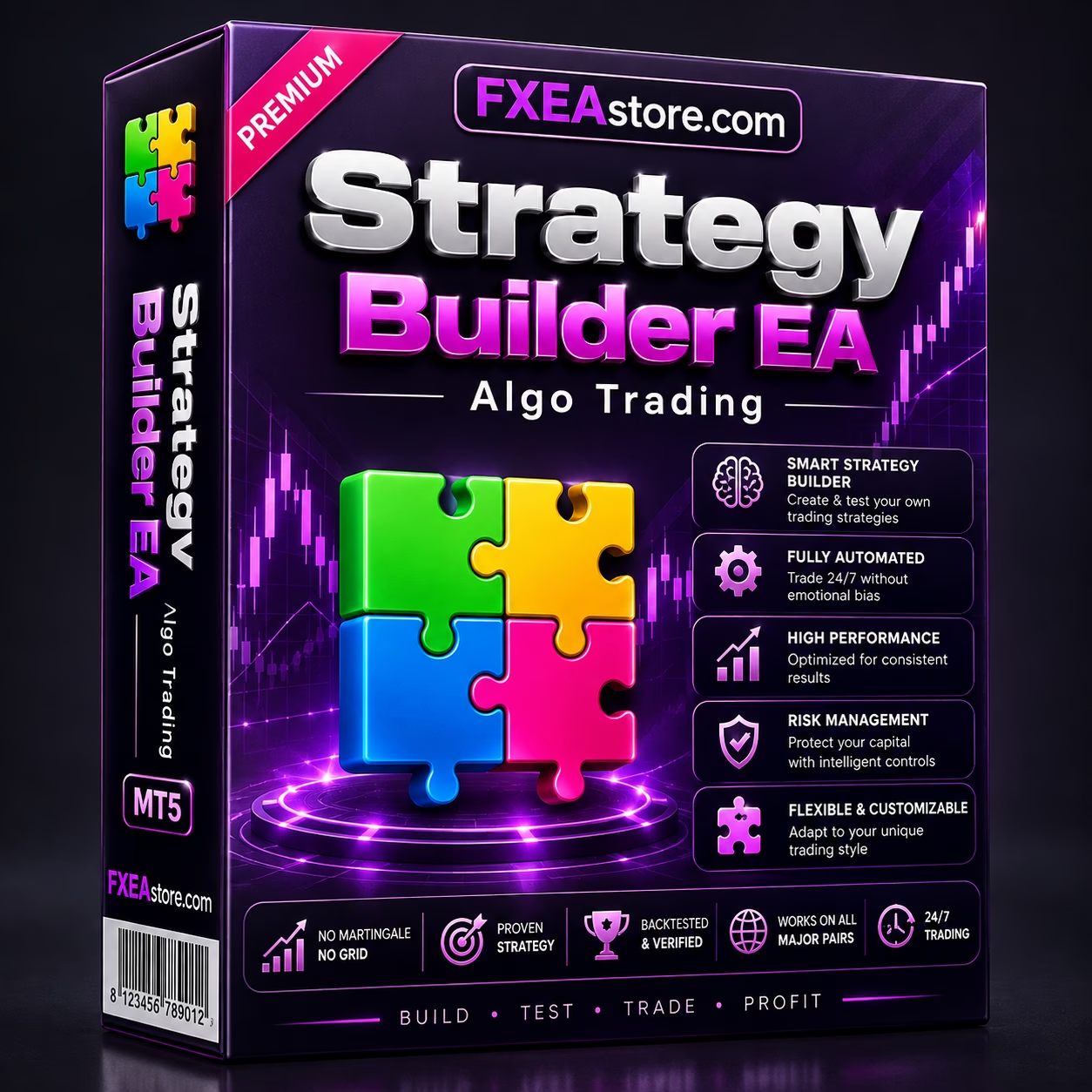
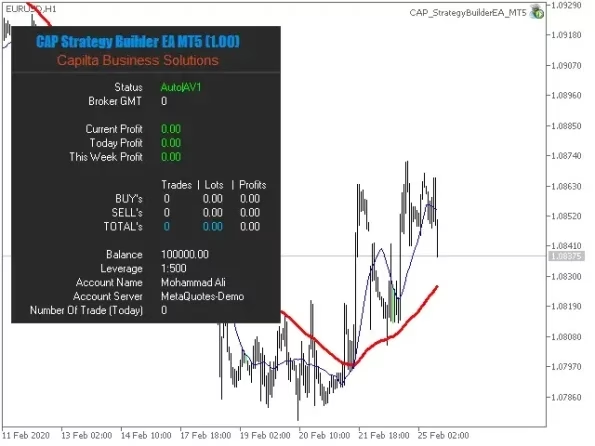
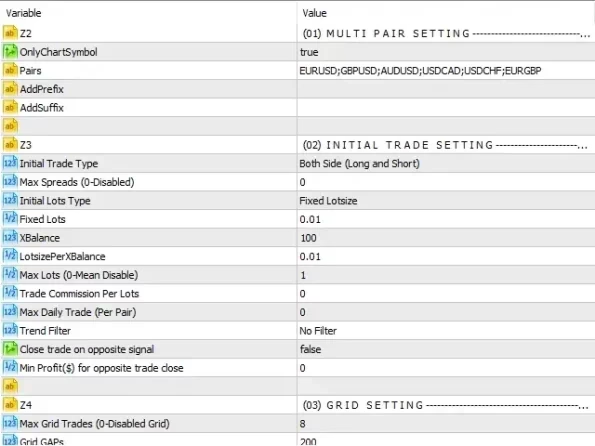
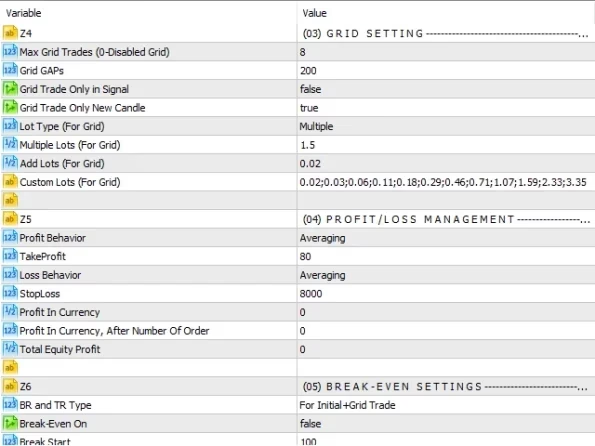

Strategy Builder EA MT5 V11.13 Unlimited
$15
Strategy Builder EA MT5 is a flexible MetaTrader 5 tool that helps traders build, configure, test, and automate custom trading strategies using multiple trading conditions and parameters.

Description
Strategy Builder EA MT5 – Build and Automate Custom Trading Strategies
Focus Keyword:
Additional Keywords:
Meta Description:
Short Description:
Strategy Builder EA MT5 – Create Your Own Automated Trading Strategy
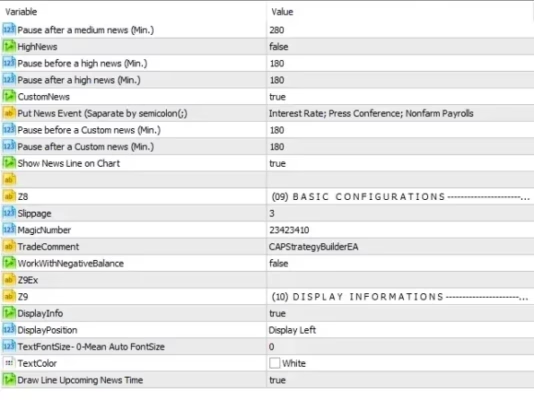
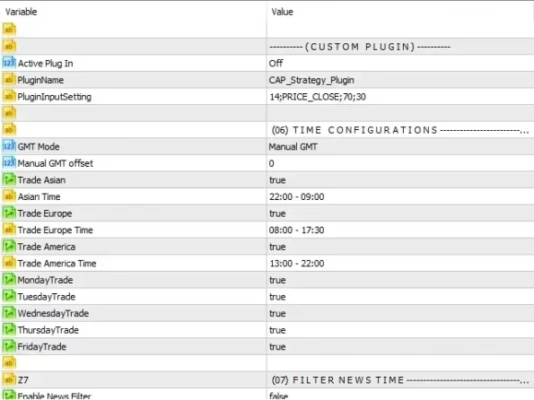
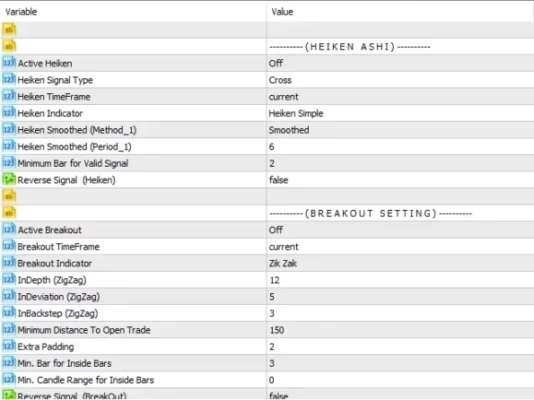
Strategy Builder EA MT5 is a powerful and flexible tool for traders who want to create their own automated trading strategies on MetaTrader 5.
Instead of depending entirely on a ready-made trading robot, this MT5 Strategy Builder gives traders a framework for developing customized trading logic based on their own ideas, indicators, entry conditions, exit rules, and money-management preferences.
It can be useful for traders who already have a manual strategy and want to transform it into a more systematic and automated trading process.
The basic concept is:
Trading Idea → Trading Rules → Strategy Configuration → Backtesting → Automated Execution
What Is Strategy Builder EA MT5?
Strategy Builder EA MT5 is an Expert Advisor building and strategy-creation tool for MetaTrader 5.
It is designed to give traders more flexibility when developing automated trading systems rather than restricting them to a single predefined strategy.
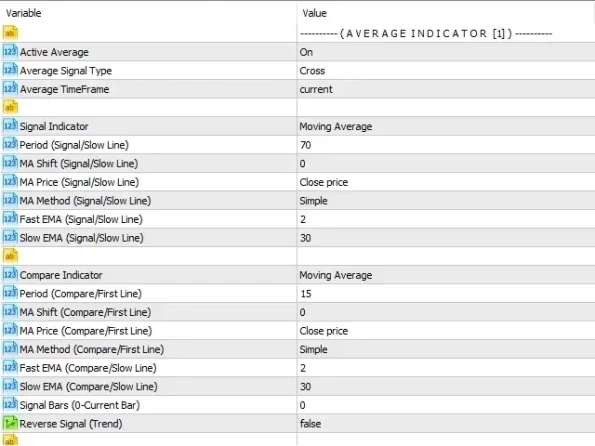
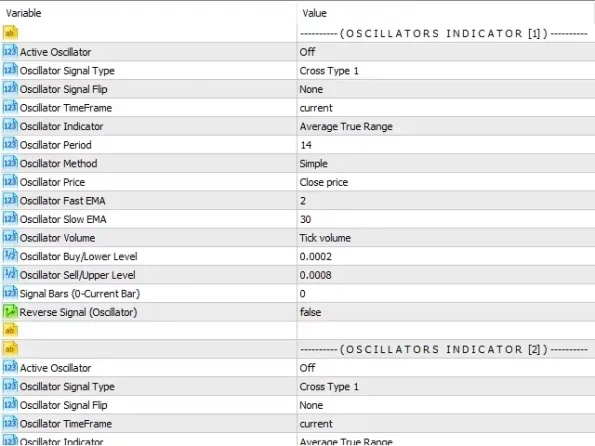
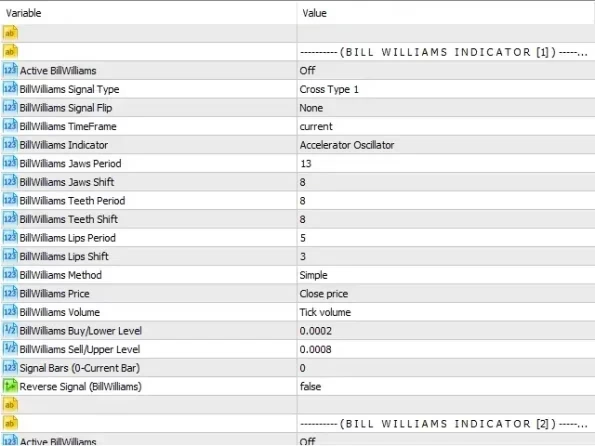
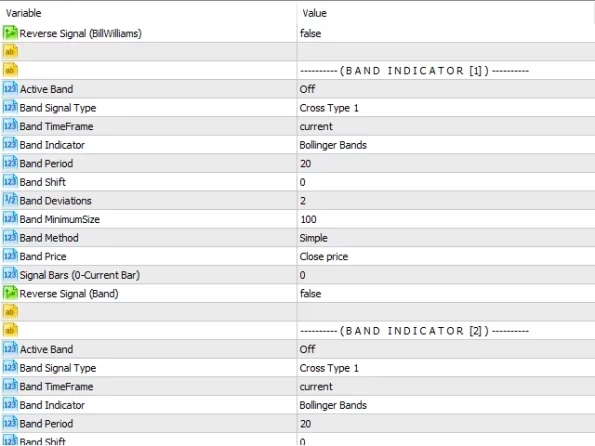
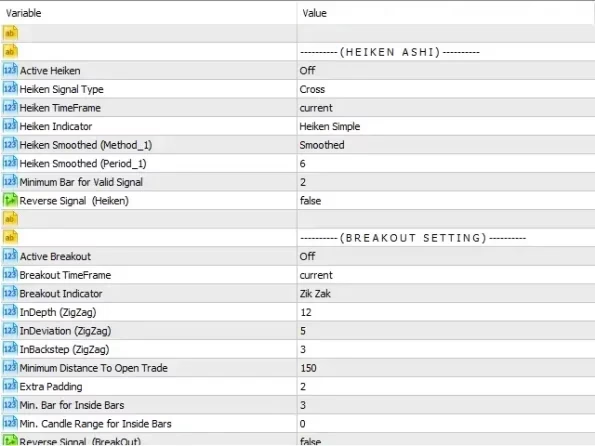
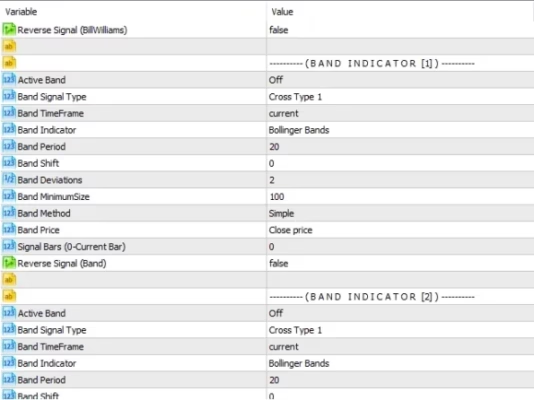
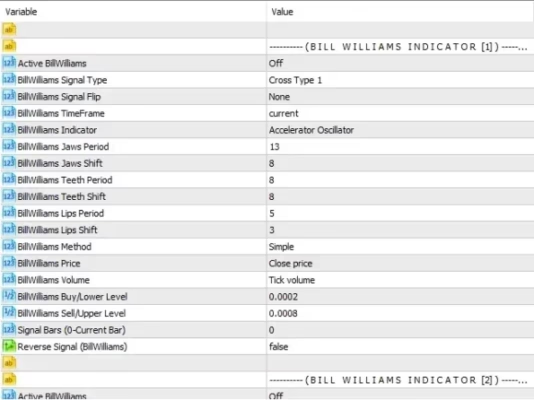
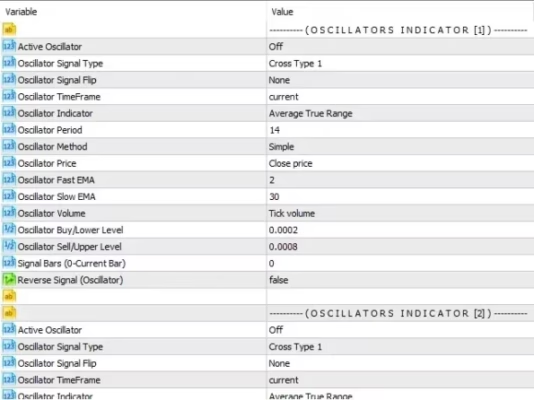
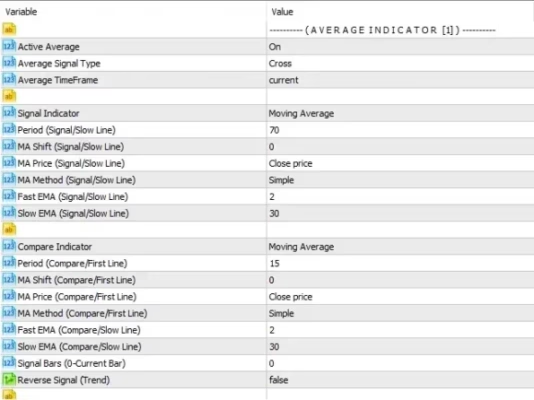
Depending on the available configuration options, traders can combine different trading conditions and parameters to create strategies based on concepts such as:
- Technical indicators
- Trend direction
- Momentum
- Price action
- Entry conditions
- Exit conditions
- Stop Loss
- Take Profit
- Position sizing
- Money management
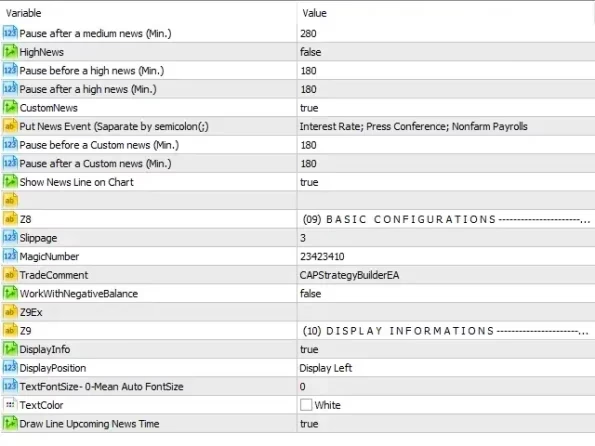
- Trading filters
This makes the EA useful for both strategy experimentation and systematic trading development.
How Does Strategy Builder EA MT5 Work?
The strategy-building process starts with defining a clear set of trading rules.
For example, a trader may want to create a strategy based on a trend indicator combined with momentum confirmation.
The resulting workflow can be structured as:
Market Analysis → Entry Conditions → Trade Execution → Position Management → Exit Conditions
Once the strategy has been configured, it can be tested against historical market data before being considered for live trading.
This allows traders to experiment with different parameters and evaluate how changes affect the behavior of their automated strategy.
Key Features of Strategy Builder EA MT5
Custom Trading Strategy Creation
The main advantage of Strategy Builder EA MT5 is flexibility.
Instead of using only one predefined trading system, traders can create and configure their own trading logic according to their preferred methodology.
This is particularly useful for traders who have developed their own trading concepts and want to explore automation.
Flexible Entry Conditions
A successful automated strategy needs clearly defined entry rules.
The Strategy Builder can be used to construct trading conditions based on available technical and market parameters.
Possible conditions may include:
- Indicator signals
- Trend confirmation
- Momentum conditions
- Price-based rules
- Buy conditions
- Sell conditions
- Multiple confirmations
- Trading filters
The exact functionality depends on the parameters available in the product version.
Configurable Exit Conditions
Entry signals are only one part of an automated strategy.
Traders also need clearly defined rules for managing and closing positions.
Strategy Builder EA MT5 can be configured around exit concepts such as:
- Take Profit
- Stop Loss
- Indicator-based exits
- Market-condition exits
- Position-management rules
This helps traders develop a complete trading system rather than focusing only on entries.
Money Management
Risk and position sizing are important components of automated trading.
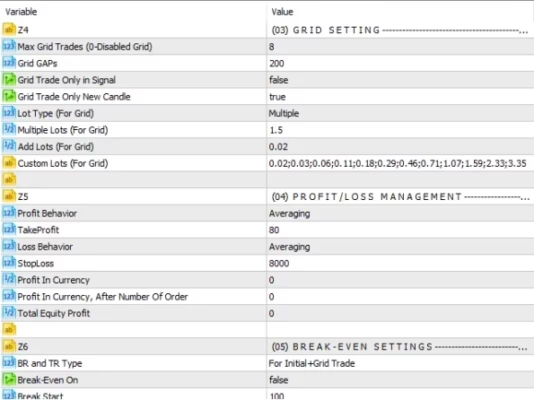
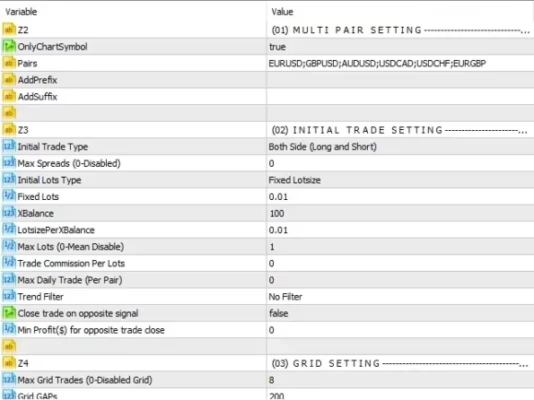
Depending on the available settings, traders can configure parameters related to:
- Lot size
- Risk per trade
- Stop Loss
- Position sizing
- Trading exposure
- Maximum positions
Using conservative settings is recommended when testing a newly created strategy.
Build Your Own MT5 Expert Advisor Strategy
One of the most useful applications of Strategy Builder EA MT5 is turning a trading idea into a set of measurable rules.
For example, a trader may have a strategy based on:
Trend + Moving Average + Momentum Confirmation + Stop Loss + Take Profit
Instead of manually watching the chart and executing every signal, the trader can attempt to convert those concepts into an automated framework.
This approach can help create a more systematic trading process and reduce repetitive manual execution.
Why Build a Custom Trading Strategy?
Different traders use different approaches to the market.
Some focus on:
- Trend following
- Breakouts
- Reversals
- Momentum
- Price action
- Technical indicators
- Multi-condition strategies
A custom strategy builder allows traders to experiment with different combinations rather than being restricted to a single trading methodology.
Potential benefits include:
- Greater strategy flexibility
- More control over trading rules
- Easier strategy experimentation
- Automated trade execution
- Reduced repetitive manual work
- Ability to test different configurations
- Systematic strategy development
However, flexibility also means that the trader is responsible for creating sensible rules and managing risk appropriately.
Strategy Builder EA MT5 for Forex Trading
Strategy Builder EA MT5 can be particularly useful for Forex traders who want to develop automated strategies on MetaTrader 5.
It may be suitable for:
- Forex traders
- Algorithmic trading enthusiasts
- MetaTrader 5 users
- Strategy developers
- Technical traders
- Traders with manual strategies
- Users learning automated trading
- Traders who want to experiment with Expert Advisors
It can also serve as a practical environment for testing different ideas before committing capital to a live trading strategy.
Backtesting Your Custom Strategy
Backtesting is an essential part of automated strategy development.
MetaTrader 5 provides a Strategy Tester that allows traders to evaluate Expert Advisors using historical market data.
When testing a strategy created with Strategy Builder EA MT5, consider reviewing:
- Total profit and loss
- Maximum drawdown
- Number of trades
- Win rate
- Profit factor
- Average trade
- Risk-to-reward ratio
- Consecutive losses
- Trading frequency
- Performance across different market conditions
Do not evaluate a strategy based only on its total historical profit.
A strategy with high returns but excessive drawdown may not be suitable for your trading objectives or risk tolerance.
Forward Testing Is Essential
Backtesting provides useful historical information, but live market execution can be different.
After completing historical tests, forward testing on a demo account is recommended.
Forward testing can help identify the impact of:
- Spread
- Slippage
- Broker execution
- Liquidity
- Commission
- Real-time market conditions
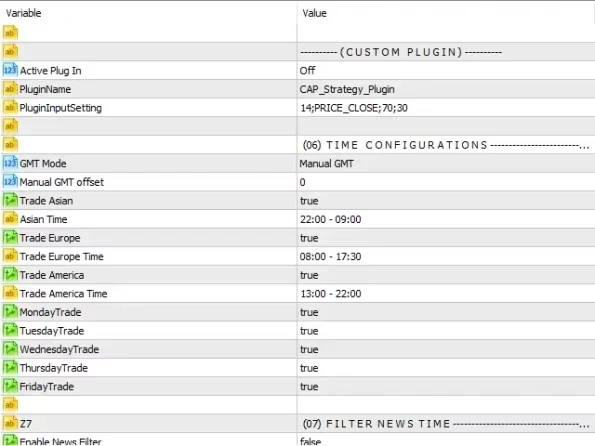
- Trading session differences
This additional testing stage can provide a more realistic picture of how the strategy behaves outside historical data.
Avoid Over-Optimization
One of the biggest challenges in automated strategy development is over-optimization.
A strategy may appear highly profitable in historical testing simply because its parameters have been adjusted too closely to past market data.
This is commonly known as overfitting or curve fitting.
To reduce this risk, consider:
- Testing multiple historical periods
- Using different market conditions
- Keeping trading rules relatively simple
- Performing out-of-sample testing
- Forward-testing the strategy
- Avoiding excessive parameter optimization
The objective should not simply be to create the most impressive backtest.
The goal is to develop a strategy with reasonable and repeatable behavior across different market environments.
Risk Management for Strategy Builder EA MT5
Building a strategy is only one part of automated trading.
Risk management is equally important.
Before using a custom strategy with real money, carefully consider:
- Account balance
- Lot size
- Risk per trade
- Stop Loss
- Maximum drawdown
- Maximum number of positions
- Leverage
- Available margin
- Trading costs
- Broker conditions
Avoid strategies that rely on excessive leverage or unrealistic assumptions about market behavior.
A good automated strategy should be evaluated based on both its potential returns and its potential losses.
From Manual Trading to Automated Trading
Strategy Builder EA MT5 can help bridge the gap between manual trading ideas and automated execution.
A practical workflow is:
Step 1 – Define Your Trading Idea
Clearly describe what market conditions should create a trading opportunity.
Step 2 – Create Measurable Rules
Convert the idea into objective entry and exit conditions.
Step 3 – Configure the Strategy
Set the appropriate parameters in the Strategy Builder.
Step 4 – Backtest
Use historical MT5 data to evaluate the strategy.
Step 5 – Optimize Carefully
Make reasonable adjustments without excessively fitting the strategy to historical data.
Step 6 – Forward Test
Run the strategy on a demo account under real-time conditions.
Step 7 – Analyze Risk
Review drawdown, exposure, losing periods, and overall strategy behavior.
Step 8 – Consider Live Deployment
Only consider live trading after thorough testing and risk evaluation.
Who Is Strategy Builder EA MT5 For?
Strategy Builder EA MT5 may be suitable for traders who:
- Use MetaTrader 5
- Have their own trading ideas
- Want to automate manual strategies
- Are interested in algorithmic trading
- Want to experiment with different trading conditions
- Want to build custom Expert Advisor strategies
- Want to backtest their trading concepts
- Prefer flexible strategy configuration
It may be less suitable for traders who simply want a ready-made EA and do not want to spend time developing, configuring, and testing their own trading rules.
Explore More Forex Trading Tools
Looking for ready-made automated trading systems?
Explore our Expert Advisor collection to discover additional Forex EAs for MetaTrader platforms.
You can also browse our Indicator collection for technical analysis tools that can complement your trading strategies.
For developers and advanced traders, visit our Source Code collection to explore Forex trading software and Expert Advisor source code.
Download Strategy Builder EA MT5
After completing your purchase, you can access your purchased files through your FXEAstore account.
Download immediately after payment:
Access Your Downloads
After downloading Strategy Builder EA MT5, install the EA on your MetaTrader 5 terminal and begin configuring your trading strategy.
We strongly recommend testing your strategy on a demo account before using real funds.
Need Support?
If you need assistance with Strategy Builder EA MT5, installation, configuration, or another FXEAstore product, contact our support team:
You can also follow the FXEAstore Telegram channel for new Expert Advisors, indicators, trading tools, and product updates:
Important Risk Disclaimer
Strategy Builder EA MT5 does not guarantee profits or specific trading results.
Forex and CFD trading involve substantial financial risk. A strategy that performs well during historical testing may perform differently under live market conditions.
Actual results can be affected by:
- Market volatility
- Spread
- Slippage
- Broker execution
- Commission
- Liquidity
- Leverage
- Account size
- Strategy configuration
- Trading costs
Backtesting and optimization results do not guarantee future performance.
Always test your strategy thoroughly, avoid excessive optimization, use appropriate risk management, and never trade with money you cannot afford to lose.
Final Thoughts
Strategy Builder EA MT5 provides a flexible framework for traders who want to create, configure, test, and automate their own trading strategies on MetaTrader 5.
Instead of relying exclusively on a predefined Expert Advisor, traders can experiment with different entry conditions, exit rules, indicators, filters, and money-management parameters.
For traders searching for an MT5 Strategy Builder, Expert Advisor Builder MT5, or Automated Trading Strategy Builder, this tool provides a practical way to explore the transition from manual trading ideas to systematic automated execution.
The key to successful strategy development is not simply creating a profitable-looking backtest. A robust approach requires clear rules, realistic expectations, controlled risk, thorough testing, and forward validation before live deployment.
Related products


Expert Advisor


Expert Advisor


Expert Advisor


Expert Advisor


Expert Advisor
IS New Project EA MT4 Unlimited with SetFiles (latest build)


Expert Advisor


Expert Advisor


Expert Advisor