
Aikon MT5 V8.25 Unlimited
$15
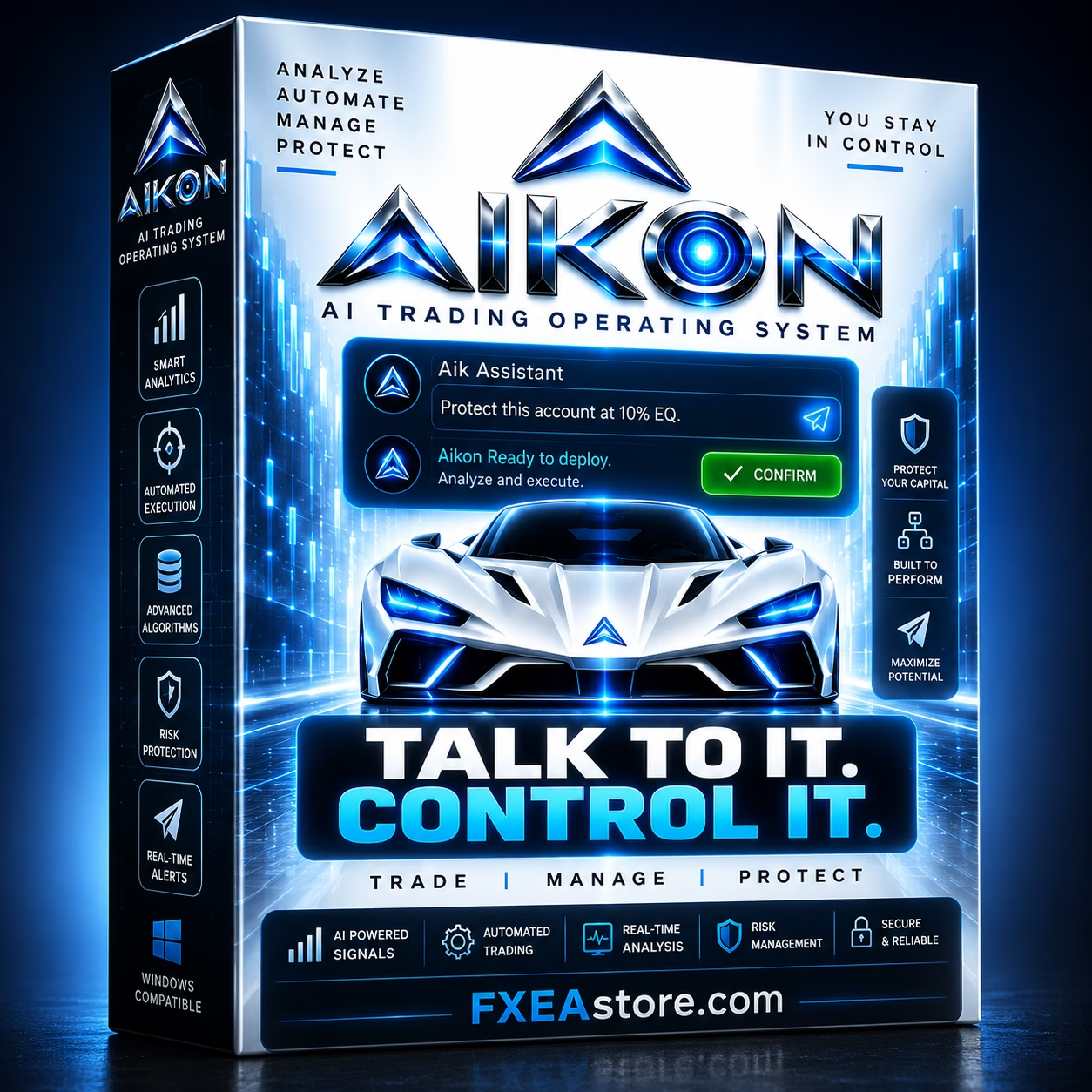
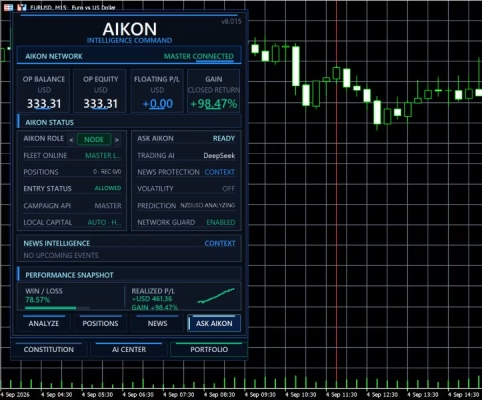
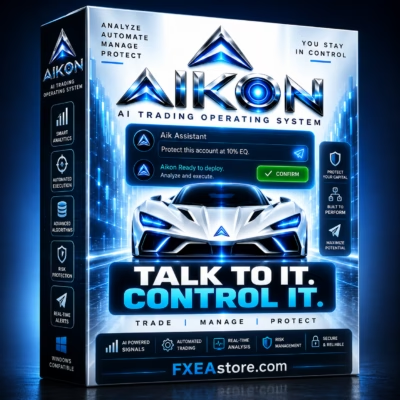
Aikon MT5 is an AI-powered Expert Advisor for MetaTrader 5 that combines automated trading, intelligent market analysis, risk management, capital controls, and conversational trading control. Manage your trading system through MT5 or connected Telegram access while keeping your own trading rules and risk settings in control.

Description
Aikon MT5 – AI-Powered Automated Trading for MetaTrader 5
Aikon MT5 – Intelligent Automated Trading with AI Control
Aikon MT5 is an advanced Expert Advisor for MetaTrader 5 designed for traders who want more than traditional automated trading. It combines automated execution with AI-assisted market analysis, portfolio monitoring, risk management, and conversational control.
Instead of navigating through multiple MT5 settings and menus, traders can interact with Aikon using natural-language instructions. The system can review positions, analyze exposure, prepare configuration changes, create monitoring plans, and manage automated trading according to the rules you approve.
Whether you operate a single MT5 account or multiple connected accounts, Aikon MT5 provides a flexible environment where your strategy, your capital, and your trading rules remain under your control.
AI-Powered Automated Trading
Once configured and enabled, Aikon MT5 can analyze market conditions, open trades, and manage positions according to your selected strategy, risk controls, and trading permissions.
The system supports different trading approaches, including:
- Forex Single Entry with Stop Loss
- Gold Single Entry with Stop Loss
- Optional Forex Recovery
- AI-assisted symbol selection
- Rule-based or AI-based Take Profit and Stop Loss
- Automated position management
Aikon can continue operating under your configured rules while MetaTrader 5 remains running and connected.
Ask Aikon – Control Your Trading System Naturally
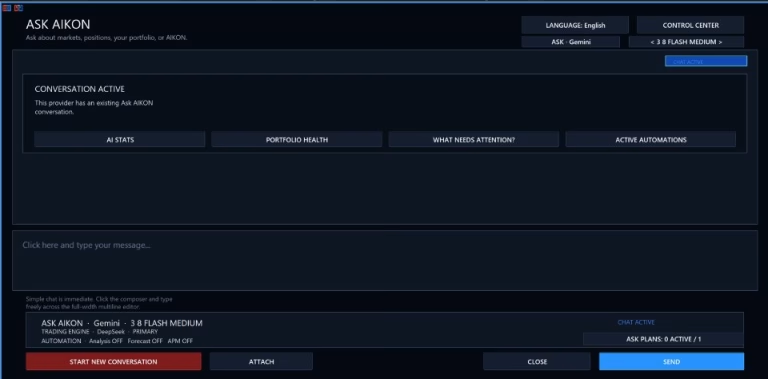
One of the key features of Aikon MT5 is Ask Aikon, a conversational interface that allows you to interact with your trading system using plain language.
You can ask Aikon to review your trading environment, explain current positions, analyze exposure, prepare trading configurations, or request operational changes.
For example, you can ask:
- Review my current USD exposure.
- Why didn’t this market trade?
- Build a Forex setup with Stop Loss.
- Pause new entries.
- Review my account protection settings.
- Prepare a trading plan for specific market conditions.
For operational changes, Aikon prepares the proposed action for your review before applying it.
The workflow is simple:
Ask → Review → Confirm → Apply → See the Result
Trading Rules and Controlled Automation
Aikon MT5 is designed around controlled automation rather than unrestricted AI decision-making.
Your configured trading rules determine how the EA operates, including:
- Entry conditions
- Position sizing
- Take Profit
- Stop Loss
- Recovery settings
- Capital allocation
- Trading permissions
Recovery is optional, so traders who prefer a Single Entry approach can operate without Recovery behavior.
This allows automated trading to work within clearly defined boundaries rather than giving unrestricted control to the AI system.
Capital Management and Risk Controls
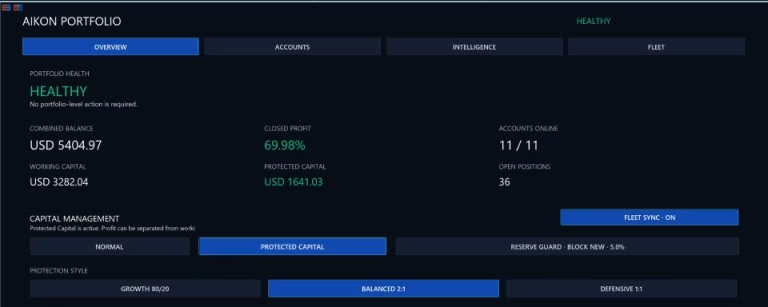
Aikon MT5 includes dedicated capital-management controls designed to help traders define how much account capital can be allocated to trading.
Important concepts include:
- Operating Capital – capital authorized for trading.
- Protected Reserve – capital separated from the normal trading allocation.
- Harvestable Profit – recognized profit above the active capital allocation baseline.
These controls help separate trading authorization from the total account balance.
The Protected Reserve remains inside the trading account and should not be considered a withdrawal mechanism or a guarantee against losses.
Trading Constitution – Define Your Permanent Rules
Aikon MT5 introduces a Trading Constitution for storing ongoing trading and protection policies.
Traders can define standing rules for their trading operation and distinguish them from temporary trading plans.
This creates two levels of control:
- Standing Rules – your continuing trading and protection policy.
- Temporary Plans – specific objectives with conditions, execution limits, and expiration times.
This structure can help organize both long-term trading principles and short-term market instructions.
Temporary Trading Plans and Monitoring
Aikon can prepare temporary instructions that continue operating after the conversation ends.
For example, traders can define specific market conditions, trading limits, management instructions, and an expiration time.
Before a plan becomes active, the proposed instructions can be reviewed and confirmed.
Aikon can also create monitoring objectives and alerts without automatically authorizing a trade.
Confirmed plans continue operating while the MetaTrader 5 terminal remains running and connected.
AIKON Initiative – Stay Informed Between Conversations
AIKON Initiative allows Aikon MT5 to monitor meaningful changes and bring relevant developments to your attention.
It can follow up on previously identified issues and check whether they still require attention.
Initiative reviews are read-only and do not independently authorize trading-setting changes or place trades.
This provides an additional monitoring layer without requiring traders to manually check every market development.
Telegram Trading Control
Aikon MT5 can be paired privately with Telegram, allowing traders to interact with their trading system from a phone.
Through Telegram, you can:
- Check your portfolio
- Review open positions
- Check trading exposure
- Prepare settings changes
- Create alerts
- Request a pause in new trading
- Review proposed operations
- Confirm approved actions
The requests are sent back to Aikon running inside MetaTrader 5 for validation and execution.
AI Research and Market Analysis
Aikon MT5 can also assist with trading research and market context.
With a compatible AI provider and the required configuration, Aikon can research current information and help organize market scenarios before action is taken.
Traders can also provide supported files as additional context and request structured reports in formats such as TXT, CSV, or JSON.
This makes Aikon useful not only for automated execution but also for market research, analysis, and trading preparation.
Multi-Account Master / Node Architecture
Aikon MT5 can operate independently on a single account or coordinate multiple connected MT5 accounts through its Master / Node architecture.
Each connected account can maintain its own:
- Trading eligibility
- Strategy settings
- Risk controls
- Capital allocation
- Execution conditions
At the same time, shared analysis can support the wider account fleet.
The system can inspect broader operations, target specific Nodes, or coordinate fleet-level actions according to the configured structure.
AI Economics and Usage Monitoring
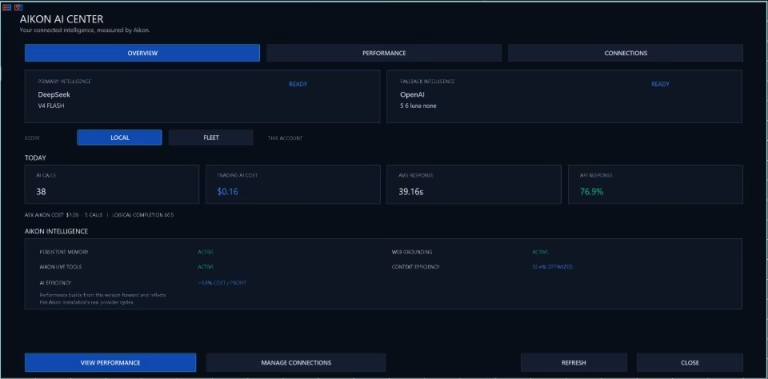
Aikon MT5 provides visibility into AI-related usage.
AI Economics can track information such as:
- AI calls
- Response times
- Token usage
- API costs
- Tool usage
- Web usage
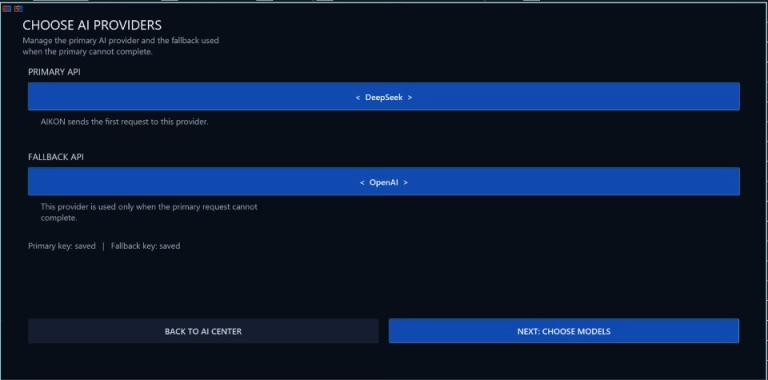
Traders can choose the AI provider and model that best fit their requirements.
Please note that external AI provider charges are separate from the Aikon MT5 product and depend on the selected provider, model, configuration, and usage.
MetaTrader 5 Strategy Tester and Backtesting
The MetaTrader 5 Strategy Tester can be used to examine the available mechanical trading behavior in simulation.
However, traditional backtesting does not reproduce the complete connected Aikon environment.
Features such as live AI conversations, provider research, Telegram functionality, and WebRequest-based services require the appropriate live environment and connections.
For this reason, backtesting should be used to evaluate available mechanical behavior, while connected demonstrations and live operation can be used to evaluate the complete AI-assisted workflow.
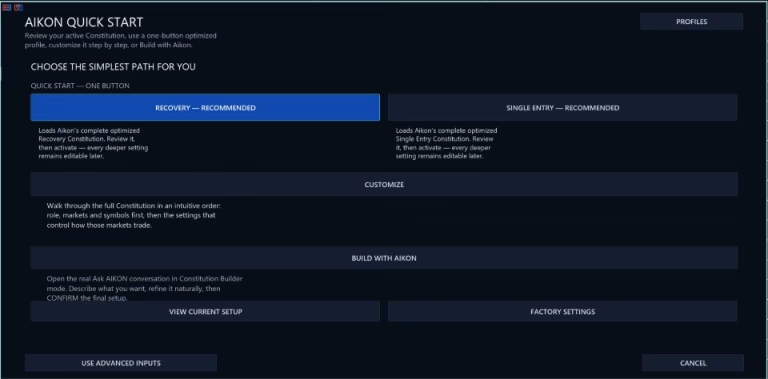
Aikon MT5 Quick Start
Aikon MT5 is designed to provide a straightforward starting configuration.
A typical setup can include:
- One MetaTrader 5 account
- One AI provider
- One AI model
- One API key
- A predefined trading profile or custom configuration
AI provider credentials are required for AI-powered features, while external provider fees are separate from the EA purchase.
Before enabling automated trading, make sure you understand your selected strategy, account settings, risk exposure, and capital allocation.
Aikon MT5 Requirements
Before using Aikon MT5, consider the following requirements:
- MetaTrader 5 must remain running and connected for automated trading and ongoing monitoring.
- AI features require an internet connection and properly configured AI provider credentials.
- Required MT5 trading permissions must be enabled.
- External AI provider charges are separate from the product.
- Web, file, and model capabilities depend on the selected AI provider.
- Netting accounts cannot run Recovery.
- FIFO and no-hedge conditions may affect execution behavior.
- Product support may require proof of MQL5 Market purchase.
Why Choose Aikon MT5?
Aikon MT5 combines several important components into one automated trading environment:
- AI-powered trading assistance
- Automated MetaTrader 5 execution
- Conversational trading control
- Portfolio and exposure monitoring
- Capital management controls
- Trading Constitution
- Temporary trading plans
- AIKON Initiative monitoring
- Telegram access
- Multi-account Master / Node architecture
- AI usage monitoring
- Strategy Tester compatibility
- Unlimited version
- Free updates
For traders looking for an AI-assisted MetaTrader 5 Expert Advisor, Aikon MT5 provides a flexible framework for combining automation, analysis, monitoring, and clearly defined trading rules.
Get Aikon MT5
Aikon MT5 is available as an unlimited-use digital product. After purchasing, you can access your product through your account and download it immediately after payment.
👉 Download immediately after payment
You can also explore more automated trading solutions in the Expert Advisor category.
For traders interested in indicators or trading tools, visit the Indicator section. If you are looking for development resources, explore the Source Code category.
For product updates and new releases, follow the FxEAstore.com Channel.
If you need assistance, contact FxEAstore Support.
Important Risk Notice
Forex and CFD trading involves substantial risk and may result in losses. Aikon MT5 is a software tool and does not guarantee profits or protect against trading losses. Always test the EA, understand its settings, and use appropriate risk management before trading with real funds.
Related products


Expert Advisor


Expert Advisor


Expert Advisor


Expert Advisor


Expert Advisor


Expert Advisor


Expert Advisor


Expert Advisor