

BROKK intraday MT5 V1.70 Unlimited
$22
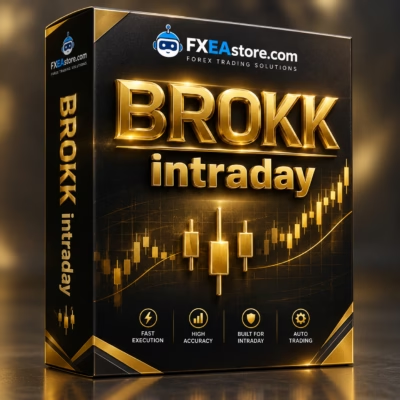
BROKK intraday MT5 is an automated MetaTrader 5 Expert Advisor combining SMA trend analysis, Daily ATR volatility measurement, Break-Even protection, profit-based position scaling, dynamic risk management, and intraday session controls.

Description
BROKK intraday MT5 – Advanced Trend Following & Dynamic Position Scaling EA
BROKK intraday MT5 – Automated Intraday Trend Following
BROKK intraday MT5 is an automated Expert Advisor for MetaTrader 5 designed for intraday trend-following and momentum-based trading.
The EA combines Fast and Slow Simple Moving Averages, Daily ATR volatility analysis, adaptive Stop Loss management, Break-Even protection, dynamic position sizing, and profit-based position scaling.
Its default configuration is optimized for XAUUSD / Gold, while the system can also be tested and optimized for Forex pairs, cryptocurrencies, and major indices.
Unlike recovery systems that add positions while a trade is losing, BROKK intraday MT5 is designed to add positions only after the initial position has moved into profit and the required protection conditions have been reached.
Fast and Slow SMA Trend Analysis
The core trading logic of BROKK intraday MT5 is based on Fast and Slow Simple Moving Average (SMA) analysis.
The relationship between the Fast and Slow SMA can help identify directional market conditions and potential intraday trends.
This approach is designed for markets where price can develop sustained directional momentum during a trading session.
Because moving-average systems can behave differently during trending and sideways markets, traders should test the EA across different historical periods before using it with real funds.
Daily ATR Volatility Analysis
BROKK intraday MT5 incorporates Daily Average True Range (ATR) to evaluate market volatility.
ATR information can be used within the EA for:
- Volatility-based Stop Loss
- Position sizing
- Market-condition assessment
- Adaptive risk management
- Volatility-sensitive trade management
Using ATR allows the EA to account for changing market volatility rather than relying exclusively on a fixed price distance.
A Stop Loss distance that may be appropriate during a quiet market can behave very differently when volatility increases, so volatility-aware calculations can provide another layer of automated risk management.
Profit-Based Position Scaling
One of the defining features of BROKK intraday MT5 is its profit-based position scaling.
The EA is designed to add positions only after the initial trade has moved into profit and the required protection conditions have been reached.
The basic concept can be summarized as:
Initial Position → Profit Confirmation → Break-Even Protection → Additional Position
This differs from conventional Martingale or loss-recovery systems that increase exposure because the original trade has moved against the account.
However, additional positions still increase total market exposure. Strong reversals after scaling can therefore affect equity, margin usage, and drawdown.
Break-Even Protection
BROKK intraday MT5 includes Break-Even protection as part of its position-management framework.
Once the required conditions are reached, the EA can manage the position toward a protected level according to its configured logic.
This protection is particularly relevant to the EA’s profit-based scaling concept because additional positions are intended to be added only after the initial position has progressed favorably.
Break-Even protection should not be interpreted as a guarantee against losses, as spreads, slippage, gaps, and fast market movements can affect actual execution.
ATR-Based and Fixed Stop Loss
BROKK intraday MT5 supports different Stop Loss approaches.
Depending on the configuration, Stop Loss can use:
- ATR-based Stop Loss
- Fixed-point Stop Loss
- Break-Even management
- Adaptive or trailing position management where enabled
ATR-based Stop Loss can adapt to market volatility, while fixed-point Stop Loss provides a more standardized price-distance approach.
Actual Stop Loss execution may differ from the configured level during high volatility, market gaps, spread expansion, or low-liquidity conditions.
Flexible Position Sizing
BROKK intraday MT5 provides multiple position-sizing methods, allowing traders to select an approach that fits their account and risk-management preferences.
Fixed Lot Mode
Fixed Lot Mode allows traders to specify a predefined trading volume.
This provides a straightforward position-sizing structure where the lot size remains based on the selected value.
Risk Percentage Mode
Risk Percentage Mode calculates position size based on account equity and the configured Stop Loss distance.
This approach is designed to maintain a more consistent intended risk percentage across trades.
Actual risk can still vary because of broker execution, minimum lot requirements, contract specifications, slippage, and market conditions.
ATR Volatility Sizing
The EA can also use Daily ATR information for volatility-based position sizing.
Position size can therefore respond to the prevailing volatility environment rather than remaining completely static.
Intraday Session Controls
BROKK intraday MT5 includes trading-session controls designed specifically for intraday operation.
The system supports features such as:
- Trading-session restrictions
- Strict session-close timing
- Daily trade limits
- Stop Level checks
- Automated position management within configured sessions
Session controls can be useful when market liquidity, volatility, and trading conditions vary throughout the day.
These controls also provide an additional framework for limiting how long the EA remains active during a trading session.
Daily Trading Limits
The EA supports daily trade limits as part of its intraday risk and trading-session framework.
Daily limits can help prevent the system from continuously opening new trades without regard to the configured trading schedule.
When combined with position sizing, Stop Loss, and session controls, these features provide a more structured approach to automated intraday trading.
Multi-Asset Trading Support
Although the default configuration is optimized for XAUUSD / Gold, BROKK intraday MT5 is designed with a modular architecture that can be tested on multiple markets.
Supported asset categories include:
- XAUUSD / Gold
- BTCUSD / Bitcoin
- ETHUSD and other cryptocurrencies
- Forex major pairs
- Forex minor pairs
- US100 / NASDAQ
- US30
- GER40
- Other compatible indices and instruments
However, a configuration optimized for Gold should not automatically be applied to Bitcoin, Forex, or indices.
Each market has different volatility, spread, contract specifications, trading hours, and price behavior. Instrument-specific testing and optimization are therefore important.
XAUUSD Default Configuration
The default BROKK intraday MT5 configuration is optimized for Gold / XAUUSD.
The product specifications include:
- Primary Asset: XAUUSD / Gold
- Trading Style: Intraday Trend Following
- Core Indicators: Fast SMA, Slow SMA, Daily ATR
- Position Management: Profit-Based Position Addition
- Risk Modes: Fixed Lot, Risk %, ATR Volatility Sizing
The recommended minimum deposit for the default configuration is $1,000 / €1,000, with $2,000+ recommended for Risk % Lot execution according to the product information.
These figures are configuration guidelines rather than guarantees of trading performance.
MT5 Strategy Tester Optimization
BROKK intraday MT5 is designed to work with the MetaTrader 5 Strategy Tester.
Traders can investigate and optimize parameters for different instruments and timeframes.
Potential optimization parameters include:
- Fast SMA settings
- Slow SMA settings
- ATR parameters
- Stop Loss configuration
- Position-addition intervals
- Position sizing
- Trading sessions
- Daily trade limits
- Asset-specific settings
Optimized .set files can be created for different broker environments and instruments.
However, optimization should not be confused with guaranteed future performance. Excessive optimization can also produce settings that fit historical data too closely, making forward testing on unseen data an important part of the evaluation process.
Broker and Execution Conditions
Automated intraday trading can be strongly affected by broker conditions.
Before using BROKK intraday MT5, traders should consider:
- Spread
- Commission
- Slippage
- Execution speed
- Liquidity
- Contract specifications
- Minimum lot size
- Tick value
- Margin requirements
- Trading hours
- Symbol suffixes
The EA can be used with different account structures, including:
- Cent accounts
- Micro accounts
- Standard accounts
- ECN accounts
- Raw Spread accounts
- Hedging accounts
For the most meaningful evaluation, testing should be performed using the same broker and account conditions intended for live trading.
Important Note for 3-Digit Gold Accounts
Gold pricing can differ between brokers and account types.
Some Cent or Micro accounts may quote Gold with 3 decimal digits, while standard configurations may use 2 decimal digits.
This difference can affect point-based calculations for:
- Stop Loss
- Trailing Stop
- Price distances
- Other point-based parameters
Before running BROKK intraday MT5 on a Cent or Micro Gold account, verify the broker’s:
- Symbol digits
- Point size
- Tick size
- Contract size
- Minimum lot
- Tick value
Use the appropriate configuration for the specific XAUUSD symbol rather than automatically applying standard point values.
BROKK ALGO HUD and On-Chart Analytics
BROKK intraday MT5 includes an on-chart visual interface known as the BROKK ALGO HUD.
The HUD can provide real-time information about the EA’s operational status and configured trading conditions.
To enable the visual elements and HUD metrics, the product documentation specifies setting:
InpShowVisuals = true
The visual interface can provide additional information during live trading and supported backtesting sessions.
Is BROKK intraday MT5 a Martingale EA?
BROKK intraday MT5 is designed around profit-based position addition, rather than adding positions because the original position is losing.
This distinction is important.
The system is not presented as a conventional Martingale recovery strategy where position size increases following losses.
Instead, its scaling concept is based on an existing position moving into profit and meeting configured protection conditions.
Nevertheless, position scaling can increase total exposure. Traders should evaluate:
- Maximum open volume
- Cumulative risk
- Margin usage
- Maximum drawdown
- Reversal scenarios
during backtesting and forward testing.
Personal and Prop Firm Trading Accounts
BROKK intraday MT5 can be evaluated for both personal trading accounts and environments where traders must operate under specific risk restrictions.
Features such as:
- Daily trading limits
- Session controls
- Stop Loss management
- Position sizing
- Automated position management
can be relevant to account-specific trading requirements.
However, every prop firm has its own rules regarding maximum daily loss, total drawdown, news trading, overnight positions, Expert Advisors, hedging, position sizing, and automated trading.
Users are responsible for checking the current rules of their specific trading account before deploying the EA.
Recommended Setup Process
Setting up BROKK intraday MT5 can follow this workflow:
Step 1 – Install MetaTrader 5
Make sure MetaTrader 5 is installed and connected to the intended trading account.
Step 2 – Select the Trading Symbol
Open the intended instrument, such as XAUUSD.
Step 3 – Select the Timeframe
Choose the timeframe and market configuration intended for testing.
Step 4 – Attach the EA
Add BROKK intraday MT5 to the selected chart.
Step 5 – Review Risk Settings
Check the position-sizing method, Stop Loss, scaling, and other risk parameters.
Step 6 – Enable Visuals
Set InpShowVisuals = true if the BROKK ALGO HUD and chart visuals are required.
Step 7 – Verify Symbol Specifications
Check point precision, contract size, minimum lot, tick value, and other broker-specific specifications.
Step 8 – Backtest
Run historical testing using the MetaTrader 5 Strategy Tester.
Step 9 – Forward Test
Run the selected configuration on a Demo Account.
Step 10 – Evaluate Results
Review exposure, drawdown, execution, spreads, slippage, and broker conditions before considering live deployment.
Who Is BROKK intraday MT5 For?
BROKK intraday MT5 may be relevant to traders looking for:
- Automated MT5 trend-following
- Intraday XAUUSD automation
- Moving Average-based trading
- ATR volatility management
- Profit-based position scaling
- Break-Even protection
- Risk-based position sizing
- Multi-asset EA capabilities
- MT5 Strategy Tester optimization
- Automated Forex trading
- Automated Gold trading
- Automated crypto trading
- Automated index trading
It may be less suitable for traders specifically looking for an aggressive recovery system or a strategy that continuously averages into losing positions.
BROKK intraday MT5 Key Features
- Automated MetaTrader 5 Expert Advisor
- Intraday trend-following strategy
- Fast and Slow SMA analysis
- Daily ATR volatility measurement
- Profit-based position scaling
- Break-Even protection
- ATR-based Stop Loss
- Fixed-point Stop Loss option
- Fixed Lot position sizing
- Risk Percentage position sizing
- ATR-based volatility sizing
- Daily trading limits
- Session-close controls
- Stop Level checks
- Multi-asset compatibility
- XAUUSD default optimization
- Cryptocurrency support
- Forex support
- Index trading support
- MT5 Strategy Tester optimization
- Custom
.setconfigurations - BROKK ALGO HUD
- Real-time on-chart analytics
BROKK intraday MT5 Specifications
Product: BROKK intraday MT5
Platform: MetaTrader 5
Version: 1.70
Build: 6230+
Primary Asset: XAUUSD / Gold
Trading Style: Intraday Trend Following
Core Indicators: Fast SMA, Slow SMA, Daily ATR
Position Management: Profit-Based Position Addition
Risk Modes: Fixed Lot, Risk %, ATR Volatility Sizing
Minimum Deposit: $1,000 / €1,000
Recommended Capital for Risk % Lot: $2,000+
Account Types: Cent, Micro, Standard, ECN, Raw Spread, Hedging
Optimization: MT5 Strategy Tester
Visual Interface: BROKK ALGO HUD
DLL: Required according to the product listing.
Get BROKK intraday MT5
BROKK intraday MT5 is available as a digital Expert Advisor through FxEAstore.com.
After completing your purchase, you can access your product through your account and download immediately after payment.
👉 Download immediately after payment
Explore more automated trading software in our Expert Advisor category.
You can also browse our Indicator collection for additional trading tools or explore available Source Code products.
For new EA releases, product updates, and Forex software news, follow the FxEAstore.com Channel.
If you need assistance with your product or purchase, contact FxEAstore Support.
Important Risk Notice
Forex, Gold, cryptocurrency, index, and other leveraged trading involve substantial risk and may result in losses.
BROKK intraday MT5 is software designed to automate a predefined trading methodology. It does not guarantee profits or eliminate market or execution risk.
Profit-based position scaling can increase total market exposure, while spreads, slippage, liquidity, gaps, leverage, broker execution, and account specifications can affect actual results.
Backtested or optimized results do not guarantee future performance. Always test the EA carefully on a Demo Account, verify broker specifications, review maximum exposure and drawdown, and use risk settings appropriate for your trading environment.
Related products


Expert Advisor


Expert Advisor


Expert Advisor


Expert Advisor

Expert Advisor


Expert Advisor


Expert Advisor


Expert Advisor
IS New Project EA MT4 Unlimited with SetFiles (latest build)