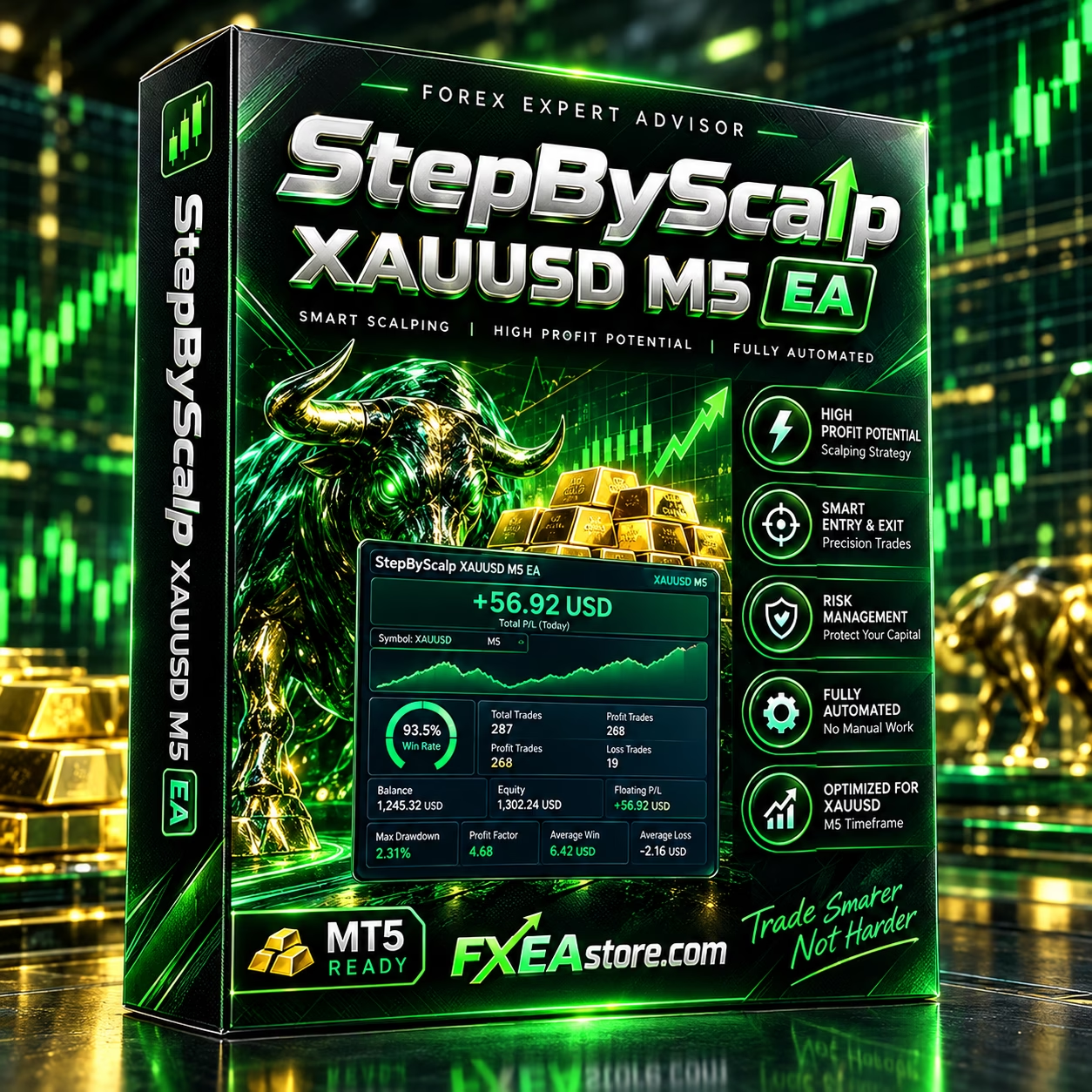
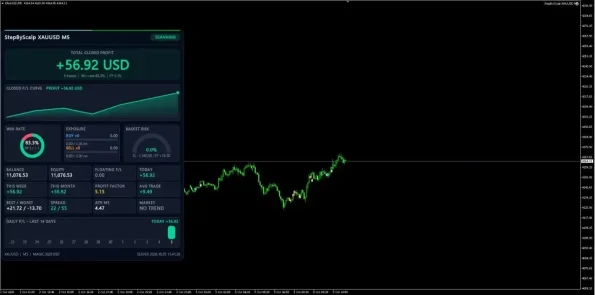
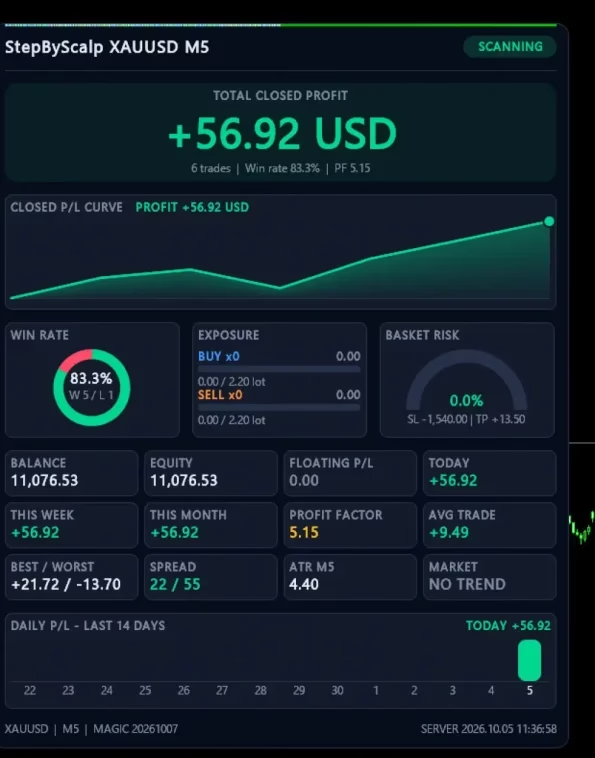
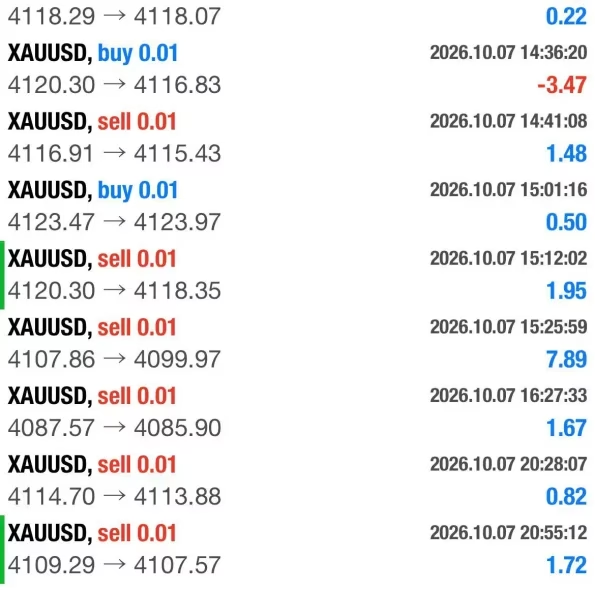

StepByScalp XAUUSD M5 EA MT4 V1.0 Unlimited
$17
StepByScalp XAUUSD M5 EA MT4 is an automated Gold scalping Expert Advisor designed for MetaTrader 4. Focused on XAUUSD trading on the M5 timeframe, it uses trend-following logic, price movement analysis, volatility filters, and configurable trade management settings to identify potential trading opportunities. With virtual stop-loss and take-profit logic, adjustable lot sizes, and higher-timeframe trend confirmation, this EA offers a systematic approach to automated Gold trading. Demo testing and proper risk management are recommended before live trading.

Description
StepByScalp XAUUSD M5 EA MT4 – Automated Gold Scalping for MetaTrader 4
Overview of StepByScalp XAUUSD M5 EA MT4
StepByScalp XAUUSD M5 EA MT4 is an automated trading Expert Advisor designed specifically for Gold scalping on MetaTrader 4. It focuses on XAUUSD and the M5 timeframe, making it suitable for traders who want to explore short-term, rule-based trading strategies.
The EA uses a trend-following approach that evaluates market direction, strong price movements, and potential pullbacks to identify trading opportunities. It continuously monitors market conditions and manages open positions according to its programmed trading rules.
StepByScalp XAUUSD M5 EA MT4 also provides configurable settings for lot sizing, additional entries, volatility filtering, spread limitations, trend strength, and higher-timeframe confirmation.
These features allow traders to adjust the system to their trading preferences and broker conditions. However, actual results depend on market volatility, execution quality, spreads, account settings, and risk management. No automated trading system guarantees profits.
Explore more automated trading solutions in our Expert Advisor collection.
Key Features of StepByScalp XAUUSD M5 EA MT4
1. Specialized XAUUSD Gold Scalping
StepByScalp XAUUSD M5 EA MT4 is designed for trading Gold against the US dollar (XAUUSD) on the five-minute chart.
Gold prices can move rapidly in response to interest rate expectations, inflation reports, US dollar movements, and geopolitical developments. These movements can create short-term trading opportunities while also increasing the risks of slippage, wider spreads, and sudden losses.
The EA’s focused market and timeframe provide a defined starting point for strategy evaluation. Before using it, traders should verify their broker’s XAUUSD contract specifications, minimum lot size, execution model, and trading conditions.
2. Trend-Following Trading Strategy
The EA’s stated trading approach focuses on identifying the prevailing market trend and evaluating strong price movements before looking for potential pullback entries.
Instead of relying solely on random price fluctuations, the system evaluates market conditions against its programmed entry criteria.
Its configurable filters include:
- Trend quality: Establishes a minimum trend-strength requirement.
- Volatility filtering: Uses ATR-related settings to assess market activity.
- Spread control: Restricts entries when the current spread exceeds the configured threshold.
- Higher-timeframe confirmation: Adds an additional trend-direction filter.
- Adverse price movement monitoring: Helps manage positions according to configured protective conditions.
These filters are designed to help control the conditions under which trades are opened. They cannot eliminate market risk or guarantee that every entry will be profitable.
3. Virtual Stop Loss and Take Profit
One of the main features of StepByScalp XAUUSD M5 EA MT4 is its virtual stop-loss (SL) and take-profit (TP) management logic.
According to the product specifications, the EA monitors price movements and manages trade exits through its programmed rules rather than relying exclusively on conventional stop-loss and take-profit orders placed directly on the broker’s server.
The EA checks open positions on incoming price ticks and applies its configured exit logic when the relevant conditions are met.
This approach makes continuous operation especially important. If MetaTrader 4 shuts down, the VPS loses connectivity, or the EA stops running, virtual exit management may no longer operate as intended.
Before live deployment, traders should verify exactly how virtual exits work, what happens during terminal disconnections, and whether any independent protective orders are placed on the broker’s server.
Virtual stop-loss and take-profit settings should not automatically be assumed to provide the same protection as server-side orders.
4. Configurable Additional Entries
StepByScalp XAUUSD M5 EA MT4 supports configurable additional entries when market conditions continue to satisfy its trading rules.
The EA provides settings for initial lot size, lot multiplier, and maximum orders in one direction. These parameters influence how positions are added and how much overall market exposure can accumulate.
Additional entries can increase the total trading volume and potential drawdown when the market moves against open positions. Consequently, traders should understand how the EA calculates each new position and how it handles multiple open trades before enabling these settings.
Evaluate the maximum combined exposure, margin requirements, and potential losses under unfavorable market conditions. Do not assess risk based only on the initial lot size.
5. ATR and Volatility Filters
Market volatility can affect the behavior of a short-term Gold scalping strategy.
StepByScalp XAUUSD M5 EA MT4 includes ATR-related and volatility settings that help define acceptable market conditions according to the EA’s programmed logic.
These filters can be useful when evaluating how the system behaves during quieter periods and more active market sessions. Their actual effect depends on the implementation and selected parameters.
Traders should test different market environments to understand how volatility settings influence trade frequency, entries, and drawdown.
6. Maximum Spread Control
Trading costs are particularly important for scalping strategies because frequent transactions can make spreads and commissions significant.
The EA includes a Max Spread setting that defines the maximum acceptable spread for entering trades.
Before selecting this parameter, review your broker’s typical XAUUSD spread during different trading sessions. Also account for commissions and slippage, which can reduce net performance even when the spread remains within the configured limit.
A spread filter can restrict some unfavorable entry conditions, but it cannot guarantee favorable execution or eliminate all trading costs.
7. Higher-Timeframe Trend Confirmation
Higher-timeframe confirmation provides an additional way to evaluate market direction before taking a trade on the M5 chart.
When configured, this filter can help align short-term entries with a broader market trend. Its usefulness depends on the selected parameters and the relationship between the different timeframes.
Traders should test this feature to determine how it affects entry frequency and strategy behavior rather than assuming that additional confirmation always improves performance.
Technical Specifications
The following specifications are listed for StepByScalp XAUUSD M5 EA MT4.
- Product name: StepByScalp XAUUSD M5 EA MT4
- Trading platform: MetaTrader 4 (MT4)
- Primary trading instrument: Gold (XAUUSD)
- Recommended timeframe: M5
- Product version: 1.0
- Required MT4 build: 1492 or higher
- DLL requirement: Yes
- Trading style: Automated scalping and trend following
- Trade management: Configurable position management with virtual SL/TP logic
- Additional settings: Lot multiplier, maximum orders, volatility filters, spread limits, and trend confirmation
Because the EA requires DLL functionality, verify that your MT4 installation supports the necessary features. Enable DLL imports only for software you trust and understand.
Recommended Lot Sizes and Account Balance
The product guidance provides the following indicative initial lot-size recommendations:
| Account Balance | Suggested Initial Lot |
|---|---|
| $1,000 | 0.02 |
| $2,000 | 0.04 |
| $3,000 | 0.06 |
| $4,000 | 0.08 |
| $5,000 | 0.10 |
| $6,000 | 0.12 |
| $7,000 | 0.14 |
| $8,000 | 0.16 |
| $9,000 | 0.18 |
| $10,000 | 0.20 |
These figures reflect the product’s stated recommendations and should not be interpreted as universally safe position sizes.
The appropriate lot size depends on account equity, leverage, broker contract specifications, margin requirements, market volatility, and the EA’s additional-entry settings.
For example, if the EA opens multiple positions in the same direction, total exposure can become substantially larger than the initial lot size suggests. A lot multiplier can increase this exposure further.
Before using the recommended settings, evaluate potential drawdown, cumulative position size, margin usage, and the consequences of sustained adverse price movements. Consider lower initial lot sizes if the suggested exposure is not appropriate for your risk tolerance.
Recommended Leverage
The product guidance suggests leverage of 1:100 or higher.
Available leverage varies by broker, account type, jurisdiction, and trading instrument. Higher leverage can reduce the margin required to open a position, but it can also allow greater exposure relative to account equity and magnify losses.
Leverage should never be treated as a substitute for sufficient capital or effective risk management. Check your broker’s margin requirements for XAUUSD and understand how multiple simultaneous positions may affect your account.
VPS Requirements and Trading Stability
A Virtual Private Server (VPS) is recommended for running StepByScalp XAUUSD M5 EA MT4 continuously.
The product guidance suggests aiming for a connection latency of 30 milliseconds or less to the broker’s server where practical.
Low latency and stable connectivity can be useful for short-term trading, where price conditions may change quickly. Continuous operation is particularly relevant when an EA relies on virtual stop-loss and take-profit logic.
When selecting a VPS, consider the following factors:
- Low latency: Aim for a stable connection to your broker, with approximately 30 ms or less where practical.
- Reliable uptime: Choose a service capable of keeping MetaTrader 4 running consistently.
- Adequate resources: Ensure sufficient memory and processing capacity for the trading terminal.
- Connection stability: Minimize interruptions between the EA, terminal, and broker.
- Recovery procedures: Understand how the terminal and EA restart after a server reboot or connection failure.
- Security: Protect your remote access credentials and maintain a secure VPS environment.
Latency is only one factor affecting execution quality. Broker infrastructure, liquidity, spread conditions, order-processing delays, and slippage also influence trading results.
A VPS can support continuous operation, but it cannot guarantee better fills, eliminate technical failures, or prevent market losses.
Risk Management for StepByScalp XAUUSD M5 EA MT4
Effective risk management is essential when using an automated Gold scalping EA, particularly when the system can add positions and relies on virtual exit management.
Control Initial Lots and Position Growth
Choose an initial lot size appropriate for your account and risk tolerance. Understand how the lot multiplier affects additional entries and how much total exposure can accumulate when the EA approaches its maximum order limit.
Do not assume the initial lot size represents the maximum possible exposure.
Understand Basket Profit and Loss Management
Review how the EA calculates profit and loss thresholds for its positions. Determine how these thresholds change as additional trades are opened or position sizes increase.
Understand what happens when a configured loss threshold is reached and whether the EA closes all related positions or uses another exit procedure. Confirm the exact behavior through product documentation and testing.
Monitor Spreads and Slippage
Scalping strategies can be sensitive to transaction costs. Wider spreads, slippage, commissions, and order execution delays may reduce returns or cause live performance to differ from backtest results.
Test the Max Spread setting against your broker’s actual XAUUSD conditions, including periods when Gold spreads widen.
Evaluate High-Volatility Conditions
Gold prices can move sharply during major economic announcements and unexpected news events.
Test the EA under different volatility conditions, including rapid reversals, widening spreads, and sustained adverse price movements. Do not assume that trend filters or ATR settings will prevent losses during every market event.
Plan for Disconnections
Because virtual exit management may depend on the EA remaining active, technical interruptions can affect how open positions are managed.
Test the system’s behavior when MetaTrader 4 closes, the VPS disconnects, or the broker connection is interrupted. Where possible, verify whether independent protective orders exist on the broker’s server.
Use Backtesting and Demo Trading
Historical backtesting can help assess how the EA behaves on past price data, but it cannot predict future performance.
Use realistic spreads, commissions, applicable swap charges, and reasonable slippage assumptions when testing. Follow historical testing with demo trading to evaluate the system under current market conditions before committing real capital.
How to Evaluate StepByScalp XAUUSD M5 EA MT4 Before Live Trading
Follow a structured evaluation process to understand the EA’s behavior and identify potential compatibility issues.
- Verify compatibility: Confirm that your MT4 installation meets the requirements and that your broker supports the necessary XAUUSD trading conditions.
- Review the documentation: Understand entry rules, exit logic, lot multipliers, maximum orders, and volatility filters.
- Run historical backtests: Use suitable XAUUSD historical data and appropriate MT4 testing settings.
- Include realistic costs: Account for spreads, commissions, applicable swaps, and potential slippage.
- Analyze drawdown and exposure: Review maximum drawdown, floating losses, margin usage, and cumulative position size.
- Test on a demo account: Observe the EA in current market conditions and examine how its virtual exit management operates.
- Check VPS reliability: Confirm continuous terminal operation and understand recovery procedures after interruptions.
- Monitor results over time: Evaluate a meaningful sample of trades across different market conditions rather than relying on a few successful trades.
Pay particular attention to situations where several positions are open simultaneously or Gold moves sharply against the EA’s current exposure. Such conditions may reveal risks that are not apparent during short periods of favorable trading.
Who Should Consider StepByScalp XAUUSD M5 EA MT4?
StepByScalp XAUUSD M5 EA MT4 may be worth evaluating for traders who:
- Use MetaTrader 4 for automated trading.
- Want to explore automated Gold scalping on XAUUSD.
- Are interested in trend-following and price-movement-based strategies.
- Understand position sizing, margin, and cumulative market exposure.
- Can maintain a reliable trading environment and monitor technical performance.
- Are willing to conduct backtesting and demo testing before live deployment.
- Understand the risks associated with additional entries and virtual trade exits.
StepByScalp XAUUSD M5 EA MT4 may not be suitable for traders who expect guaranteed returns, cannot tolerate substantial drawdowns, or are unable to monitor the risks of automated trading.
Although an Expert Advisor can automate trade execution and position monitoring, traders remain responsible for verifying settings, maintaining a suitable operating environment, and ensuring that the strategy’s risk profile aligns with their financial circumstances.
Explore More Trading Tools at FXEAstore
Expand your trading toolkit with additional resources from FXEAstore:
- Expert Advisors: Explore automated trading systems in our Expert Advisor collection.
- Technical Indicators: Discover chart-analysis tools in our Forex Indicator collection.
- Trading Software Source Code: Browse available development resources in our Source Code collection.
These resources can help you explore different approaches to automated trading and technical analysis.
Download and Customer Support
After completing your purchase, visit the FXEAstore Downloads page to access your available downloads.
For product announcements, trading software updates, and related information, join the FXEAstore Telegram Channel.
If you need assistance with your purchase or product access, contact FXEAstore Support.
Final Thoughts on StepByScalp XAUUSD M5 EA MT4
StepByScalp XAUUSD M5 EA MT4 is an automated Gold scalping Expert Advisor for MetaTrader 4. Its stated strategy combines trend-following logic, strong price movement analysis, pullback evaluation, volatility filters, spread controls, and higher-timeframe confirmation to identify potential XAUUSD trading opportunities on the M5 timeframe.
StepByScalp XAUUSD M5 EA MT4 also offers configurable lot sizing, additional-entry management, and virtual stop-loss and take-profit logic. Its published operating recommendations include initial lot sizes ranging from 0.02 lots for a $1,000 account to 0.20 lots for a $10,000 account, leverage of 1:100 or higher, and VPS latency of approximately 30 milliseconds or less where practical.
These specifications describe the product’s stated features and recommendations; they do not establish profitability or guarantee that the suggested settings are suitable for every account.
Before running StepByScalp XAUUSD M5 EA MT4 on a live account, verify its technical requirements, test its behavior under realistic market conditions, and assess the risks associated with additional entries, virtual exits, spreads, slippage, and connection failures.
Risk Warning: Forex and Gold trading involve substantial financial risk. Automated scalping does not guarantee profits, and additional positions can increase total market exposure. Virtual stop-loss and take-profit management may depend on the trading terminal and EA remaining active. Leverage, spreads, slippage, market volatility, and broker execution conditions can all affect results. Trade only with money you can afford to lose and always apply appropriate risk management.
Related products


Expert Advisor


Expert Advisor


Expert Advisor


Expert Advisor


Expert Advisor


Expert Advisor


Expert Advisor


Expert Advisor