
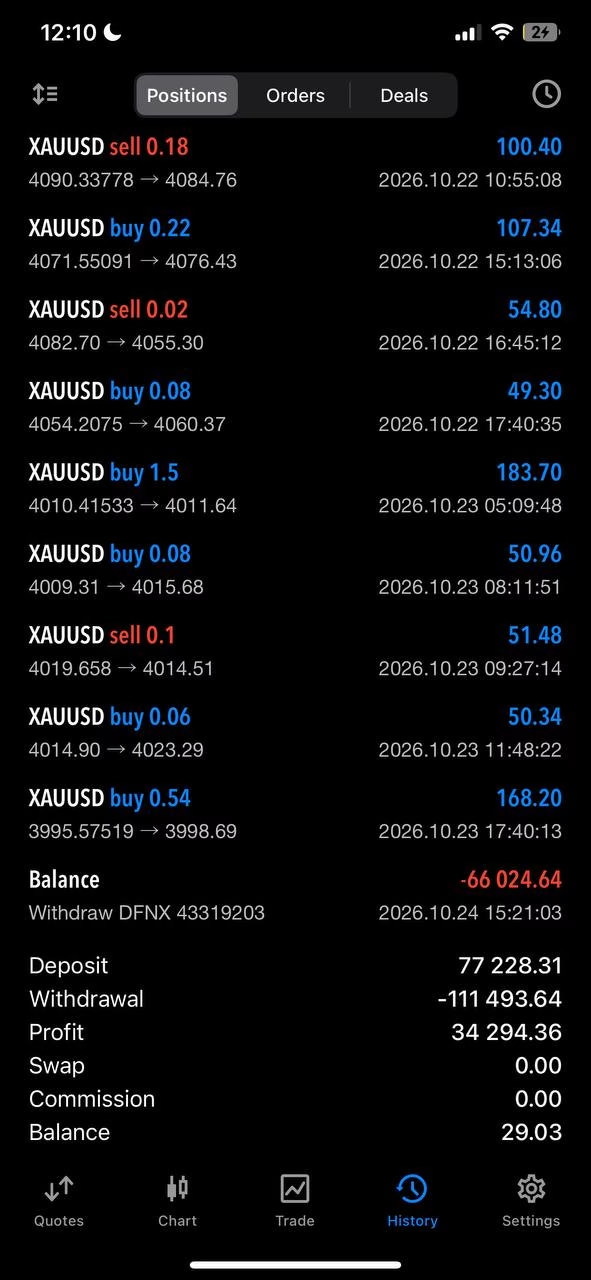
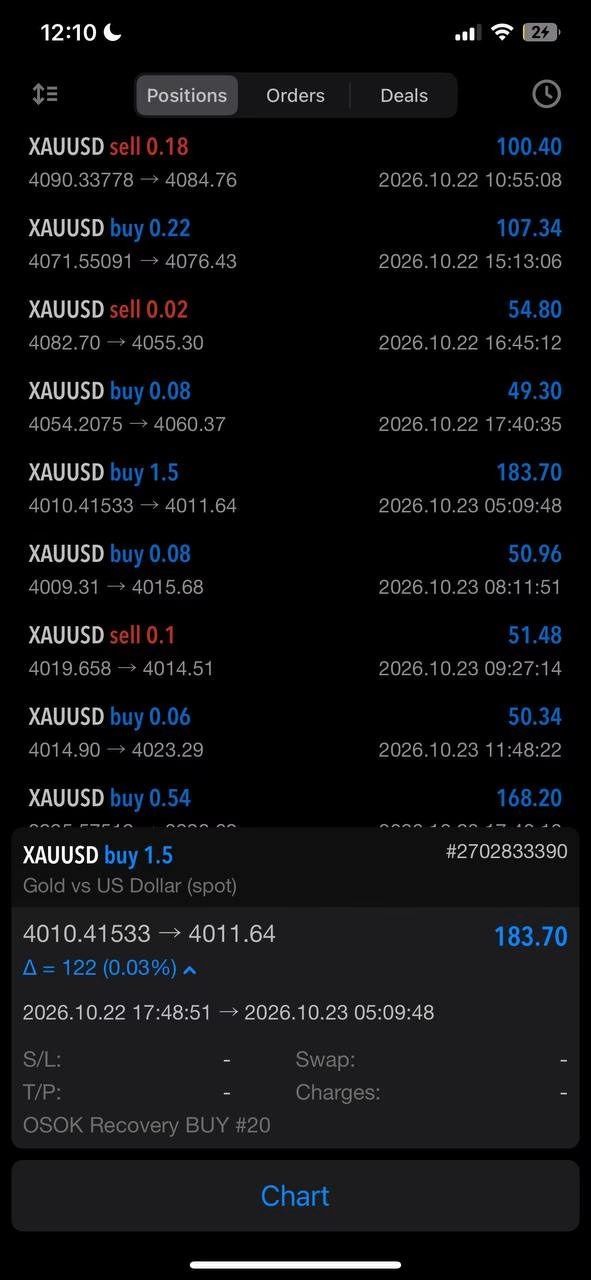
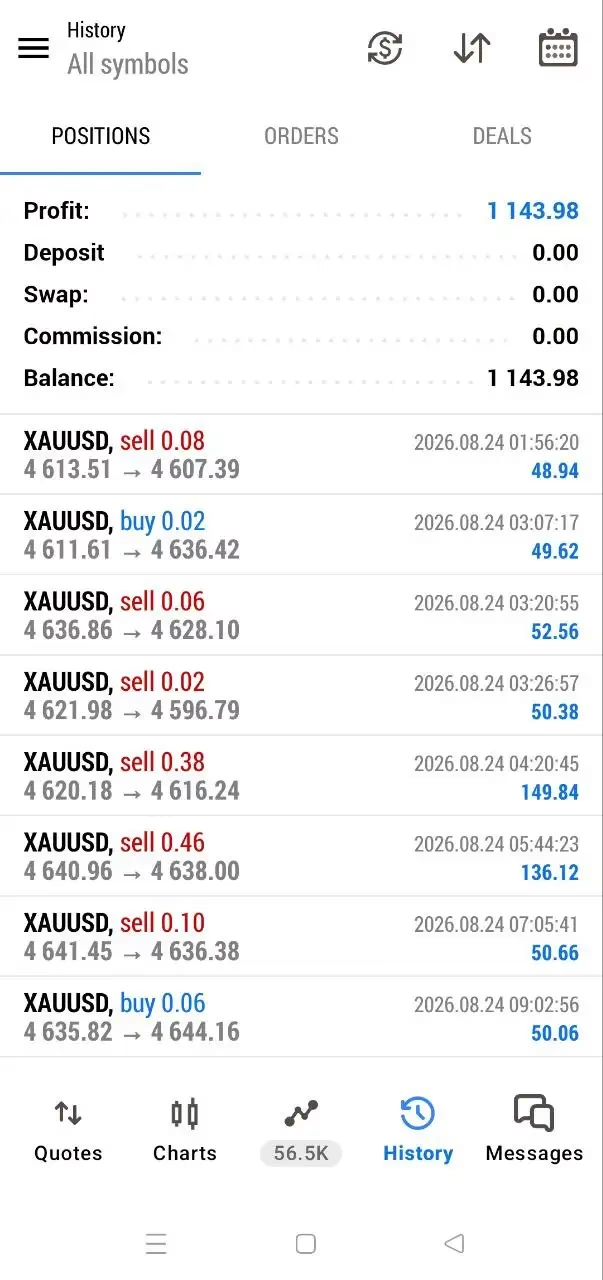
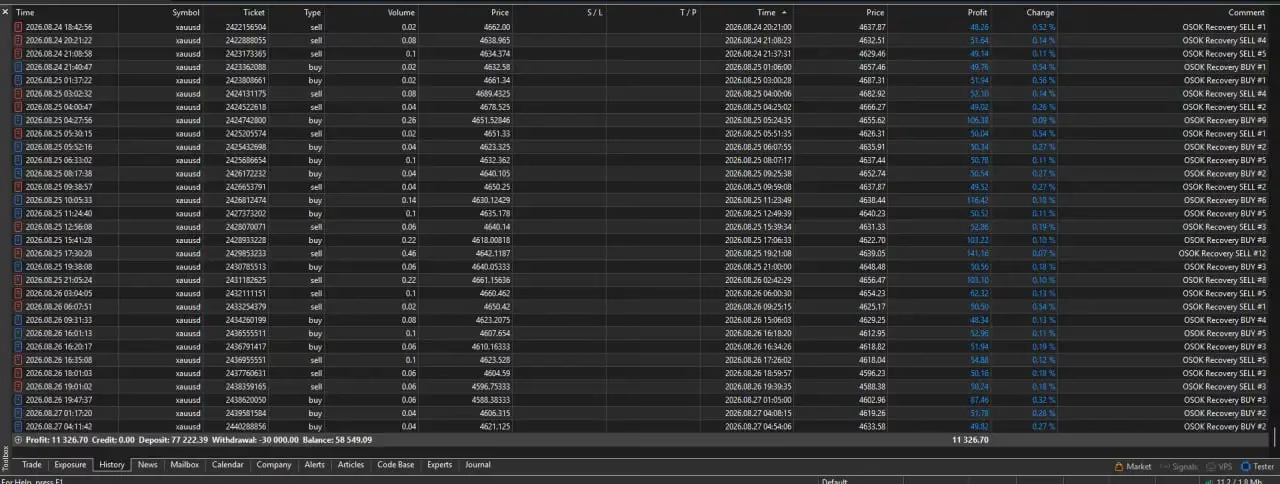
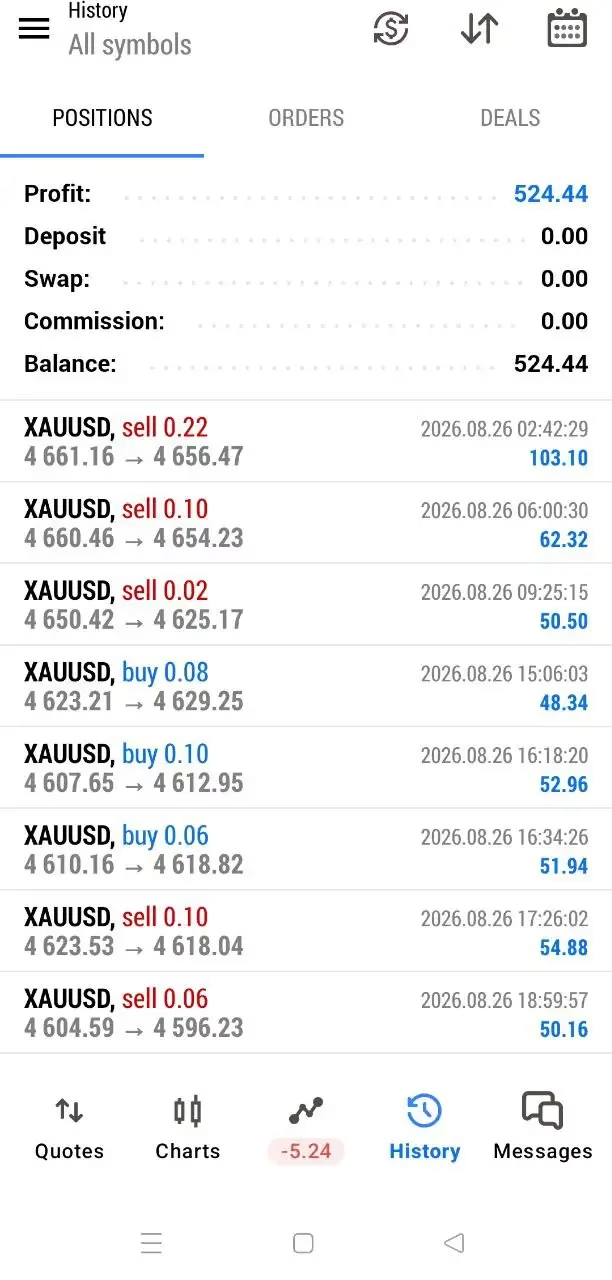
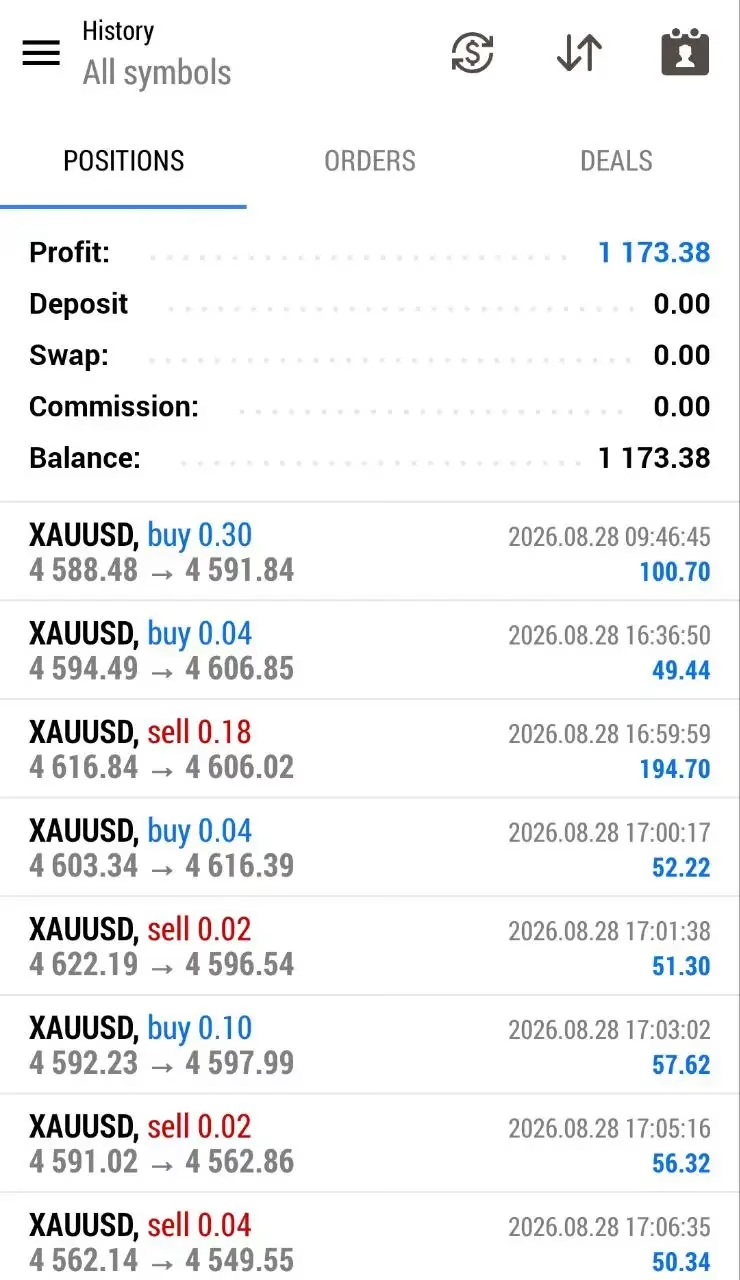
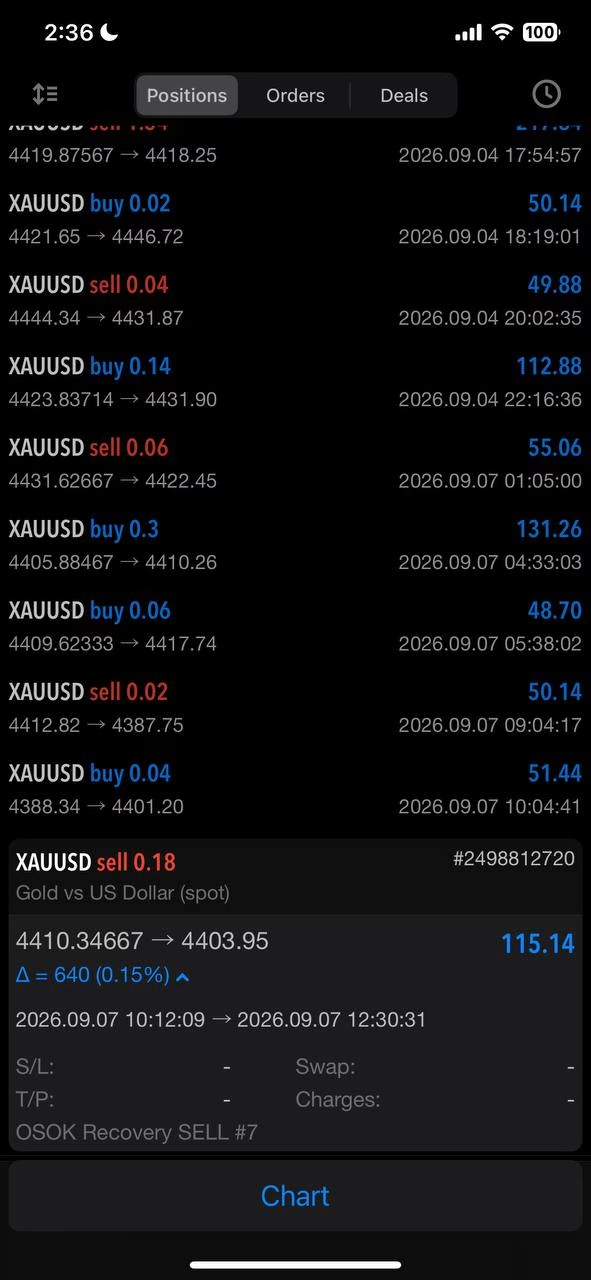
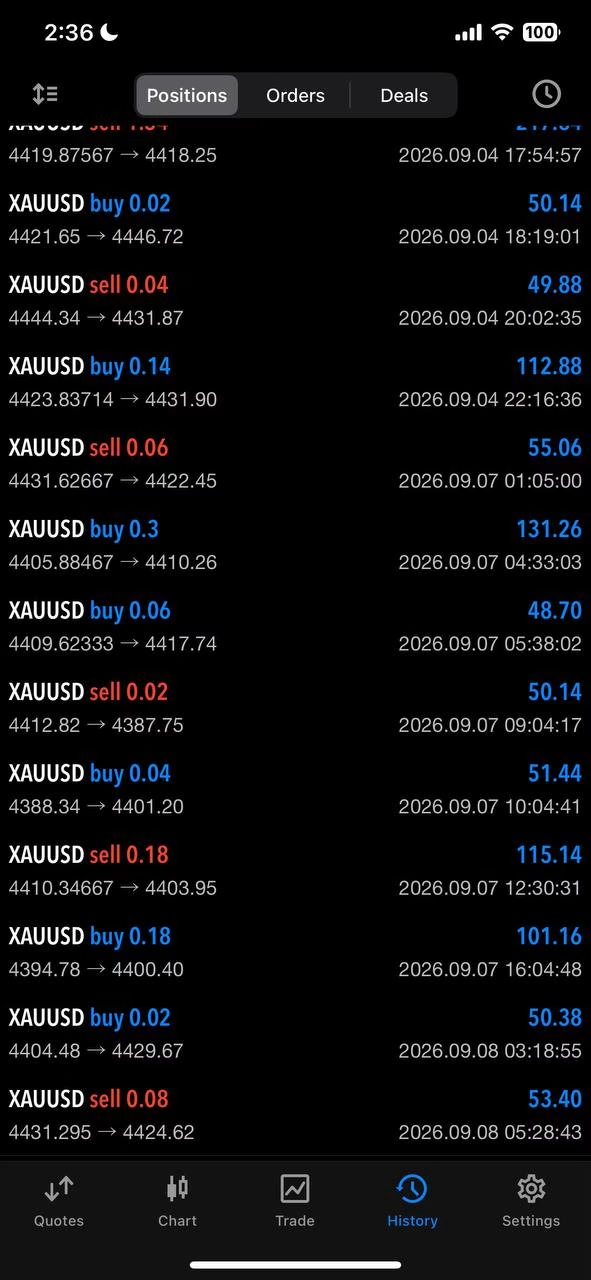
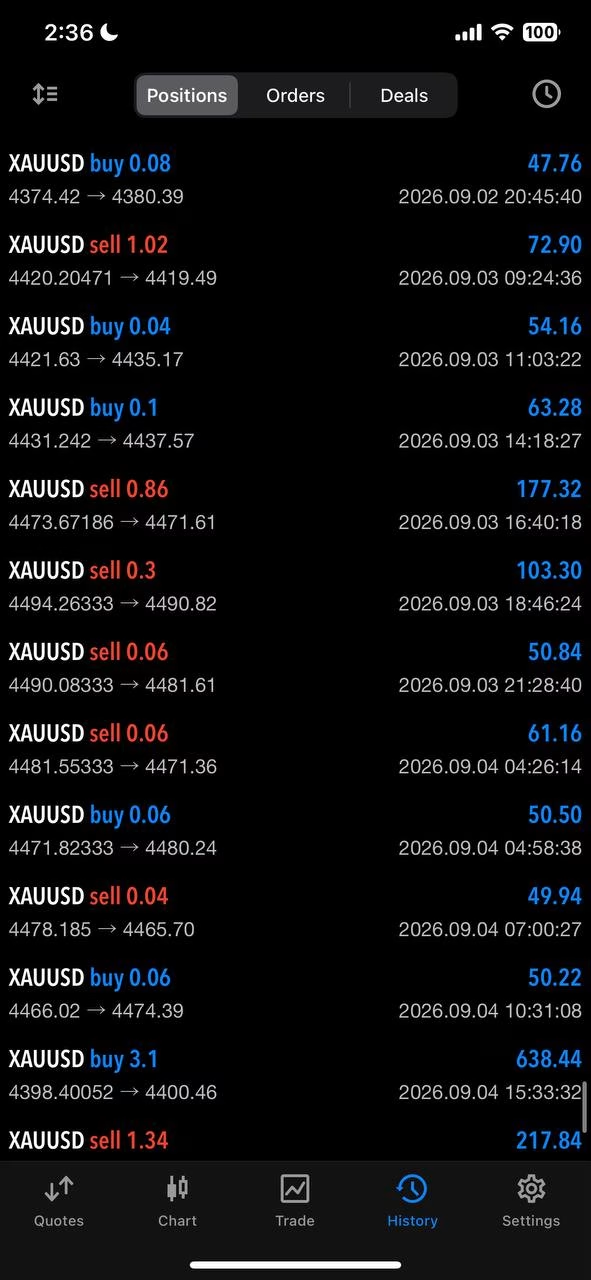
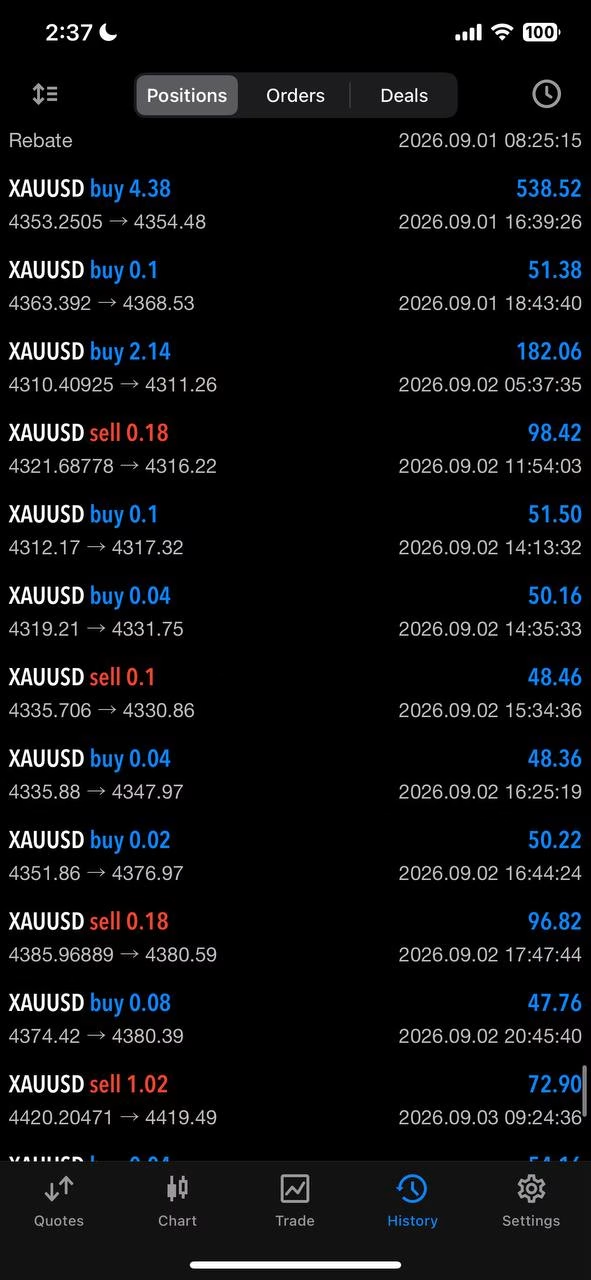

Osok Gold Killer EA MT5 V3.1 Unlimited + SetFiles
$15
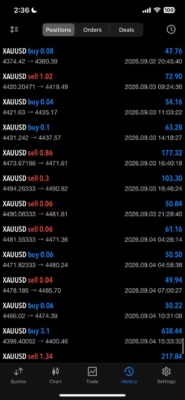
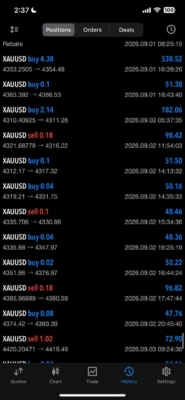
Osok Gold Killer EA MT5 is an automated trading robot designed for Gold (XAUUSD) on the MetaTrader 5 platform. It combines automated trade execution with configurable trading parameters, account-management features, daily target controls, and a live dashboard. Designed for traders interested in systematic gold trading, this Expert Advisor provides tools to monitor trading activity and manage selected risk parameters. Always test the EA on a demo account before using it with real funds.
37371127Osok@2026RoboForex-Pro
Description
Osok Gold Killer EA MT5 – Automated Gold Trading Robot for MetaTrader 5
Osok Gold Killer EA MT5 – Key Features and Trading Capabilities
Osok Gold Killer EA MT5 is designed for traders who want to automate their gold trading activities through MetaTrader 5. Its feature set focuses on automated execution, trading management, and account monitoring.
1. Automated Gold Trading on MT5
Osok Gold Killer EA MT5 is designed specifically for XAUUSD, the gold-versus-US-dollar trading instrument.
The EA automates trading operations according to its programmed strategy, reducing the need to monitor every market movement manually. This can be useful for traders who prefer a systematic approach to short-term gold trading.
Gold is highly volatile, however, and automated execution does not guarantee profitable results.
2. Designed for the XAUUSD Market
Gold can experience rapid price movements in response to economic announcements, changes in market sentiment, and fluctuations in liquidity.
Osok Gold Killer EA MT5 focuses on the XAUUSD market and is intended to operate according to its configured trading rules.
Before using the EA, confirm that your broker supports the appropriate gold symbol and that your account conditions are suitable for the strategy.
3. Configurable Trading and Recovery Parameters
The OSOK Gold Killer product family includes configurable parameters for trade volume and recovery behavior. Depending on the supplied version, these may include initial lot size, lot multipliers, recovery spacing, and limits on repeated trading steps.
These settings influence how the EA manages trading cycles and potential exposure.
Important: Recovery strategies that increase position sizes after adverse price movements can cause exposure and drawdown to grow quickly. Review the actual settings included with your version before enabling automated trading.
4. Daily Trading Target Controls
Osok Gold Killer EA MT5 versions may include configurable daily target functionality.
This feature is intended to help traders define a daily trading objective and control further activity according to the EA’s programmed rules.
A daily target is not a guaranteed return. Market conditions may prevent the target from being reached, and losses can occur before it is achieved.
5. Account Monitoring and Balance Protection
Account-management features can help users monitor trading activity and apply predefined controls.
Depending on the version, available functions may include balance protection, daily target restrictions, and options for managing ongoing trades.
Users should verify how each control behaves in the installed version, including whether it stops new entries, closes open positions, or applies other restrictions.
These tools may support risk management, but they cannot eliminate market risk or guarantee that losses remain within a particular limit.
6. News and Spread Management
Some OSOK Gold Killer EA versions provide news-filtering and spread-related controls.
A news filter may restrict trading around selected economic events, while a spread guard may prevent new entries when transaction costs exceed a configured threshold.
Such features can be useful when trading gold during volatile periods. Their effectiveness depends on the available news data, broker execution conditions, and the EA’s internal implementation.
Confirm which filters are included and enabled in your specific product version.
7. Live Trading Dashboard
The on-chart dashboard provides a convenient way to monitor the EA’s operating status and selected trading information.
Depending on the version, displayed information may include trading status, spread, profit and loss, and daily target progress.
Monitoring these metrics helps traders evaluate activity without relying solely on the final account balance. Regularly review account history, floating drawdown, margin usage, and execution quality.
Osok Gold Killer EA MT5 – Recommended Trading Conditions
The exact requirements can vary between versions. Before installation, verify the specifications and settings supplied with your product.
- Product Name: Osok Gold Killer EA MT5
- Trading Platform: MetaTrader 5 (MT5)
- Trading Instrument: XAUUSD (Gold)
- Trading Style: Automated gold trading
- Timeframe: Check the recommended timeframe for your supplied version
- Trading Parameters: Review the included default settings
- Account Type: Confirm compatibility with your broker
- Risk Management: Review available account-protection and daily-target controls
Do not assume that all versions share the same settings or minimum deposit requirements. Choose a configuration based on your account size, broker conditions, and personal risk tolerance.
Benefits of Using Osok Gold Killer EA MT5
Osok Gold Killer EA MT5 may appeal to traders who want to explore automated gold trading with built-in monitoring and configurable controls.
Key potential benefits include:
- Automated trading operations for XAUUSD.
- Compatibility with the MetaTrader 5 trading environment.
- Configurable trading parameters.
- Account-monitoring features and a live dashboard.
- Daily target controls in supported versions.
- Additional risk-management functions depending on the supplied version.
- Reduced need for continuous manual trade execution.
Actual performance depends on the strategy, market conditions, execution quality, account settings, and the risks associated with any recovery mechanism.
Who Should Consider Osok Gold Killer EA MT5?
This Expert Advisor may be worth exploring for:
- Traders interested in automated XAUUSD trading.
- MetaTrader 5 users who prefer rule-based trade execution.
- Experienced traders who understand automated trading risks.
- Users who want to monitor their trading activity through an on-chart dashboard.
- Traders willing to test and evaluate an EA before live deployment.
It may be unsuitable for users who expect guaranteed daily profits, cannot tolerate significant drawdowns, or do not understand the potential risks of recovery-based trading systems.
For more automated trading solutions, explore our collection of Expert Advisors. You can also discover additional technical trading tools in our Indicator collection.
How to Install and Test Osok Gold Killer EA MT5
Follow these general steps before putting the EA into live operation.
Step 1: Prepare MetaTrader 5
Install and open MetaTrader 5 through a broker that supports gold trading.
Step 2: Install the EA
Copy the supplied EA file into the appropriate Experts directory or follow the installation instructions included with your purchase.
Step 3: Select the Gold Chart
Open the XAUUSD chart and select the timeframe recommended for your particular version.
Step 4: Review the Parameters
Check position sizing, recovery settings, daily targets, spread limits, and any available account-protection options. Avoid using aggressive settings without understanding their impact on exposure.
Step 5: Test on a Demo Account
Run backtests where suitable and test the EA on a demo account under realistic spreads and execution conditions.
Step 6: Monitor Performance
Review closed trades, floating losses, maximum drawdown, margin usage, and the behavior of any recovery or protective features.
Move to live trading only after you understand the system’s behavior and are comfortable with the risks.
Download Osok Gold Killer EA MT5
If you purchase Osok Gold Killer EA MT5 through FXEAstore, you can access your available files through the Download Immediately After Payment page.
For traders interested in exploring or customizing automated trading strategies, visit our Expert Advisor Source Code collection.
You can also follow the FXEAstore Telegram Channel for updates and announcements. For assistance with product-related questions, contact FXEAstore Support.
Frequently Asked Questions About Osok Gold Killer EA MT5
Is Osok Gold Killer EA MT5 fully automated?
It is designed as an automated Expert Advisor for MetaTrader 5. Its actual trading behavior depends on the supplied version, configuration, and whether automated trading is enabled.
Which market does Osok Gold Killer EA MT5 trade?
The product is designed for XAUUSD (Gold). Verify the supported symbol and timeframe before installation.
Does Osok Gold Killer EA MT5 guarantee daily profits?
No. Neither the EA nor its daily target settings guarantee profits. Trading outcomes depend on market conditions, execution, configuration, and risk exposure.
Is Osok Gold Killer EA MT5 suitable for beginners?
Beginners should start with a demo account and learn how the EA manages positions, drawdown, and any recovery features. Recovery-based strategies can carry substantial risk.
Should I test the EA before live trading?
Yes. Backtesting and demo trading can help you evaluate execution behavior, settings, and potential drawdowns. Neither guarantees future performance.
Final Verdict: Is Osok Gold Killer EA MT5 Worth Considering?
Osok Gold Killer EA MT5 is an automated gold-trading solution for MetaTrader 5 that may suit traders seeking systematic trade execution and configurable monitoring features.
Before using it, confirm the exact version, review its recovery and position-sizing logic, and test it under realistic trading conditions. Pay particular attention to maximum drawdown, margin requirements, and how protective controls behave during adverse price movements.
Risk Disclaimer: Trading Forex, gold, and other leveraged financial instruments involves substantial risk. You may lose some or all of your trading capital. No Expert Advisor can guarantee profits or eliminate risk. Always conduct your own testing and use only capital you can afford to lose.
Related products


Expert Advisor


Expert Advisor

Expert Advisor

Expert Advisor


Expert Advisor


Expert Advisor


Expert Advisor