

AuroraX MT5 Unlimited
$15
AuroraX MT5 is an advanced automated Gold trading Expert Advisor designed for XAUUSD on the MetaTrader 5 platform. Combining momentum-based entry signals with an adaptive grid recovery system, this EA identifies strong price movements and follows prevailing market trends. Its dynamic grid spacing, adjustable position sizing, and automated basket management help traders manage market pullbacks and changing volatility. With customizable risk settings and fully automated execution, AuroraX MT5 offers an active solution for traders looking to automate their Gold scalping strategies.

Description
AuroraX MT5 – Advanced Gold Momentum Scalping & Adaptive Grid Expert Advisor
AuroraX MT5 – Intelligent Momentum-Based Gold Trading System
AuroraX MT5 is a fully automated Gold (XAUUSD) scalping Expert Advisor developed for traders who want to take advantage of strong market momentum and trend continuation opportunities.
Designed specifically for MetaTrader 5, AuroraX combines two trading concepts: momentum-based entries and adaptive grid management. This combination allows the EA to identify potentially favorable market movements while managing temporary price pullbacks through an automated grid recovery mechanism.
Rather than entering trades randomly, AuroraX monitors Gold price movements and looks for periods of stronger directional momentum. When its trading conditions are satisfied, the EA automatically opens positions in the direction of the prevailing trend.
One of its key advantages is its adaptive grid engine, which adjusts grid spacing and position sizing according to market volatility and trend strength.
With automated execution, dynamic position management, and customizable risk settings, AuroraX MT5 provides a comprehensive approach to algorithmic Gold scalping.
Key Features of AuroraX MT5 EA
1. Advanced Momentum Detection
AuroraX continuously monitors XAUUSD price movements to identify periods of strong market momentum. Its trading logic focuses on directional price movements rather than entering positions during every minor market fluctuation.
2. Intelligent Trend Continuation Entries
The EA is designed to follow established market direction and identify opportunities when price momentum supports further movement. This trend-following approach aims to capture short-term Gold price movements.
3. Adaptive Grid Management System
AuroraX features an adaptive grid mechanism that helps manage positions when the market temporarily moves against an open trade. Unlike conventional fixed-distance grid systems, its grid spacing adjusts according to market volatility and trend strength.
4. Dynamic Grid Spacing
The system automatically adjusts the distance between grid positions based on changing market conditions. This provides a more flexible approach to managing multiple positions during market pullbacks.
5. Intelligent Position Sizing
AuroraX supports adjustable position sizing to help traders control their overall trading exposure. Its Autolot Level setting allows users to customize risk according to their account size and trading preferences.
6. Automated Basket Management
The EA automatically manages trading positions as part of its grid strategy. Its recovery logic is designed to manage temporary adverse movements and take advantage of subsequent price continuation.
7. Volatility-Aware Trading
Gold is known for its frequent volatility changes. AuroraX incorporates market volatility and trend strength into its adaptive grid management to respond to different market environments.
8. Fully Automated Trade Execution
From market analysis and entry identification to order execution and position management, AuroraX handles its trading operations automatically once properly configured.
9. Customizable Risk Settings
Traders can adjust the Autolot Level parameter to determine their preferred exposure. This flexibility allows the EA to accommodate different account sizes and risk preferences.
10. MetaTrader 5 Compatibility – No DLL
AuroraX MT5 is designed specifically for the MetaTrader 5 platform and comes with a No DLL version, eliminating the need for external DLL dependencies.
How Does AuroraX MT5 Work?
AuroraX uses a combination of momentum-based trading and adaptive grid management to automate its XAUUSD trading strategy.
Its trading process can be divided into several stages:
Step 1 – Market Monitoring
The EA continuously monitors Gold price movements to identify changes in market direction, momentum, and volatility.
Step 2 – Momentum Detection
When the system detects sufficiently strong directional movement, it evaluates potential trading opportunities based on its internal trading conditions.
Step 3 – Trend Continuation Entry
AuroraX opens positions in the direction of the prevailing trend when its entry requirements are satisfied.
Step 4 – Adaptive Grid Management
If the market temporarily moves against an open position, the EA can activate its grid management logic to manage additional positions.
Step 5 – Dynamic Position Adjustment
Grid spacing and position sizing are adjusted according to market volatility and trend strength.
Step 6 – Automated Basket Management
The EA manages its trading basket automatically, aiming to take advantage of subsequent market movements and recovery opportunities.
This systematic approach allows AuroraX to operate without requiring traders to manually analyze every market movement or execute individual orders.
Recommended Trading Settings
For optimal operation, the developer provides the following recommended trading conditions:
| Parameter | Recommended Setting |
|---|---|
| Expert Advisor | AuroraX MT5 |
| Trading Platform | MetaTrader 5 |
| Trading Instrument | XAUUSD (Gold) |
| Trading Strategy | Momentum Scalping + Adaptive Grid |
| Chart Timeframe | Any Timeframe |
| Minimum Standard Account | $1,000 |
| Cent Account Alternative | $10 |
| Recommended Leverage | 1:500 or higher |
| Risk Configuration | Autolot Level |
| Trading Execution | Fully Automated |
| DLL Requirement | No DLL |
| VPS | Recommended |
Important: These are developer-recommended minimum conditions, not guarantees of safe trading. Grid strategies can accumulate substantial exposure during prolonged adverse market movements. Traders should carefully evaluate their account balance, margin requirements, and risk settings.
Why Choose AuroraX MT5?
AuroraX MT5 combines momentum-based trading with adaptive grid technology to create an automated Gold trading solution.
Here are some reasons traders may consider this Expert Advisor:
- Specialized for XAUUSD Gold trading.
- Momentum-based market analysis.
- Trend continuation trading methodology.
- Adaptive grid recovery system.
- Dynamic grid spacing based on market conditions.
- Flexible position sizing.
- Automated basket management.
- Volatility-aware trade management.
- Customizable Autolot Level settings.
- Fully automated trading execution.
- Compatible with MetaTrader 5.
- No external DLL files required.
If you are looking for more automated trading solutions, explore our collection of Expert Advisors for MetaTrader trading platforms.
You can also discover additional Forex Indicators to complement your technical analysis and trading strategies.
Who Should Use AuroraX MT5?
AuroraX MT5 may be suitable for traders who:
- Specialize in Gold and XAUUSD trading.
- Prefer automated scalping strategies.
- Want to capture strong market momentum.
- Are interested in trend continuation trading.
- Understand grid-based trading strategies.
- Want automated position and basket management.
- Have experience managing leveraged trading accounts.
- Prefer customizable trading risk settings.
However, AuroraX may not be suitable for beginners who do not understand grid trading, margin requirements, floating drawdown, and the risks associated with multiple open positions.
Installation and Setup Guide
Getting started with AuroraX MT5 is straightforward.
Follow these steps to install and configure the Expert Advisor:
- Download the AuroraX MT5 package after purchasing.
- Extract the downloaded files if necessary.
- Open your MetaTrader 5 trading platform.
- Navigate to the MQL5 folder and locate the Experts directory.
- Copy the AuroraX EA file into the Experts folder.
- Restart MetaTrader 5 or refresh the Navigator panel.
- Open an XAUUSD trading chart.
- Attach AuroraX MT5 to the chart.
- Configure the Autolot Level parameter according to your preferred risk.
- Enable Algo Trading and monitor the EA’s operation.
The developer indicates that the chart timeframe is not restricted, allowing traders to attach the EA to their preferred chart timeframe.
For traders interested in further customization and Forex programming resources, explore our Source Code collection.
Recommendation: Run AuroraX on a demo account first to understand its grid behavior, position sizing, and potential drawdown before using real funds.
Live Trading Performance
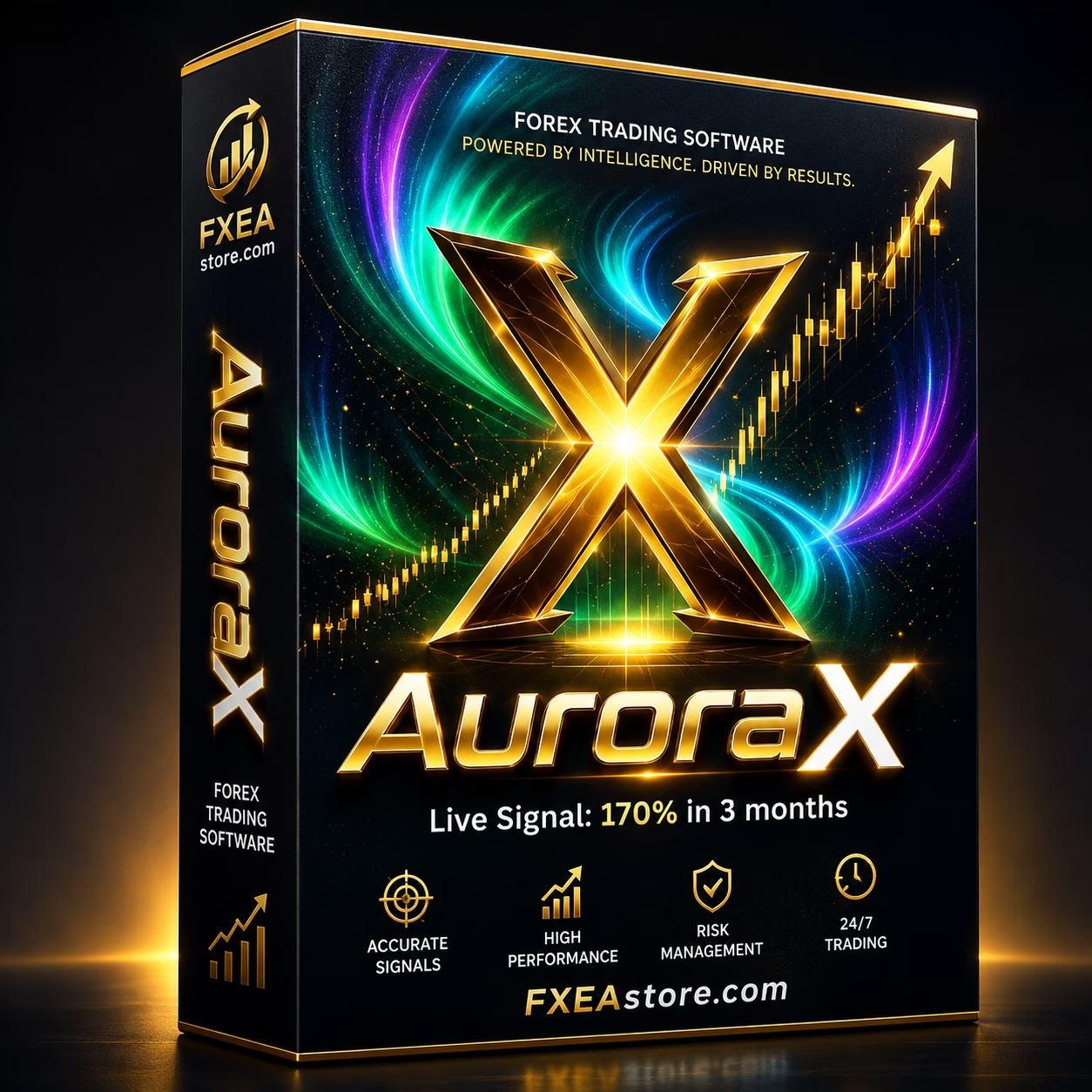
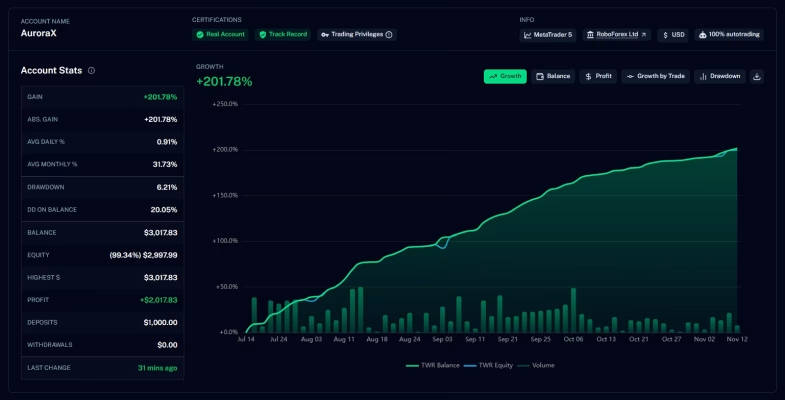
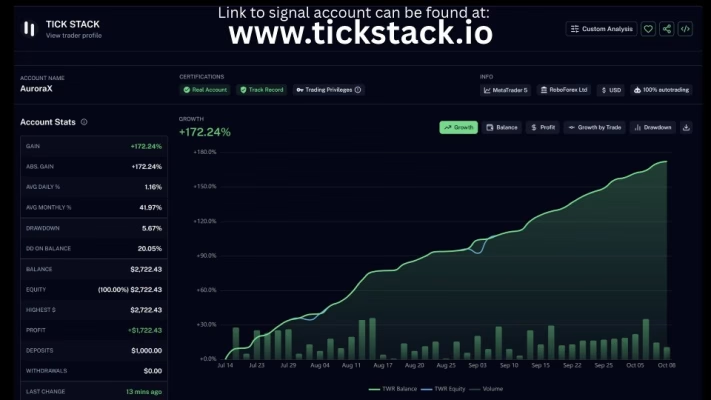
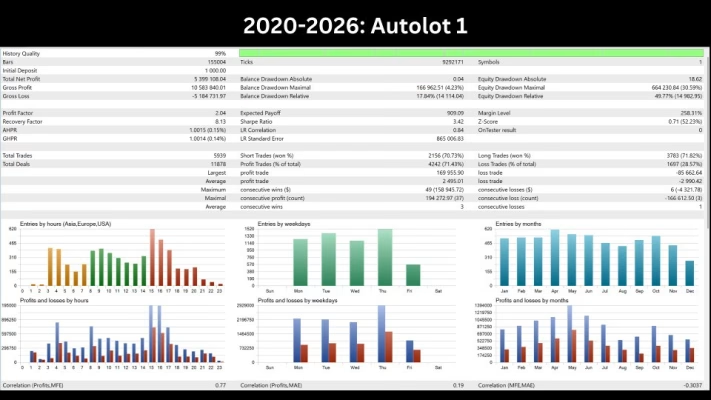
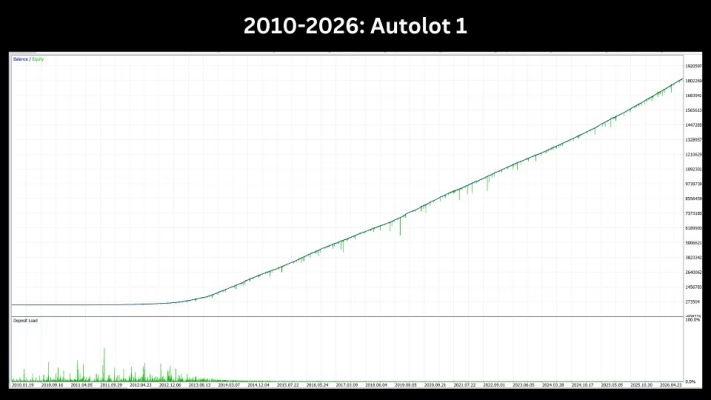
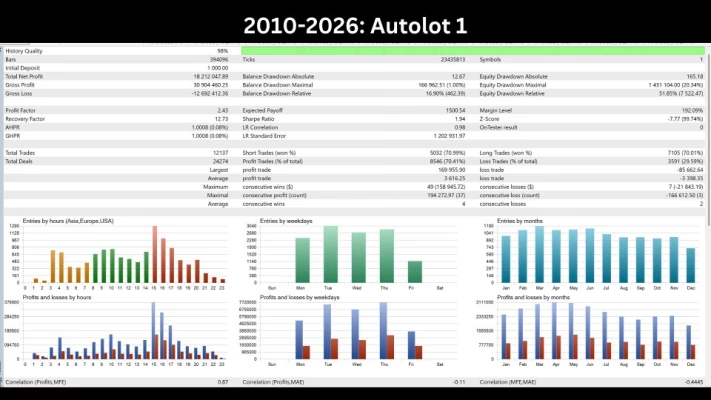
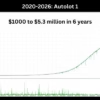
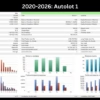
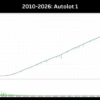
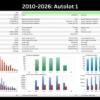
The developer has published historical trading performance information for AuroraX MT5, including a reported profit of approximately 170% over a three-month period under specific trading conditions.
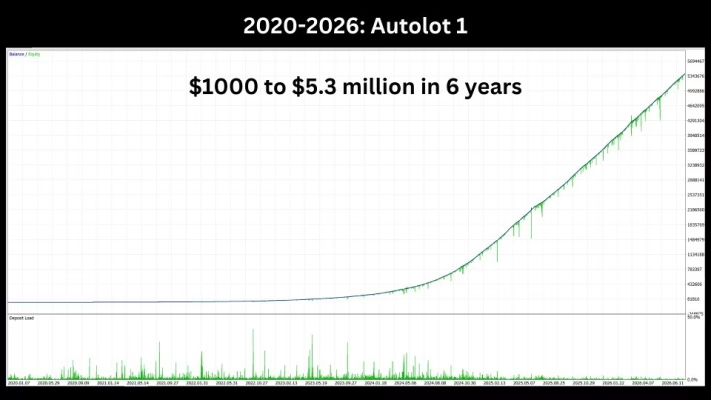
However, historical performance should be evaluated carefully. Results from a particular account cannot guarantee similar outcomes on other accounts.
Actual trading performance may vary depending on:
- Broker spreads and commissions.
- Execution speed and slippage.
- Account leverage and margin conditions.
- Initial deposit and position sizing.
- Gold market volatility.
- Grid exposure and risk configuration.
Always independently evaluate trading history and conduct your own testing before making investment decisions.
Purchase Benefits – AuroraX MT5 Unlimited Version
When purchasing AuroraX MT5 from FXEAstore, you receive the following benefits:
- Unlimited Version: Full unlimited-use product version.
- No DLL: No external DLL files required.
- Instant Digital Delivery: Receive your purchased product immediately after payment.
- Free Updates: New versions we receive will be added to your account.
- All-Inclusive Pricing: No hidden fees or additional charges.
Download Immediately After Payment
After completing your purchase, you can access your purchased product through your FXEAstore account.
Customer Support
Need assistance with installation, configuration, or product-related questions?
The FXEAstore support team is available to help you with your digital trading products.
- Telegram Channel: FXEAstore Official Channel
- Technical Support: Contact FXEAstore Support
Important Risk Disclaimer
Forex and Gold trading involve substantial financial risks. AuroraX MT5 uses momentum-based entries and an adaptive grid recovery strategy, but these mechanisms cannot eliminate market risk or guarantee profitable outcomes.
Grid trading can increase the number and total volume of open positions when the market moves against the initial trade. Strong or prolonged adverse movements may result in significant floating losses, increased margin requirements, or account liquidation.
Always use appropriate risk settings, conduct thorough demo testing, and ensure you understand the strategy before trading with real funds.
Never invest money you cannot afford to lose. Past performance does not guarantee future results.
Related products


Expert Advisor
IS New Project EA MT4 Unlimited with SetFiles (latest build)


Expert Advisor


Expert Advisor


Expert Advisor


Expert Advisor


Expert Advisor


Expert Advisor