



Mystical EA Pro MT5 V3.8 Unlimited + SetFiles
$15
Mystical EA Pro MT5 is a high-speed MetaTrader 5 scalping Expert Advisor designed for fast automated execution. It supports market and stop orders, VPS optimization, structured risk controls, SetFiles, No DLL operation, Unlimited use, and Free Updates.

Description
Mystical EA Pro MT5 – High-Speed Automated Scalping Expert Advisor
Mystical EA Pro MT5 is a high-speed automated Expert Advisor designed for MetaTrader 5 and focused on fast, systematic scalping execution.
The EA is built to handle both market orders and stop orders, allowing it to respond to configured trading conditions with an emphasis on execution speed. It is also designed to work with a quality VPS environment, making stable connectivity and low execution latency important parts of the overall setup.
With structured risk-management parameters, SetFiles, No DLL operation, Unlimited use, and Free Updates, Mystical EA Pro MT5 provides a ready-to-configure solution for traders interested in automated MT5 scalping.
Key Features of Mystical EA Pro MT5
- High-speed automated scalping
- MetaTrader 5 compatible
- Market order execution
- Stop order execution
- Fast trade-entry and exit logic
- Designed for real-market execution
- VPS-optimized operation
- Low-latency execution environment
- Structured risk-management system
- SetFiles included
- No DLL
- Unlimited version
- Free Updates
- Automated trading workflow
- Suitable for experienced MT5 users
The supplied product package is listed as Mystical EA Pro MT5 v3.8 + SetFiles, with No DLL, Unlimited use, and Free Updates.
High-Speed Scalping Engine for MetaTrader 5
The main focus of Mystical EA Pro MT5 is automated scalping with fast order handling.
Scalping strategies can require rapid responses because trades may be opened and closed within relatively short market movements. For this reason, execution speed, connection stability, spread, and broker infrastructure can have a significant effect on how an automated scalping system operates.
Mystical EA Pro MT5 is designed around this execution-focused environment, using both market orders and stop orders as part of its trading process.
The EA should therefore be evaluated not only by its trading parameters but also by the quality of the trading environment in which it is installed.
Market Orders & Stop Orders
Mystical EA Pro MT5 supports two important order types:
Market Orders
Market orders allow the EA to execute a position based on current market conditions.
This can be useful when the trading logic requires immediate participation once the required conditions are satisfied.
Stop Orders
Stop orders can be used to prepare entries above or below the current market price, depending on the trading logic.
Using both order types gives the EA flexibility when implementing its programmed entry and execution conditions.
Actual execution can vary because of spread, slippage, liquidity, broker execution, and market volatility.
VPS Optimization for Faster Execution
A reliable VPS is an important part of the recommended setup for Mystical EA Pro MT5.
The source product information recommends a quality VPS with execution latency below 20ms.
A suitable VPS can provide:
- Stable 24/7 operation
- Continuous MT5 connectivity
- Faster communication with the broker
- Reduced connection interruptions
- More consistent automated execution
- Convenient remote management
Low latency does not guarantee better trading results, but it can be particularly relevant for an EA designed around high-speed scalping.
For this reason, traders should consider the physical location of the VPS relative to the broker’s trading servers and monitor actual latency rather than relying solely on a provider’s advertised figures.
Structured Risk Management
Automated scalping requires careful attention to risk because a large number of trades or rapid market movements can affect account exposure quickly.
Mystical EA Pro MT5 includes a structured risk-management approach intended to help traders configure their exposure according to their account and trading preferences.
Important considerations include:
- Risk per trade
- Account balance
- Position size
- Trading frequency
- Spread
- Slippage
- Maximum acceptable drawdown
- Broker execution
- VPS stability
Risk settings should always be tested before live deployment.
A predefined risk percentage is not a guarantee that actual losses will remain within the same percentage during extreme market conditions.
Recommended Risk Configuration
The supplied product information describes example risk configurations based on account balance and risk per trade. It also notes that results depend on market conditions, volatility, execution quality, and configuration.
Rather than treating any preset as universally suitable, traders should evaluate the configuration according to:
Account Balance
The account balance determines the available capital and margin for the EA’s trading activity.
Risk Per Trade
A lower risk percentage generally means smaller planned exposure per trade, while a higher setting increases potential exposure.
Execution Environment
Scalping performance can be sensitive to spread, slippage, latency, and order execution speed.
Market Conditions
High-impact news, sudden volatility, liquidity changes, and spread expansion can affect automated scalping systems.
MetaTrader 5 Performance
Mystical EA Pro MT5 is designed exclusively for MetaTrader 5.
MT5 provides an environment suitable for automated Expert Advisors, including automated order management, tick processing, chart-based configuration, and strategy testing.
The EA is therefore intended to be installed and operated within the MT5 ecosystem rather than MetaTrader 4.
Before purchasing or installing, ensure that your broker provides a compatible MT5 trading account and the required trading conditions.
No DLL Expert Advisor
The product package is described as No DLL.
This means the EA does not require an external DLL component as part of the supplied product configuration.
A No DLL setup can simplify deployment because traders do not need to manage additional external library permissions for the EA’s normal operation.
This can also make the installation process more straightforward across compatible MT5 environments.
Mystical EA Pro MT5 SetFiles
SetFiles are included with the product package.
Preset files can make the initial setup easier because traders can load predefined parameters rather than manually configuring every available setting.
However, a SetFile should be treated as a starting configuration.
Before using any preset on a live account, traders should review:
- Lot size
- Risk settings
- Trading conditions
- Order parameters
- Broker compatibility
- Spread
- Execution
- Account balance requirements
The same SetFile can behave differently across brokers because execution conditions are not identical.
Broker & Execution Environment
The source product page states that the EA has been tested on Exness Pro accounts and emphasizes fast execution and low-spread environments.
This should not be interpreted as a guarantee that identical results will occur with every broker.
When selecting a trading environment for Mystical EA Pro MT5, consider:
- Average spread
- Commission
- Execution speed
- Slippage
- Liquidity
- Server location
- Trading conditions
- VPS-to-broker latency
- Account type
For a high-speed scalping system, these factors can materially affect actual execution.
Key Advantages of an Automated Scalping EA
Using an automated Expert Advisor can reduce the need to manually monitor charts and execute repetitive orders.
Mystical EA Pro MT5 can automate programmed trading processes such as:
- Market monitoring
- Entry evaluation
- Order placement
- Trade execution
- Position management
- Automated trading throughout the configured period
Automation can also help maintain consistency with the programmed rules.
However, automation does not eliminate market risk. Traders should continue monitoring the account and the trading environment even when the EA is running automatically.
Mystical EA Pro MT5 Specifications
| Feature | Details |
|---|---|
| Product | Mystical EA Pro MT5 |
| Platform | MetaTrader 5 |
| Version | v3.8 |
| Trading Style | High-Speed Scalping |
| Order Types | Market Orders & Stop Orders |
| Execution | Automated |
| VPS | Recommended |
| VPS Latency | Below 20ms recommended |
| SetFiles | Included |
| DLL | No DLL |
| License | Unlimited |
| Updates | Free Updates |
| Trading Environment | Fast, low-spread execution preferred |
The version and package information above follows the supplied product listing.
How to Install Mystical EA Pro MT5
Setting up the EA can be approached through the following process:
Step 1 – Install MetaTrader 5
Install MT5 and log in to a compatible trading account.
Step 2 – Install the Expert Advisor
Place the Mystical EA Pro MT5 file in the appropriate Experts directory.
Step 3 – Restart or Refresh MT5
Open the Navigator panel and confirm that the EA is visible under Expert Advisors.
Step 4 – Select the Trading Chart
Open the symbol and timeframe required by your tested configuration.
Step 5 – Attach the EA
Drag Mystical EA Pro MT5 onto the selected chart.
Step 6 – Load the SetFile
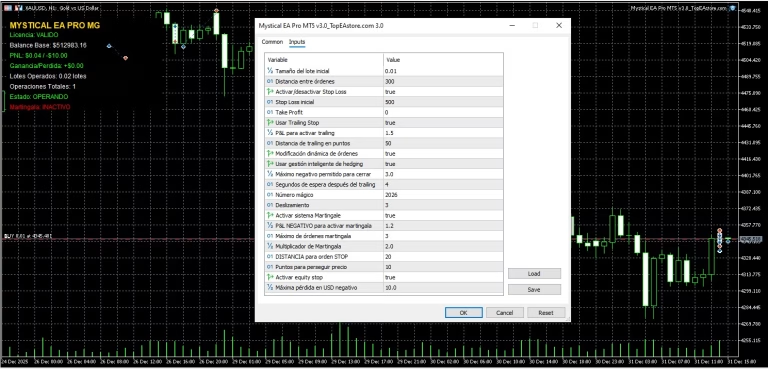
Load the supplied SetFile and carefully review its parameters.
Step 7 – Check Automated Trading
Make sure automated trading is enabled in MetaTrader 5.
Step 8 – Test Before Live Trading
Run the EA on a Demo account and evaluate execution, spread, drawdown, and trading frequency before considering real-money deployment.
Why VPS Quality Matters for Scalping
A VPS is more than simply a computer that stays online.
For a high-speed scalping EA, the trading environment should provide:
Stable connection → Low latency → Reliable execution → Continuous operation
A poor connection or unstable VPS can cause:
- Delayed orders
- Connection interruptions
- Missed trading opportunities
- Increased slippage
- Unexpected execution differences
For this reason, traders should measure actual latency and monitor VPS stability over time.
Who Is Mystical EA Pro MT5 For?
Mystical EA Pro MT5 may be suitable for traders who are interested in:
- Automated MT5 scalping
- High-speed Expert Advisors
- Automated Forex trading
- Market and stop-order strategies
- VPS-based trading
- Low-latency execution environments
- No DLL Expert Advisors
- SetFile-based MT5 setup
- Automated risk management
- Systematic trading execution
It is particularly relevant to users who understand the importance of execution quality when operating automated scalping systems.
You can explore more automated trading software in the Expert Advisor collection.
Explore More Forex Trading Tools
If you are looking for technical-analysis tools to complement an automated trading setup, visit the Indicator collection.
For traders and developers who need editable MQL files, explore the Source Code collection.
These categories provide additional tools for building and testing a broader Forex trading workflow.
Download Mystical EA Pro MT5
After purchasing Mystical EA Pro MT5, you can access your digital product through your account and download immediately after payment.
Download immediately after payment
The product package includes the EA and SetFiles according to the listed product configuration.
For installation questions or product assistance, contact FxEAstore Support.
You can also follow the FxEAstore Telegram Channel for product updates and new releases.
Mystical EA Pro MT5 – Final Overview
Mystical EA Pro MT5 is a high-speed automated scalping Expert Advisor developed for MetaTrader 5.
Its main characteristics include support for market and stop orders, VPS-oriented execution, structured risk management, SetFiles, No DLL operation, Unlimited use, and Free Updates.
The product is particularly focused on execution speed, making broker conditions, spread, slippage, VPS latency, and connection stability important considerations when evaluating the EA.
For traders interested in automated MT5 scalping, Mystical EA Pro MT5 provides a configurable environment that can be tested on Demo accounts before being considered for live use.
Risk Disclaimer
Forex and CFD trading involve substantial financial risk. Automated scalping can be affected by market volatility, spread expansion, slippage, liquidity, execution delays, VPS performance, and broker conditions.
Fast execution does not guarantee profitable trading results, and no Expert Advisor can eliminate market risk.
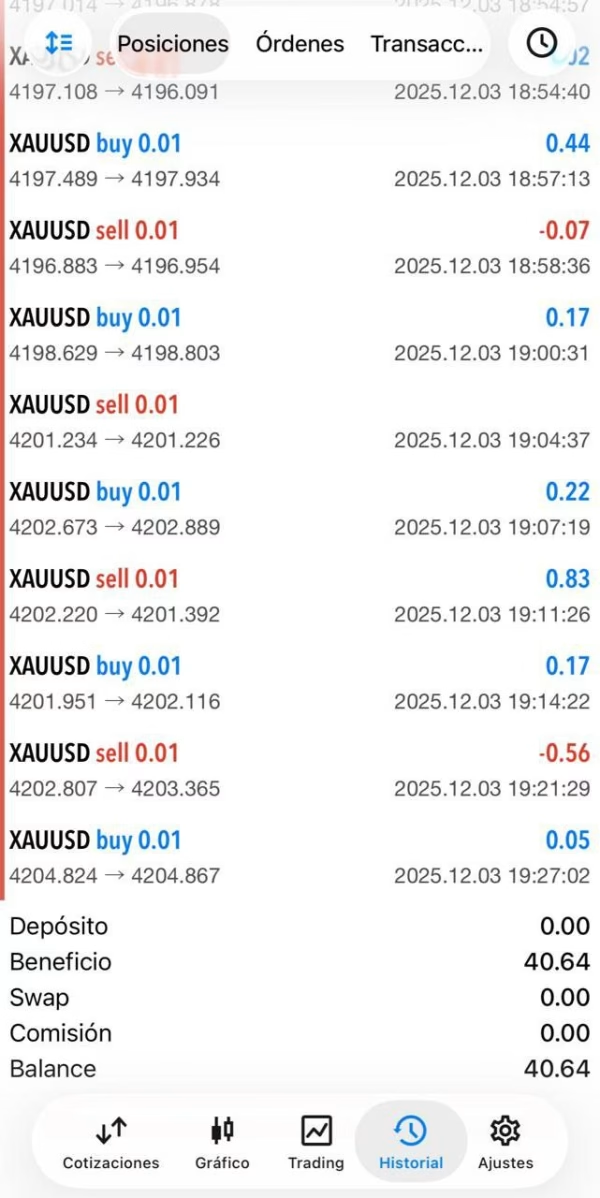
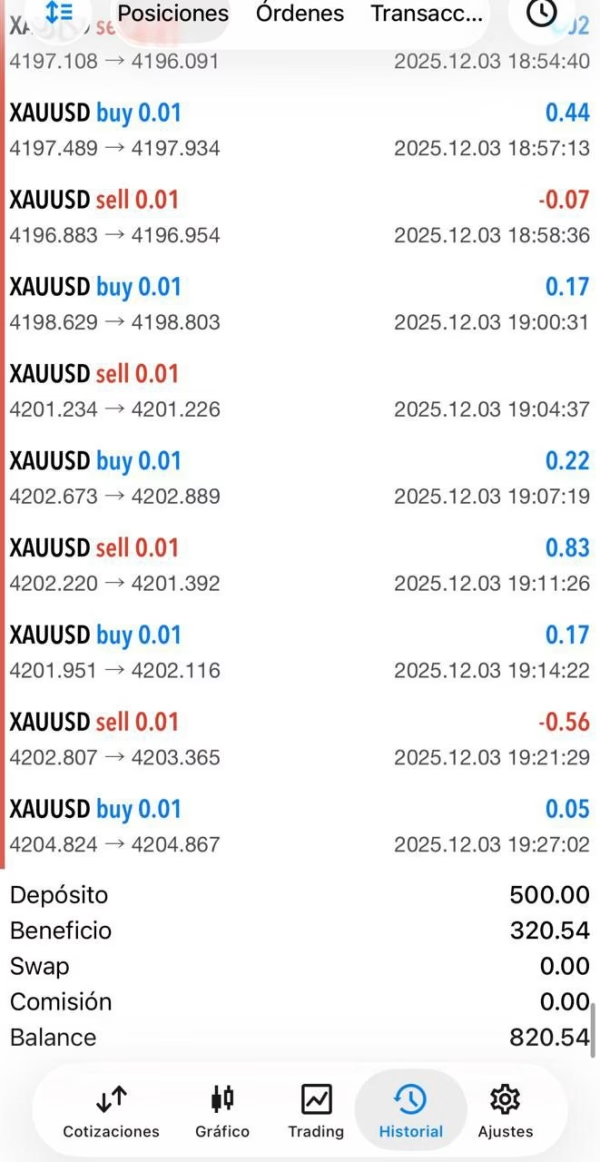
Any performance figures or return references from promotional material should not be interpreted as a guarantee of future results.
Always test Mystical EA Pro MT5 on a Demo account first. Carefully evaluate the SetFiles, risk parameters, execution environment, and potential drawdown before using real funds.

Related products


Expert Advisor


Expert Advisor


Expert Advisor


Expert Advisor


Expert Advisor


Expert Advisor
IS New Project EA MT4 Unlimited with SetFiles (latest build)


Expert Advisor


Expert Advisor