

Obsidian Pivot Engine MT5 V1.1 Unlimited
$15
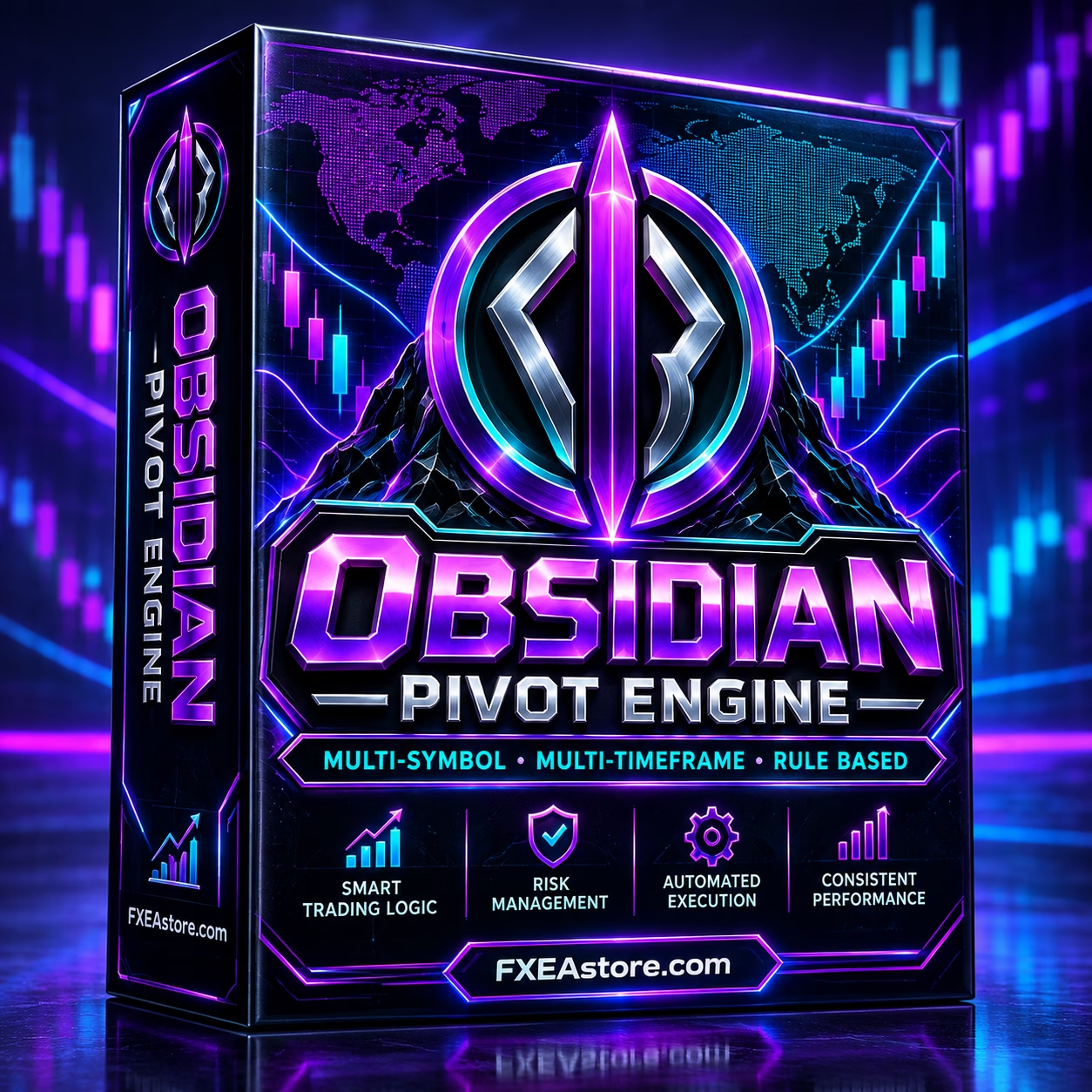
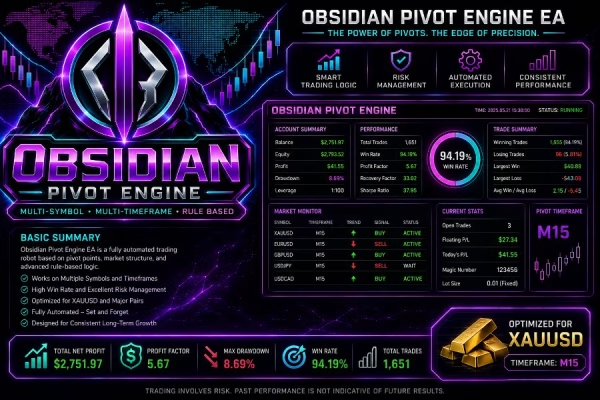
Obsidian Pivot Engine MT5 is a multi-timeframe breakout Expert Advisor for MetaTrader 5, primarily optimized for XAUUSD M15 with BTCUSD and NASDAQ support. It features pending-order automation, Stop Loss protection, trailing management, risk-based sizing, and exposure controls. Download immediately after payment.

Description
Obsidian Pivot Engine MT5 – Multi-Timeframe Breakout Trading EA
🚀 Obsidian Pivot Engine MT5 for Automated Breakout Trading
Obsidian Pivot Engine MT5 is a professional Expert Advisor for MetaTrader 5, built around a structured level-based breakout trading approach. The EA uses multi-timeframe market analysis to identify potential trading levels and can automatically place pending orders when its internal breakout conditions are met.
The primary configuration is optimized for XAUUSD on the M15 timeframe, while the EA also supports BTCUSD and NASDAQ as additional markets.
With automated execution, configurable risk management, Stop Loss protection, trailing management, exposure limits, and advanced order controls, Obsidian Pivot Engine MT5 is designed for traders who want a systematic approach to automated breakout trading.
Explore more automated trading solutions in our Expert Advisor collection.
🧠 What Is Obsidian Pivot Engine MT5?
Obsidian Pivot Engine MT5 is a multi-timeframe breakout Expert Advisor designed to analyze market structure and important trading levels across different timeframes.
Instead of depending on a single chart timeframe, the EA can use additional timeframe information when evaluating potential market conditions. When a valid setup is detected according to its proprietary trading rules, the system can use pending orders to participate in potential breakouts.
This creates a structured automated workflow:
- Analyze market structure
- Identify relevant trading levels
- Evaluate breakout conditions
- Place pending orders when conditions are met
- Manage open positions automatically
- Apply configured risk and exposure controls
The internal methodology used to identify levels and filter signals is part of the proprietary design of Obsidian Pivot Engine MT5.
🥇 Optimized for XAUUSD M15
The primary trading configuration for Obsidian Pivot Engine MT5 is XAUUSD on the M15 timeframe.
Gold is a highly active market where volatility, spreads, liquidity, slippage, and execution speed can significantly influence automated breakout strategies.
For initial testing, the recommended configuration is:
| Setting | Recommended Configuration |
|---|---|
| Platform | MetaTrader 5 |
| Primary Symbol | XAUUSD |
| Timeframe | M15 |
| Parameters | Default Settings |
| Account | Demo Account |
| VPS | Recommended |
Starting with the default XAUUSD M15 configuration gives traders a consistent reference point for evaluating the EA before experimenting with additional settings.
🌐 Multi-Timeframe & Multi-Symbol Analysis
One of the key characteristics of Obsidian Pivot Engine MT5 is its ability to work with multiple symbols and timeframes internally.
Supported markets include:
- XAUUSD – Primary market
- BTCUSD – Additional supported market
- NASDAQ – Additional supported market
Each supported symbol can be enabled or disabled independently and has configurable trading parameters.
The multi-timeframe architecture allows the EA to evaluate market information beyond the chart timeframe, helping it assess broader market structure when searching for potential breakout conditions.
📈 Automated Breakout & Pending Order Execution
Breakout strategies often depend on entering the market around important price levels. Obsidian Pivot Engine MT5 automates this process by using pending orders when the strategy identifies a qualifying setup.
The EA provides controls for:
- Entry distance
- Maximum spread
- Slippage
- Maximum pending orders
- Maximum open positions
- Duplicate order filtering
- Pending-order expiration
These controls help keep the execution process systematic and reduce the need for continuous manual market monitoring.
🛡️ Built-In Risk Management
Risk management is an important part of the Obsidian Pivot Engine MT5 framework.
The EA can automatically calculate position size according to selected risk settings, or traders can choose a fixed trading volume.
Automatic position sizing can be based on:
- Account balance
- Account equity
The system also provides an aggregate exposure limit for each symbol. When the configured exposure reaches the specified percentage of account equity, the EA can prevent additional entries until the exposure returns to an acceptable level.
This provides traders with greater control over how much risk the EA can take across individual markets.
🔐 Stop Loss & Dynamic Position Management
Every position opened by Obsidian Pivot Engine MT5 includes Stop Loss protection according to the configured settings.
The EA does not rely on Take Profit by default. Instead, its framework uses Stop Loss and dynamic trade management to control positions as the market develops.
A trailing stop mechanism is also available to help manage open trades.
The EA also includes a fallback protection mechanism for situations where broker or instrument restrictions prevent the requested protection from being placed normally.
🚫 No Martingale, Grid or Loss Averaging
Obsidian Pivot Engine MT5 does not use traditional loss-recovery mechanisms such as:
- Martingale
- Grid trading
- Averaging losing positions
- Automatic lot increases after a loss
This can make the trading logic easier to understand from a risk-management perspective.
However, the absence of these techniques does not mean that the EA is risk-free. Automated trading remains exposed to market volatility, spreads, slippage, liquidity, execution conditions, and unexpected price movements.
Always select your account size and risk parameters carefully.
⚙️ Advanced Order & Trade Management
Obsidian Pivot Engine MT5 includes several features designed to maintain controlled automated execution.
Key Features
- Duplicate order filtering
- Configurable maximum positions per symbol
- Configurable pending-order limits
- Automatic Friday pending-order expiration
- Optional holiday position-closing protection
- Price normalization
- Automatic risk-based position sizing
- Fixed-volume trading option
- Trailing Stop management
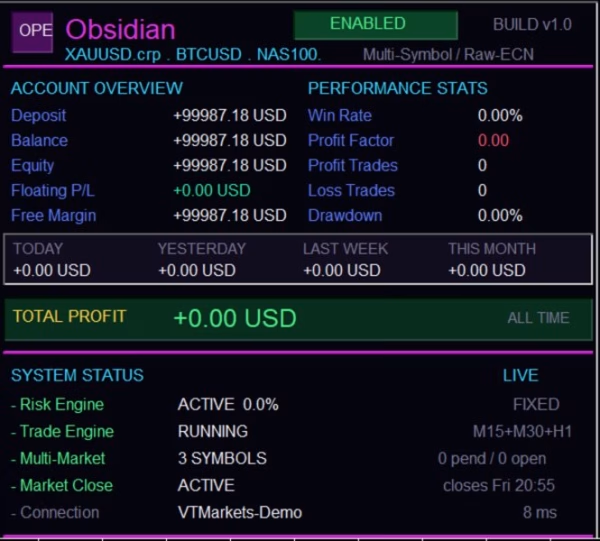
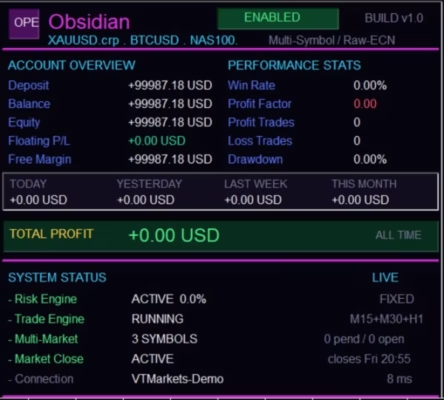
- On-screen information panel
These features are designed to support systematic automated trading while giving traders control over important execution parameters.
💼 Broker & Execution Conditions Matter
The performance of a breakout Expert Advisor can vary significantly between brokers.
Important factors include:
- Spread
- Commission
- Slippage
- Latency
- Liquidity
- Execution speed
- Minimum order distance
- Trading-session restrictions
- Instrument specifications
The same EA can produce different results across different brokers because trading conditions are not identical.
For this reason, traders should always verify their broker’s specific XAUUSD, BTCUSD, or NASDAQ trading conditions before deploying Obsidian Pivot Engine MT5 on a live account.
🖥️ VPS Recommended for Continuous Operation
A reliable VPS is strongly recommended for traders who want to operate Obsidian Pivot Engine MT5 continuously.
MetaTrader 5 needs to remain connected and running so the EA can monitor the market, manage open positions, and control pending orders.
A properly configured VPS can reduce interruptions caused by:
- Internet disconnections
- Computer shutdowns
- Power outages
- Operating system updates
- Accidental MT5 closure
- Local network problems
A VPS does not make a trading strategy more profitable. Its main purpose is to provide a stable environment for continuous Expert Advisor operation.
👤 Recommended Account Type
A Hedging account is recommended when independent management of multiple positions on the same instrument is required.
MetaTrader 5 brokers can provide either Hedging or Netting account structures, and their behavior can differ when multiple positions are opened on the same symbol.
Before using the EA, confirm that your broker’s account type is compatible with your intended trading configuration.
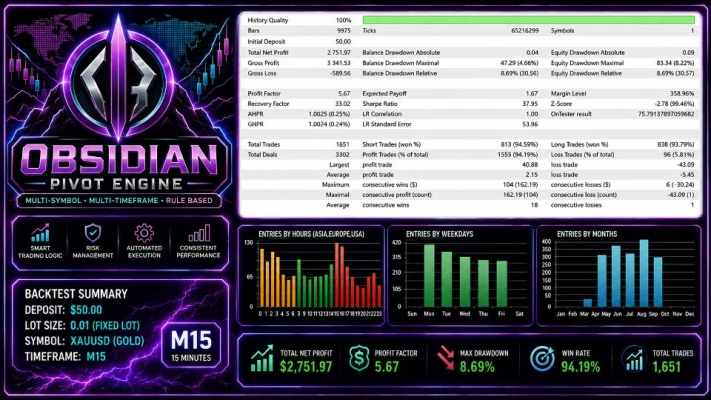
📊 Backtest with MetaTrader 5 Strategy Tester
Obsidian Pivot Engine MT5 is compatible with the MetaTrader 5 Strategy Tester, allowing traders to evaluate the EA using historical market data before considering live deployment.
For more realistic testing, consider:
- Using high-quality tick data
- Applying realistic spreads
- Including realistic commissions
- Considering reasonable execution conditions
- Testing multiple historical periods
- Avoiding conclusions based on a single optimized backtest
Backtesting is useful for research and evaluation, but it cannot guarantee future trading performance. Live results may differ because of spreads, slippage, latency, liquidity, execution quality, and changing market conditions.
🎯 Recommended Initial Configuration
For your first evaluation of Obsidian Pivot Engine MT5, the recommended setup is:
Symbol: XAUUSD
Timeframe: M15
Parameters: Default Values
Account: Demo
VPS: Recommended
Starting with the default configuration helps create a consistent baseline for evaluating the EA.
After completing the initial testing phase, experienced traders can gradually experiment with the available parameters according to their own trading strategy and risk-management preferences.
📦 Obsidian Pivot Engine MT5 Key Features
Product Highlights
- MetaTrader 5 Expert Advisor
- Multi-timeframe market analysis
- XAUUSD M15 primary configuration
- BTCUSD support
- NASDAQ support
- Automated breakout trading
- Pending-order execution
- Configurable entry distance
- Maximum spread control
- Slippage control
- Duplicate-order filtering
- Pending-order expiration
- Stop Loss protection
- Trailing Stop management
- Automatic risk-based position sizing
- Fixed-volume option
- Aggregate exposure limits
- No Martingale
- No Grid
- No loss averaging
- No automatic lot increases after losses
- Friday pending-order expiration
- Optional holiday protection
- On-screen information panel
- No DLL version
- Unlimited-use version
📥 Download Immediately After Payment
Obsidian Pivot Engine MT5 is delivered digitally, allowing you to access your purchased product without waiting for physical delivery.
After completing your purchase, you can use the following page to Download immediately after payment.
You can also explore more automated trading solutions through our Expert Advisor collection.
If you are looking for additional technical tools, visit our Indicator collection or browse available Source Code products.
🔄 Unlimited Version & Free Updates
The Obsidian Pivot Engine MT5 Unlimited version provides unlimited use of the purchased product.
New versions received for the product can also be added to your account according to the applicable update policy.
This allows you to maintain access to newer versions without purchasing the same product again.
🚀 Who Is Obsidian Pivot Engine MT5 For?
This Expert Advisor may be suitable for traders who:
- Prefer automated breakout trading
- Trade primarily XAUUSD
- Want to automate M15 Gold trading
- Are interested in multi-timeframe analysis
- Want pending-order automation
- Prefer risk-based position sizing
- Want to avoid Martingale and Grid strategies
- Use MetaTrader 5
- Can provide a stable VPS environment
- Understand the risks associated with leveraged trading
It may be less suitable for traders looking specifically for high-frequency scalping, Martingale recovery systems, or grid-based strategies.
⚠️ Risk Management & Trading Disclaimer
Trading XAUUSD, BTCUSD, NASDAQ, Forex, CFDs, and other leveraged financial instruments involves significant financial risk.
Obsidian Pivot Engine MT5 does not guarantee profits.
Actual results can vary because of:
- Market volatility
- Spreads
- Commissions
- Slippage
- Latency
- Liquidity
- Broker execution
- Account type
- Trading conditions
Backtested or historical performance does not guarantee future results.
Always test the EA on a demo account before considering live deployment. Use appropriate position sizing and risk settings, and never trade with money you cannot afford to lose.
🔥 Get Obsidian Pivot Engine MT5 Today
If you are looking for a structured multi-timeframe breakout EA for MetaTrader 5, Obsidian Pivot Engine MT5 provides an automated solution focused primarily on XAUUSD M15, with additional BTCUSD and NASDAQ support.
Its combination of market-level analysis, pending-order execution, Stop Loss protection, trailing management, exposure controls, and risk-based position sizing makes it a flexible option for systematic automated trading.
Get Obsidian Pivot Engine MT5 today and explore automated breakout trading on MetaTrader 5.
For more trading tools, browse our Expert Advisor collection, Indicators, and Source Code.
For assistance, contact FxEAstore Support.
Follow the FxEAstore Telegram Channel for product updates and new releases.
Related products


Expert Advisor


Expert Advisor


Expert Advisor


Expert Advisor


Expert Advisor


Expert Advisor


Expert Advisor