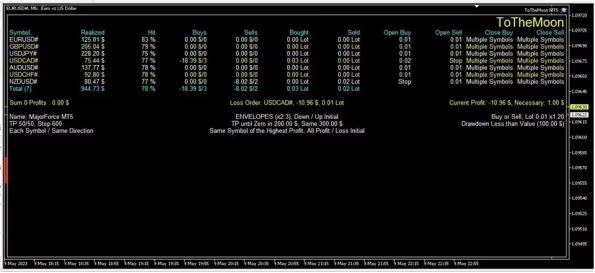
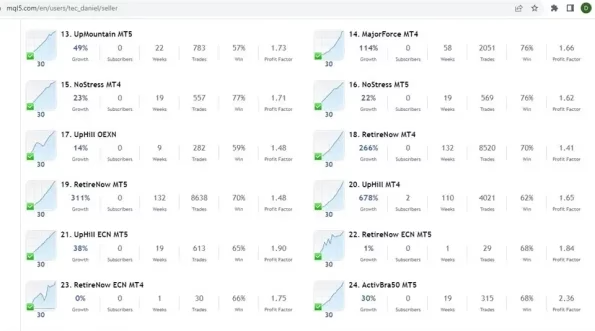
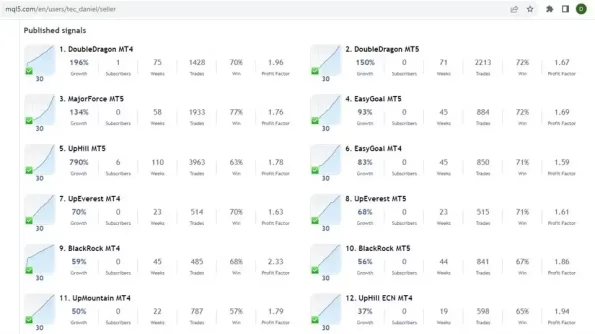

ToTheMoon MT5 V3.6 Unlimited + SetFiles
$52
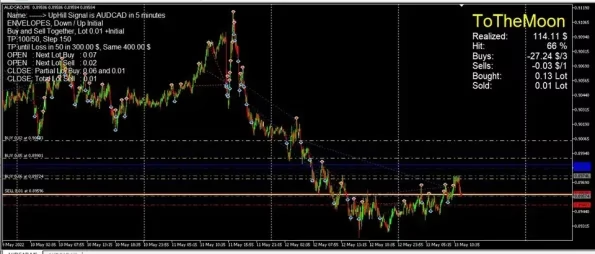
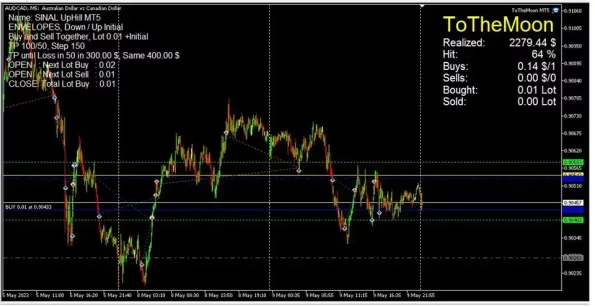
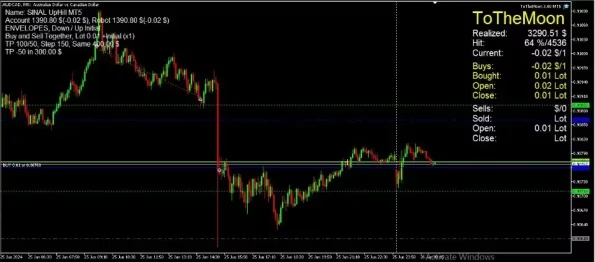
ToTheMoon MT5 is a grid trading Expert Advisor for MetaTrader 5, featuring ready-to-use presets, automated position management, partial-close logic, and multi-symbol support with a focus on AUDCAD.

Description
ToTheMoon MT5 – Long-Term Grid Trading Expert Advisor
ToTheMoon MT5 is a grid-based Expert Advisor designed for automated Forex trading on MetaTrader 5. It features ready-to-use presets, smart grid management, partial-close logic, and multi-symbol support, with a primary focus on range-bound markets such as AUDCAD.
ToTheMoon MT5 at a Glance
- Product: ToTheMoon MT5
- Platform: MetaTrader 5
- Strategy: Grid Trading
- Primary Market: Forex
- Featured Symbol: AUDCAD
- Recommended Presets: NoPain and NoStress
- Trading Timeframe: M5 for featured AUDCAD presets
- Version: 3.6
- Build: 5836+
- Setfiles: Included
- DLL: Required
- Account Type: MT5 Hedging
- Recommended Minimum Leverage: 1:100
- Account Currency: USD preferred
- VPS: Recommended
What Is ToTheMoon MT5?
ToTheMoon MT5 is an automated Forex Expert Advisor built around a grid trading strategy for MetaTrader 5.
The EA is designed to automatically manage a series of positions according to predefined grid rules. Instead of relying on manual trade execution, ToTheMoon MT5 monitors the market and manages trades according to the selected configuration.
The system is particularly focused on range-bound currency pairs such as AUDCAD, where price may spend extended periods moving within a defined range. Its ready-to-use presets make the initial setup easier for traders who prefer predefined configurations.
Smart Grid Trading Strategy
The core methodology behind ToTheMoon MT5 is a structured grid strategy.
When price moves against an existing position, the EA can build additional positions according to its programmed grid logic. When the market retraces, the system manages the open positions based on its exit and position-management rules.
This approach can create an averaging effect while attempting to manage the overall basket of trades.
Key characteristics include:
- Automated grid-based trading
- Dynamic position management
- Partial-close logic
- Automated trade execution
- Multi-symbol support
- Preconfigured trading presets
- Focus on range-bound Forex markets
Grid trading can carry significant risk when a market moves strongly in one direction for an extended period. Proper account sizing and risk management are therefore essential.
Designed for Range-Bound Markets
ToTheMoon MT5 is optimized around currency pairs that are less likely to remain in a strong long-term directional trend.
The featured presets focus on AUDCAD, which is used as the primary example for the EA’s recommended configurations.
The strategy is designed to work with market movements that provide opportunities for price retracement. Because market conditions constantly change, traders should understand that no currency pair remains range-bound all the time.
For this reason, users should follow the recommended presets and carefully evaluate the EA under their own broker conditions.
Ready-to-Use Presets
One of the key advantages of ToTheMoon MT5 is the inclusion of author-provided PRESETS.
These presets define important parameters such as:
- Trading symbol
- Timeframe
- Recommended balance
- Money-management settings
- Strategy parameters
Using the correct preset can make setup considerably easier and reduce the need for advanced manual configuration.
An important rule is to use a preset that matches the installed EA version. For example, a preset designed for one version should not automatically be applied to another version.
NoPain Preset
The NoPain preset is designed for AUDCAD M5 and has a recommended minimum balance of approximately $1,200.
This configuration is intended to provide a predefined starting setup for traders who want to use the ToTheMoon MT5 grid strategy with AUDCAD.
The recommended balance should not be interpreted as a guarantee of performance. Actual requirements may vary depending on broker conditions, leverage, spread, account type, and risk settings.
NoStress Preset
The NoStress preset is another ready-to-use configuration focused on AUDCAD M5.
The recommended minimum balance for this configuration is approximately $600.
As with any grid-based strategy, traders should evaluate the potential exposure, margin requirements, and drawdown before using the preset on a live account.
Multi-Symbol Trading
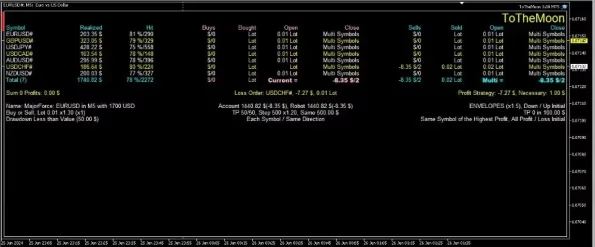
ToTheMoon MT5 supports multi-symbol trading with dynamic order management.
This gives traders the flexibility to configure the EA across supported instruments when the appropriate settings are available.
When using a multi-symbol configuration, selecting an appropriate chart symbol and applying the correct preset are important. Traders should also monitor total account exposure across all symbols rather than evaluating individual positions separately.
Partial Close and Dynamic Order Management
ToTheMoon MT5 includes partial-close functionality as part of its grid management approach.
Partial closing can allow the EA to manage portions of open positions instead of treating the entire basket as one simple transaction. Combined with dynamic order management, this provides a more structured approach to handling multiple grid positions.
The exact behavior depends on the selected preset and configuration.
MetaTrader 5 Compatibility
ToTheMoon MT5 is designed for MetaTrader 5, particularly MT5 hedging accounts.
The product information also indicates compatibility with MetaTrader 4, but this product is primarily positioned as the MT5 version.
The listed system requirements include:
- MetaTrader 5 hedging account
- Minimum leverage of 1:100
- USD account currency preferred
- Reliable Forex or ECN broker
- VPS recommended for continuous operation
- DLL functionality required
Traders should confirm that their broker and account type support the required MT5 features before installation.
Explore more automated trading solutions in our Expert Advisor category.
VPS Recommended for 24/7 Operation
Automated Expert Advisors generally need MetaTrader to remain active in order to monitor the market and manage positions.
For this reason, a reliable VPS is recommended when running ToTheMoon MT5 continuously.
A VPS can help keep MetaTrader active even when your personal computer is turned off or disconnected from the internet.
Before choosing a VPS, consider uptime, latency, server location, available resources, and compatibility with your trading broker.
Key Features of ToTheMoon MT5
Automated Grid Trading
ToTheMoon MT5 automates a structured grid trading strategy, allowing the EA to open and manage positions according to predefined rules.
Ready-to-Use Setfiles
The included presets provide predefined configurations for supported trading setups, helping simplify installation and initial testing.
AUDCAD Focus
The featured configurations focus on AUDCAD, particularly on the M5 timeframe.
Partial Close Logic
The EA includes partial-close functionality as part of its position-management system.
Dynamic Trade Management
ToTheMoon MT5 can automatically manage multiple positions according to the selected strategy and preset.
Multi-Symbol Support
The EA supports multi-symbol configurations, providing additional flexibility for traders who want to automate more than one supported market.
MetaTrader 5 Support
The product is designed for MetaTrader 5 hedging accounts and requires a compatible trading environment.
VPS-Friendly
ToTheMoon MT5 can be operated continuously through a reliable VPS, allowing the EA to remain active while the trader’s computer is offline.
Recommended Setup
For the featured ToTheMoon MT5 configurations, the recommended setup includes:
- Platform: MetaTrader 5
- Account Type: Hedging
- Primary Symbol: AUDCAD
- Featured Timeframe: M5
- Leverage: Minimum 1:100
- Account Currency: USD preferred
- VPS: Recommended
- Trading Environment: Regulated Forex or ECN broker
The actual trading environment can affect EA performance. Spreads, commissions, execution speed, slippage, leverage, and available margin can all influence the results of an automated strategy.
Why Choose ToTheMoon MT5?
ToTheMoon MT5 is designed for traders who want a predefined automated grid trading system rather than manually managing every position.
Its combination of ready-to-use presets, automated grid execution, partial-close logic, dynamic order management, and multi-symbol functionality provides a structured framework for automated Forex trading.
The system may be especially interesting for traders who:
- Prefer automated Forex trading
- Understand grid trading strategies
- Trade through MetaTrader 5
- Want predefined configurations
- Are interested in AUDCAD
- Prefer automated position management
- Want to run an EA continuously through a VPS
Important Risk Management Considerations
Grid trading requires careful risk management because multiple positions can accumulate when the market moves against the strategy.
A prolonged directional market can result in increased floating drawdown, higher margin usage, and greater account exposure.
Before using ToTheMoon MT5 on a live account, consider:
- Starting with a demo account
- Using the correct preset version
- Monitoring maximum drawdown
- Maintaining sufficient free margin
- Avoiding excessive leverage
- Testing under your broker’s conditions
- Checking spread and slippage
- Monitoring total exposure
- Using a reliable VPS
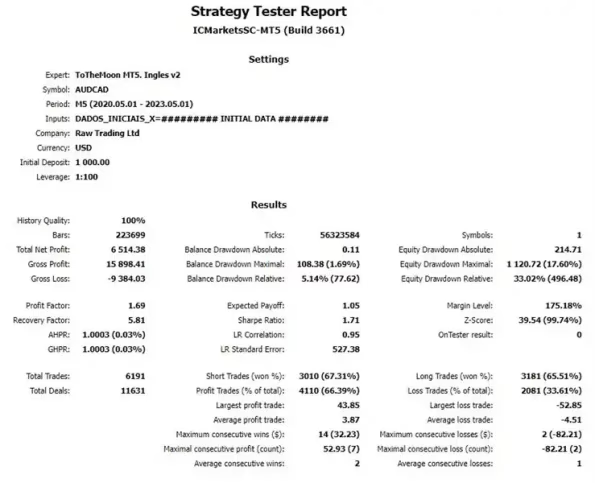
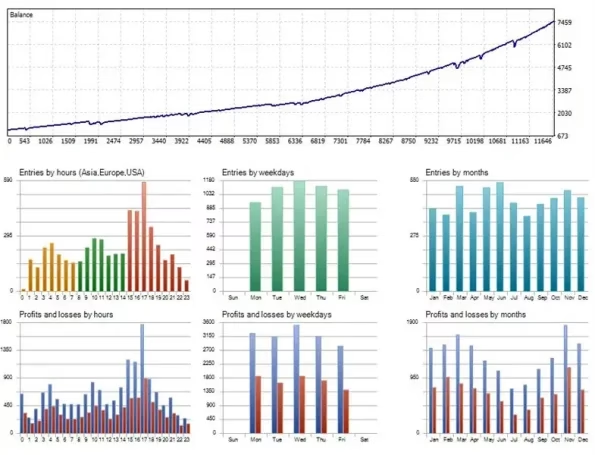
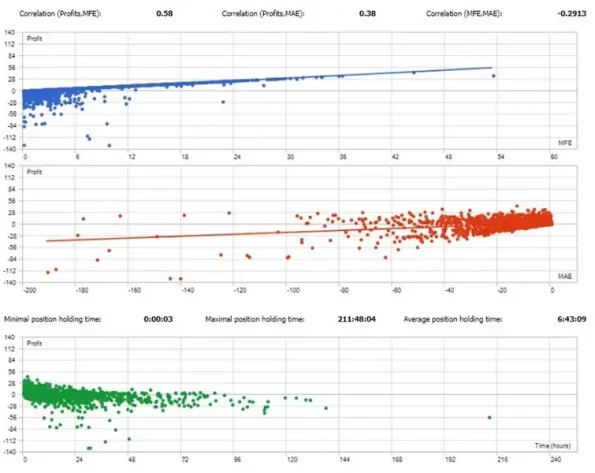
- Performing a new backtest after significant EA updates
Do not assume that historical or verified trading results will be repeated in future market conditions.
Who Is ToTheMoon MT5 For?
ToTheMoon MT5 may be suitable for:
- Forex traders interested in grid strategies
- MetaTrader 5 users looking for an automated EA
- Traders interested in AUDCAD automation
- Users who prefer ready-made presets
- Traders seeking automated position management
- Experienced traders who understand grid-related risks
- Users who want to automate Forex trading through MT5
It may not be suitable for traders who prefer low-exposure strategies with only a single open position at a time or traders who are uncomfortable with the risk associated with grid systems.
Installation and Setup
Setting up ToTheMoon MT5 is straightforward when the correct preset and compatible MT5 environment are used.
A typical setup process includes:
- Install ToTheMoon MT5 on your MetaTrader 5 platform.
- Confirm that your account is a compatible hedging account.
- Make sure the EA version matches the selected preset.
- Select the recommended trading symbol and timeframe.
- Load the appropriate setfile.
- Configure the required trading permissions.
- Test the EA on a demo account.
- Monitor its behavior, margin usage, and drawdown.
- Consider using a reliable VPS for continuous operation.
Always verify the EA settings before allowing automated trading on a live account.
Get ToTheMoon MT5
ToTheMoon MT5 provides an automated grid trading solution for traders who want to explore systematic Forex trading on MetaTrader 5.
With ready-to-use presets, AUDCAD-focused configurations, partial-close logic, dynamic order management, and multi-symbol support, the EA provides a structured approach to automated grid trading.
After completing your purchase, you can Download immediately after payment and begin setting up the EA on your compatible MetaTrader 5 platform.
You can explore more automated trading systems in our Expert Advisor category. For additional technical trading tools, visit our Indicator section, or browse our Source Code collection.
Final Overview
ToTheMoon MT5 is a grid-based Expert Advisor for MetaTrader 5, designed around automated position management and range-oriented Forex trading.
Its featured configurations focus on AUDCAD M5, with NoPain and NoStress presets providing predefined parameters for different recommended account sizes.
The combination of automated grid execution, partial-close functionality, dynamic trade management, ready-to-use presets, and multi-symbol support makes ToTheMoon MT5 an option for traders interested in systematic Forex automation.
As with every grid trading strategy, careful risk management is essential. Traders should test the EA, understand its potential drawdown and margin requirements, and use appropriate account sizing before deploying it with real funds.
Risk Disclaimer
Forex and leveraged trading involve substantial risk and may result in the loss of capital. ToTheMoon MT5 does not guarantee profits, consistent returns, or protection against losses.
Grid-based strategies can accumulate multiple positions when markets move strongly in one direction. This can increase floating drawdown, margin usage, and overall account exposure.
Past performance, live trading history, backtesting results, simulations, or historical data do not guarantee future results. Actual performance can vary because of market conditions, spreads, commissions, slippage, execution quality, leverage, broker conditions, account size, and EA settings.
ToTheMoon MT5 is software and should not be considered financial or investment advice. Traders are responsible for evaluating the product, selecting suitable settings, managing risk, and making their own independent trading decisions.
Support
If you need assistance with your purchase or installation, contact our Support team.
You can also follow the official FxEAstore.com Channel for new Forex products, updates, and special offers.
Related products


Expert Advisor


Expert Advisor


Expert Advisor


Expert Advisor


Expert Advisor


Expert Advisor


Expert Advisor


Expert Advisor