

SomaBTC MT5 V3.6 Unlimited
$22
SomaBTC MT5 is an automated Bitcoin trading Expert Advisor for MetaTrader 5, designed exclusively for BTCUSD. It combines 18 independent breakout strategies across multiple timeframes and breakout settings within a single EA. Features include flexible lot sizing, margin call protection, high-impact US news filters, trading-session controls, and an on-chart performance dashboard. Built for traders who want a structured, rules-based approach to automated Bitcoin trading, SomaBTC MT5 should be tested carefully before live deployment.

Description
SomaBTC MT5 – Multi-Strategy Bitcoin Breakout Expert Advisor
Automate Bitcoin Breakout Trading with SomaBTC MT5
SomaBTC MT5 is a multi-strategy Expert Advisor designed to automate Bitcoin trading on the MetaTrader 5 platform. Built specifically for BTCUSD, the EA combines 18 independent breakout strategies into one integrated trading system.
Instead of relying on a single trading setup, SomaBTC MT5 uses different timeframe configurations and breakout variations to identify potential trading opportunities under different market conditions.
Bitcoin can experience substantial price movements, changing volatility, and periods of reduced liquidity. These characteristics create potential breakout opportunities but also introduce significant trading risks.
SomaBTC MT5 is designed to help traders apply a systematic trading process through automated order execution, configurable risk settings, and built-in controls for news events and trading hours.
Key Features of SomaBTC MT5
1. 18 Independent Breakout Strategies
One of the main features of SomaBTC MT5 is its portfolio of 18 independent trading strategies.
Each strategy has its own configuration, including its timeframe, swing-detection parameters, exit settings, news-filter windows, and position-sizing rules.
This multi-strategy architecture allows different trading setups to operate within one EA without requiring traders to manage numerous separate charts.
Key benefits include:
- 18 independent breakout strategies.
- Multiple timeframe configurations.
- Broad, medium, and narrow breakout variations.
- Individual strategy identification.
- Flexible strategy selection.
- A unified execution and monitoring environment.
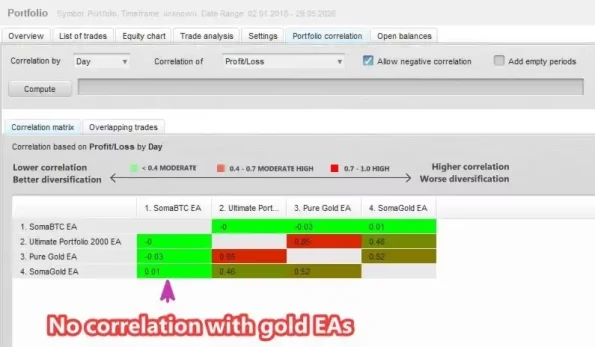
Running multiple strategies does not guarantee diversification or prevent losses. Several strategies may be exposed to the same Bitcoin market movement and can experience losses simultaneously.
2. Specialized BTCUSD Bitcoin Trading
SomaBTC MT5 is designed exclusively for Bitcoin trading through the BTCUSD symbol.
The EA’s trading logic is intended for the characteristics of the cryptocurrency market rather than general-purpose Forex trading.
Bitcoin markets can behave differently from traditional currency markets because of changing liquidity, volatility, weekend trading, and rapid price movements.
Before using the EA, confirm that your broker offers a compatible BTCUSD instrument and that its contract specifications, trading schedule, and order requirements match the intended configuration.
3. Multiple Timeframe Configurations
SomaBTC MT5 incorporates strategies associated with five timeframe groups:
- D1 — Daily.
- H12 — 12-hour.
- H8 — 8-hour.
- H4 — 4-hour.
- H1 — 1-hour.
These timeframe variations allow the portfolio to evaluate breakout opportunities over different periods.
The EA reads the timeframes used by its internal strategies, so users do not necessarily need to open a separate chart for every timeframe.
Different timeframes can respond differently to volatility and market structure. However, no timeframe can guarantee accurate breakout signals or profitable trades.
4. Broad, Medium, and Narrow Breakout Models
The portfolio includes three breakout-breadth variations designed to represent different trading frequencies and price structures.
Broad Breakout: Uses wider swing structures and is intended to identify fewer, more selective setups.
Medium Breakout: Offers an intermediate configuration between setup frequency and breakout breadth.
Narrow Breakout: Uses tighter swing structures and is designed to identify opportunities more frequently.
These variations provide different ways to approach Bitcoin price movements within one trading framework.
Actual trading frequency and performance depend on market conditions, the selected strategies, and the broker’s execution environment.
5. Historical Optimization and Strategy Filtering
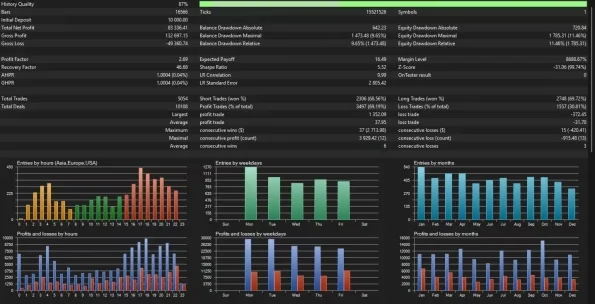
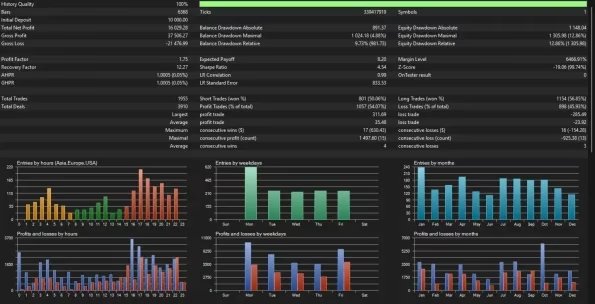
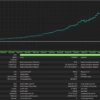
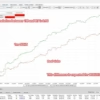
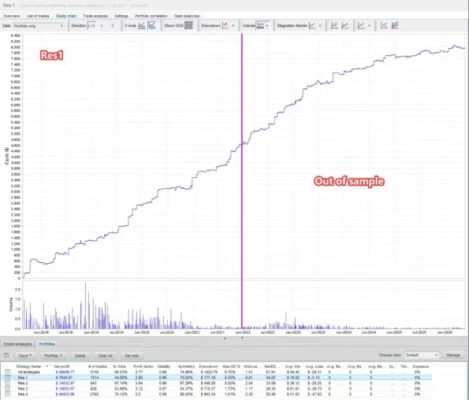
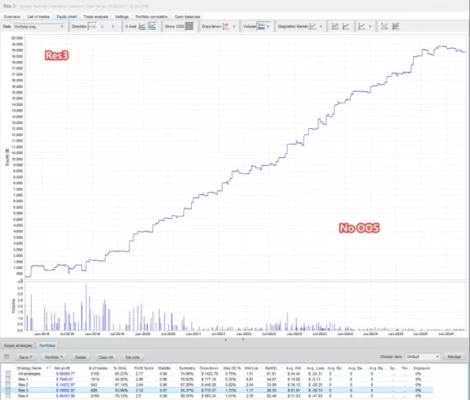
The developer describes an optimization process involving 120 candidate strategy configurations across multiple historical periods.
The process evaluates different timeframes, breakout variations, and optimization windows before selecting the final portfolio of 18 strategies.
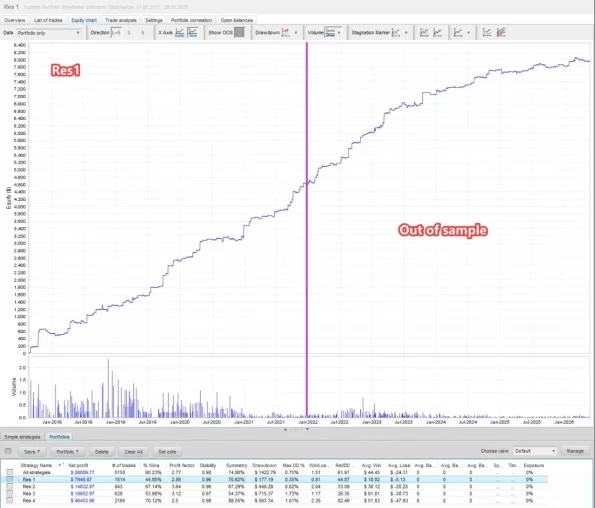
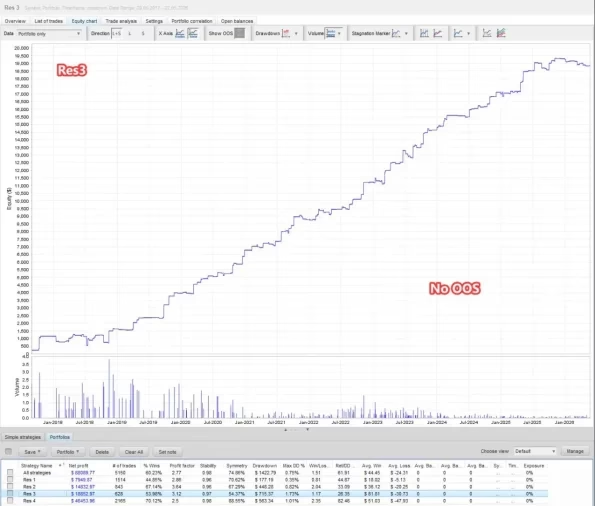
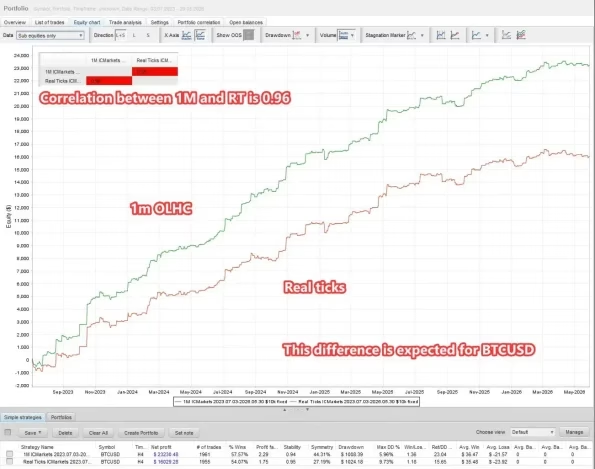
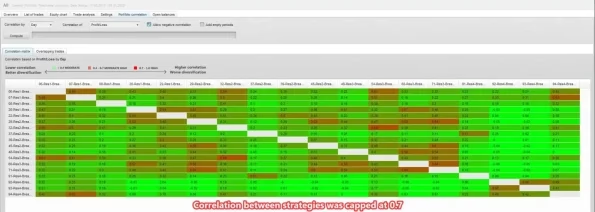
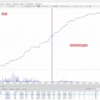
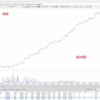
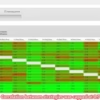
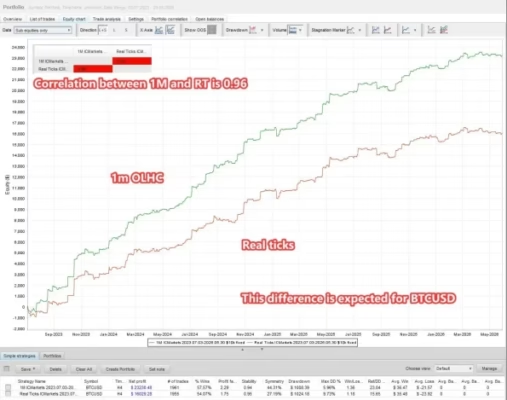
The published methodology also describes comparisons between one-minute OHLC data and real-tick testing, out-of-sample evaluation, and the removal of highly correlated strategies.
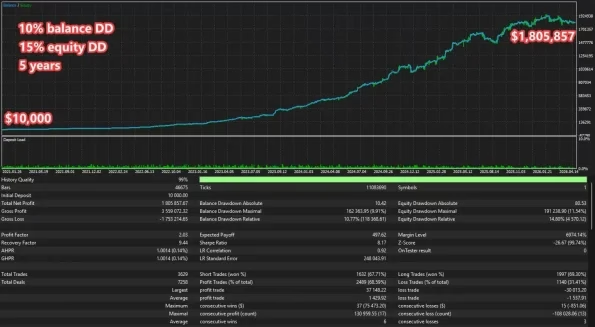
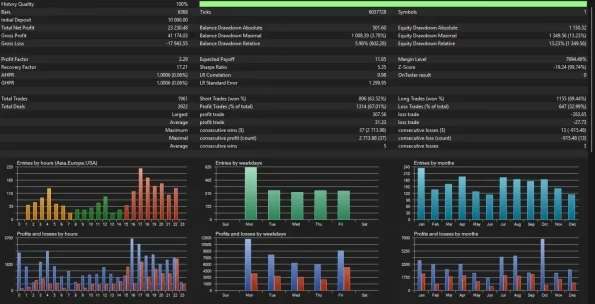
These procedures can help evaluate whether candidate configurations remain useful across different datasets. Nevertheless, optimization does not eliminate overfitting or guarantee future results. Historical performance should always be treated as an evaluation tool rather than a promise of profitability.
6. Flexible Lot Sizing and Money Management
SomaBTC MT5 offers multiple position-sizing options to help traders configure exposure according to their account and risk preferences.
Available controls include:
- Manual Lot Size: Uses a fixed lot size specified by the user.
- Lot per Balance Step: Adjusts position size according to configured capital increments.
- Balance or Equity Sizing: Allows the sizing base to be selected.
- Risk Multiplier: Adjusts the calculated lot size.
- Maximum Lot Limit: Provides an optional EA-level lot cap.
- Base Currency Selection: Supports sizing calculations for supported account currencies.
- OnlyUp Mode: Allows lot sizing to increase with peak capital without automatically reducing it.
- Margin Call Protection: Helps constrain calculated exposure based on a configured margin budget.
These controls offer flexibility, but the selected configuration must be appropriate for the account’s equity, leverage, margin requirements, and the number of simultaneously active strategies.
In particular, OnlyUp mode does not automatically reduce position sizes when account capital falls. Traders should understand this behavior before enabling it.
7. Built-In Margin Call Protection
Margin Call Protection is designed to help prevent the EA from committing excessive margin when multiple pending orders could become active.
According to the published specifications, the protection logic considers existing same-side pending orders when estimating potential margin usage. It can also reduce calculated lot sizes to fit a configured margin budget.
This feature is useful when evaluating a multi-strategy portfolio in which several orders may be active at once.
However, margin protection cannot guarantee that an account will avoid a margin call or stop-out. Rapid price movements, broker margin changes, gaps, and execution differences can still create losses beyond expected levels.
8. High-Impact US News Filter
Bitcoin can react sharply to major US economic announcements and monetary-policy decisions.
SomaBTC MT5 includes a news filter covering three categories of high-impact events:
- NFP: Non-Farm Payrolls.
- CPI: Consumer Price Index.
- IR/FOMC: Interest-rate and Federal Open Market Committee decisions.
Depending on the configured settings, the EA can block new entries, cancel pending orders, or close open positions around selected events.
Each strategy can have its own news-filter timing, allowing different configurations to use different protection windows.
The EA also supports broker-time configuration and automatic GMT detection.
News filters can help apply predefined trading rules around selected events, but they cannot predict every market reaction or eliminate volatility-related risk.
9. Daily Trading Session Filter
SomaBTC MT5 includes a daily trading-hours control designed around its configured trading schedule.
With the default daily filter enabled, the EA closes trades at the end of the US session and allows new trading to begin after the Asian session starts.
This approach is intended to avoid exposure during selected lower-liquidity periods.
The daily trading filter can be adjusted or disabled according to the user’s configuration. Changing the default schedule may also change the risk and behavior of the original strategy settings.
10. Weekend Trading Controls
The EA includes a weekly trading window that can restrict trading to a configured Monday-to-Friday schedule.
With the default weekly filter enabled, it can close positions and cancel pending orders outside the selected trading window.
Users can adjust the schedule or allow weekend trading where the broker supports it.
Bitcoin markets can remain open throughout the weekend, but liquidity, spreads, and price behavior may differ from those during more active trading periods. Review the selected settings carefully before changing the default schedule.
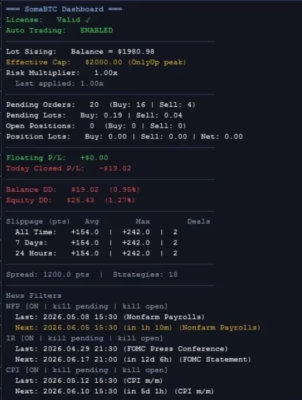
11. On-Chart Trading Dashboard
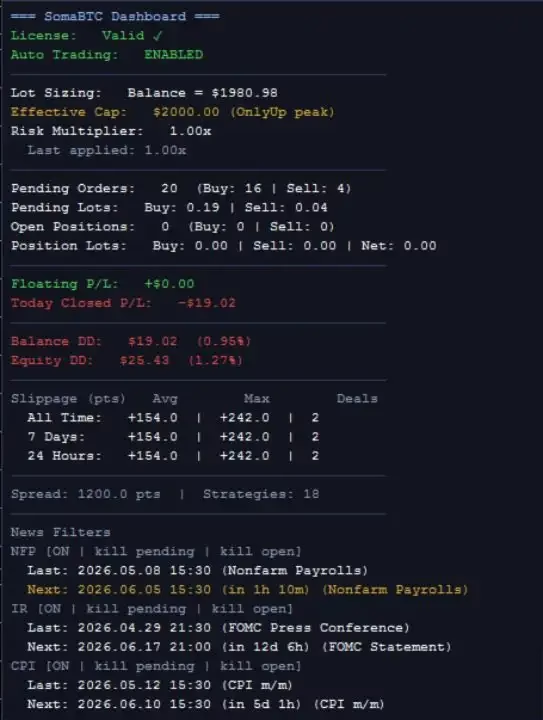
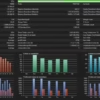
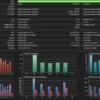
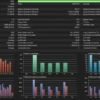
SomaBTC MT5 includes an on-chart dashboard that displays useful information about current trading activity and account conditions.
The dashboard can show:
- Effective capital and lot-sizing information.
- Open positions and pending orders.
- Buy-side and sell-side exposure.
- Floating profit and loss.
- Today’s closed profit and loss.
- Balance and equity drawdown.
- Historical closed profit and loss.
- Trading costs, including slippage, swaps, and commissions.
- Current spread and active strategy count.
- Pending-order usage and broker limitations.
- Upcoming and previous supported news events.
This information can help traders monitor the EA’s activity without manually reviewing every order.
Dashboard statistics are monitoring tools, not guarantees of future performance. Users should still check account statements and broker execution records.
12. Optional Prop Firm Compliance Controls
SomaBTC MT5 includes optional controls intended for users who need additional trading restrictions.
Depending on the selected settings, these can include:
- Maximum daily drawdown limits.
- A daily loss buffer.
- Restrictions on opposite-direction trades.
- A cap on total pending orders.
- Optional randomized entry and exit offsets.
These features are disabled by default according to the published specifications and must be configured deliberately.
Prop firm rules differ between providers and can change. The presence of compliance controls does not guarantee that the EA will satisfy every firm’s requirements. Confirm the applicable rules and test the configuration before using a funded account.
Technical Specifications
- Product Name: SomaBTC MT5
- Platform: MetaTrader 5 (MT5)
- Product Type: Automated Expert Advisor
- Current Published Version: 3.6
- Primary Trading Instrument: BTCUSD (Bitcoin)
- Trading Method: Multi-strategy breakout trading
- Number of Strategies: 18 independent strategies
- Timeframe Groups: D1, H12, H8, H4, and H1
- Breakout Variations: Broad, Medium, and Narrow
- Position Sizing: Manual lot size or balance-step sizing
- Risk Controls: Risk multiplier, optional maximum lot, and margin call protection
- News Filters: NFP, CPI, and IR/FOMC
- Trading Schedule: Configurable daily and weekly trading windows
- Dashboard: On-chart account and strategy monitoring
- Optional Controls: Prop firm compliance settings
- Recommended Account Type: ECN or RAW-spread account
- Recommended Minimum Balance: $2,000 for the default risk configuration
- VPS: Recommended for stable operation
The recommended balance is a setup reference, not a guarantee of safety or suitability for every trader. Actual capital requirements depend on leverage, contract specifications, selected strategies, lot sizes, margin requirements, and market volatility.
Recommended Trading Environment
Compatible BTCUSD Broker
Use a broker that offers a BTCUSD instrument compatible with the EA’s order-management requirements.
Before deployment, check:
- Symbol name and contract specifications.
- Minimum and maximum trading volume.
- Spread and commission structure.
- Margin requirements and leverage.
- Pending-order restrictions.
- Trading hours and weekend availability.
- Broker server time and GMT settings.
Broker conditions can materially affect the results of a breakout strategy.
ECN or RAW-Spread Accounts
The product documentation recommends ECN or RAW-spread account conditions.
Competitive trading costs can be important when automated strategies execute multiple trades. Compare actual spreads, commissions, slippage, and execution quality instead of relying only on the account’s advertised name.
VPS for Continuous Operation
A Virtual Private Server (VPS) is recommended for stable operation.
A VPS can help keep MetaTrader 5 running without requiring a personal computer to remain powered on. It does not remove market risk or guarantee uninterrupted connectivity.
Careful Position Sizing
The 18-strategy portfolio can create multiple positions and pending orders. Set the risk multiplier and maximum lot limit carefully, and understand how the selected sizing mode responds to changes in balance or equity.
Start with a Demo account and review the combined exposure across all active strategies rather than evaluating each strategy in isolation.
How to Install SomaBTC MT5
Step 1: Install MetaTrader 5
Install MT5 and connect to a broker account that supports a compatible BTCUSD instrument.
Step 2: Install the Expert Advisor
Copy the EA file into the appropriate MetaTrader 5 Experts directory, then refresh the Navigator panel or restart the platform.
Step 3: Open the BTCUSD Chart
Select your broker’s Bitcoin symbol. The EA uses its internal timeframe configurations, so the chart timeframe does not necessarily need to match every strategy timeframe.
Step 4: Configure the Strategy Portfolio
Review the strategy-selection settings and enable the configurations you intend to evaluate.
Step 5: Set Lot Sizing and Margin Controls
Choose manual or balance-step sizing, select the appropriate balance or equity basis, and review the risk multiplier, maximum lot setting, and margin call protection.
Step 6: Configure News and Trading Hours
Review the NFP, CPI, and IR/FOMC filters. Confirm broker GMT settings and choose suitable daily and weekly trading windows.
Step 7: Backtest and Forward-Test
Use historical BTCUSD data to evaluate trading behavior, drawdown, trade frequency, and execution costs. Then forward-test on a Demo account under your intended broker’s conditions.
Only consider live deployment after understanding the system’s risk profile and verifying that the selected configuration behaves as expected.
Who Should Consider SomaBTC MT5?
SomaBTC MT5 may be worth evaluating for:
- Bitcoin traders who want to automate BTCUSD trading.
- Breakout strategy users interested in systematic price-level trading.
- Algorithmic traders who use MetaTrader 5 Expert Advisors.
- Portfolio-oriented traders who prefer multiple independent strategies in one EA.
- Experienced risk managers who understand position sizing and simultaneous exposure.
- Traders who need monitoring tools for drawdown, trading costs, pending orders, and strategy activity.
It may be unsuitable for traders who cannot tolerate substantial drawdowns, do not understand leveraged cryptocurrency trading, or expect automated software to guarantee profits.
Why Choose SomaBTC MT5?
SomaBTC MT5 brings multiple Bitcoin breakout strategies and risk-management controls together in one MetaTrader 5 Expert Advisor.
Its main advantages include:
- 18 independent BTCUSD breakout strategies.
- Multiple timeframe groups and breakout variations.
- Configurable strategy selection.
- Flexible position sizing.
- Margin call protection.
- High-impact US news filters.
- Daily and weekly trading controls.
- An on-chart performance dashboard.
- Optional prop firm compliance controls.
- A portfolio-based approach to automated Bitcoin trading.
The value of these features depends on the selected configuration and actual market conditions. Evaluate the strategy’s drawdown, costs, and behavior across different Bitcoin market environments before risking real funds.
Explore More Trading Tools at FxEAstore.com
Discover more products and resources for your trading setup:
- Expert Advisors: Browse automated trading software for different strategies and markets.
- Indicators: Explore technical analysis tools and trading indicators.
- Source Code: Discover source-code products for trading software.
- Download immediately after payment: Access your purchased digital products through your account.
- FxEAstore.com Telegram Channel: Follow product announcements and updates.
- Customer Support: Contact the support team if you need assistance.
Risk Disclaimer
Cryptocurrency trading involves substantial financial risk. Bitcoin can experience sharp price movements, changing liquidity, spread expansion, slippage, and unexpected market gaps. Leverage can magnify both gains and losses.
SomaBTC MT5 does not guarantee profits or prevent losses. A portfolio of multiple strategies does not eliminate correlated risk, and margin protection or news filters cannot prevent every adverse event. Historical optimization, backtests, and past performance do not guarantee future results.
Always test the EA on a Demo account before live deployment. Confirm broker compatibility, review total account exposure, use appropriate risk settings, and trade only with capital you can afford to lose.
Related products


Expert Advisor


Expert Advisor


Expert Advisor


Expert Advisor


Expert Advisor


Expert Advisor


Expert Advisor