

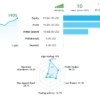
Trade Angel EA MT4 Unlimited + SetFiles
$15
Trade Angel EA MT4 is an automated Expert Advisor designed for MetaTrader 4, focusing on the DAX40 index, also known as DE40 or GER40. Built for rule-based trading, it helps automate trade execution according to its programmed strategy. The package includes SetFiles to assist with configuration and is offered in an unlimited version. Traders should test the EA under their broker’s conditions before using it on a live account.

Description
Trade Angel EA MT4 – Automated DAX40 Trading with MetaTrader 4
Trading the DAX40 index requires careful attention to market momentum, volatility, and execution conditions. Rapid price movements can create trading opportunities, but they can also increase risk when positions are not managed properly.
Trade Angel EA MT4 is an automated trading robot designed for the MetaTrader 4 platform, with a focus on the DAX40 index, also referred to as DE40 or GER40. It is intended to execute trades according to programmed rules, helping traders follow a more systematic approach instead of relying entirely on manual order placement.
The package includes SetFiles to help users configure the Expert Advisor. This can make the setup process more convenient, although traders should review each parameter and verify that the selected settings are suitable for their broker and trading objectives.
If you are looking for an automated solution for index trading on MT4, Trade Angel EA MT4 is worth evaluating through careful testing and disciplined risk management.
Key Features of Trade Angel EA MT4
1. Designed for DAX40 Index Trading
Trade Angel EA MT4 is associated with the DAX40 index, commonly identified by the symbols DE40 or GER40, depending on the broker.
The DAX40 can experience sharp intraday movements in response to market sentiment, economic announcements, and changes in European equity markets. An automated trading approach can help execute predefined rules consistently, but it cannot eliminate market risk.
Always confirm the exact index symbol offered by your broker before attaching the EA to a chart.
2. MetaTrader 4 Compatibility
Trade Angel EA MT4 is designed for MetaTrader 4, a widely used platform for automated trading.
With an Expert Advisor, users can automate supported trading operations instead of manually managing every order. The EA’s actual behavior depends on its programmed strategy, configuration, and execution environment.
For more automated trading solutions, explore our Expert Advisor collection.
3. SetFiles Included for Easier Configuration
The product package includes SetFiles, which provide predefined parameter settings for the EA.
These files can help users get started without manually entering every available parameter. However, presets should be treated as starting points rather than guaranteed optimal settings.
Before using a SetFile, review its parameters and confirm that they match your broker’s symbol specifications, account type, and risk tolerance.
4. Rule-Based Automated Execution
Trade Angel EA MT4 is intended to automate trading operations according to its programmed logic.
Automated execution can help reduce repetitive manual tasks and support a more consistent trading routine. It does not mean that every trade will be profitable or that the EA will perform identically across all market conditions.
Monitor its behavior during different sessions and market environments before considering live deployment.
5. No-DLL Package
The product is advertised as a No-DLL version. This can simplify setup compared with Expert Advisors that require external DLL files.
Users should still follow the supplied installation instructions and verify the platform requirements for the specific package they receive.
6. Unlimited Version
This listing is offered as an unlimited version, allowing buyers to access the advertised product package without a standard time-limited license.
Review the purchase terms and included files to understand the exact scope of access, updates, and support provided with your version.
How Does Trade Angel EA MT4 Work?
Trade Angel EA MT4 is designed to automate trading on MetaTrader 4 by following its programmed trading rules.
For index trading, the quality of execution can be influenced by spreads, slippage, market volatility, broker symbol specifications, and platform connectivity.
Before using the EA with real funds, consider the following evaluation steps:
- Confirm the trading instrument: Verify that your broker supports the relevant DAX40, DE40, or GER40 symbol.
- Review the configuration: Inspect the available parameters and supplied SetFiles.
- Test the execution process: Observe how the EA opens, manages, and closes positions.
- Assess risk exposure: Review position sizing, Stop Loss behavior, and potential drawdown.
- Evaluate different market conditions: Test both active and quieter sessions where relevant.
- Monitor results: Compare backtest findings with forward testing on a demo account.
The specific entry signals, exit rules, and risk-management settings should be confirmed from the supplied product documentation rather than assumed.
Trade Angel EA MT4 – Technical Specifications
| Specification | Details |
|---|---|
| Product Name | Trade Angel EA MT4 |
| Product Type | Expert Advisor (EA) |
| Trading Platform | MetaTrader 4 (MT4) |
| Target Market | DAX40 index |
| Common Symbol Names | DAX40, DE40, GER40 |
| Package | EA with SetFiles |
| File Type | Advertised as No DLL |
| Trading Method | Automated, rule-based execution |
| License | Unlimited version |
Note: Confirm supported timeframes, recommended account balance, broker compatibility, and specific risk settings from the product files before trading. These details should not be assumed to be identical across all versions or brokers.
Benefits of Using Trade Angel EA MT4
Automated Trading Workflow
An Expert Advisor can automate supported trading tasks and reduce the need for constant manual order placement.
Dedicated Index Trading Focus
The product’s DAX40 focus may be relevant to traders who want to explore automated strategies for European index markets.
Convenient Configuration with SetFiles
Included SetFiles provide a starting point for configuring the EA and evaluating its behavior.
Consistent Rule Execution
Automation can help apply programmed rules consistently, although execution and results remain subject to market and broker conditions.
Flexible Product Access
The unlimited version offers convenient access to the advertised product package. Check the product terms for details about updates and other inclusions.
You can also explore our Indicator collection for additional chart-analysis tools or browse Source Code products for development and customization resources.
Recommended Setup and Risk Management
Before running Trade Angel EA MT4 on a live account, establish a testing routine that reflects your intended trading environment.
Recommended preparation checklist:
- Install a compatible version of MetaTrader 4.
- Confirm your broker’s DAX40, DE40, or GER40 symbol.
- Read the supplied installation instructions.
- Review the EA’s available inputs and SetFiles.
- Backtest using realistic spreads, commissions, and slippage assumptions.
- Forward-test on a demo account before committing real funds.
- Use conservative position sizing based on your account equity and risk tolerance.
- Monitor drawdown and exposure during volatile market conditions.
- Consider a reliable VPS if continuous platform operation is necessary.
Index CFDs can experience fast price movements, and trading costs vary between brokers. A strategy that performs well in historical tests may behave differently in live conditions.
Never increase risk solely because of a short period of favorable results.
How to Install Trade Angel EA MT4
Follow these general steps to install an Expert Advisor on MetaTrader 4. If the supplied package includes version-specific instructions, follow those instructions first.
- Download the product files. After purchase, access the files through your account.
- Open MetaTrader 4. Launch the platform on your computer.
- Open the data folder. Select File → Open Data Folder.
- Locate the Experts folder. Open
MQL4 → Experts. - Copy the EA file. Place the supplied Trade Angel EA MT4 file in the appropriate folder.
- Refresh the Navigator panel. Restart MT4 or refresh the Expert Advisors list.
- Open the relevant index chart. Select the symbol supported by your broker and specified by the product instructions.
- Attach the EA and load the SetFile. Review the settings before enabling automated trading.
- Test on a demo account. Verify order execution and risk behavior before using real money.
After payment, access your files through the FxEAstore Downloads page. For installation or configuration assistance, contact FxEAstore Support on Telegram.
Who Should Consider Trade Angel EA MT4?
Trade Angel EA MT4 may be worth evaluating for:
- Traders interested in automated DAX40 index trading.
- MetaTrader 4 users who want to explore Expert Advisors.
- Traders who prefer rule-based execution over entirely manual trading.
- Users who want supplied SetFiles to assist with configuration.
- Traders who can test, monitor, and manage the risks of automated systems.
It may not be suitable for users who expect guaranteed profits, fixed returns, or a trading robot that operates without supervision. Anyone unfamiliar with index CFD risks should first learn how leverage, margin, spreads, and slippage affect their account.
Why Choose Trade Angel EA MT4?
Trade Angel EA MT4 offers a focused starting point for traders exploring automated index trading on MetaTrader 4.
Its advertised package includes:
- MT4 platform compatibility
- DAX40 index trading focus
- SetFiles for configuration
- No-DLL version
- Unlimited product access
These features can make the EA worth testing, but they do not establish future profitability or guarantee a particular drawdown level. Evaluate the strategy using realistic conditions and independent testing before deciding whether it fits your trading plan.
Get Trade Angel EA MT4 Today
If you want to explore automated DAX40 trading on MetaTrader 4, Trade Angel EA MT4 offers a rule-based trading tool with supplied SetFiles to help with configuration.
Review the product specifications, verify compatibility with your broker, and test the EA on a demo account before using real funds.
After completing your purchase, visit the FxEAstore Downloads page to access your available files. Follow our Telegram channel for updates or contact customer support if you need assistance.
Risk Disclaimer: Trading indices and CFDs involves substantial financial risk, particularly when leverage is used. Automated trading systems can incur losses, and no Expert Advisor can guarantee profits or eliminate drawdowns. Historical performance does not guarantee future results. Always test on a demo account, apply appropriate risk management, and trade only with money you can afford to lose.
Related products


Expert Advisor


Expert Advisor


Expert Advisor
IS New Project EA MT4 Unlimited with SetFiles (latest build)


Expert Advisor


Expert Advisor


Expert Advisor


Expert Advisor


Expert Advisor