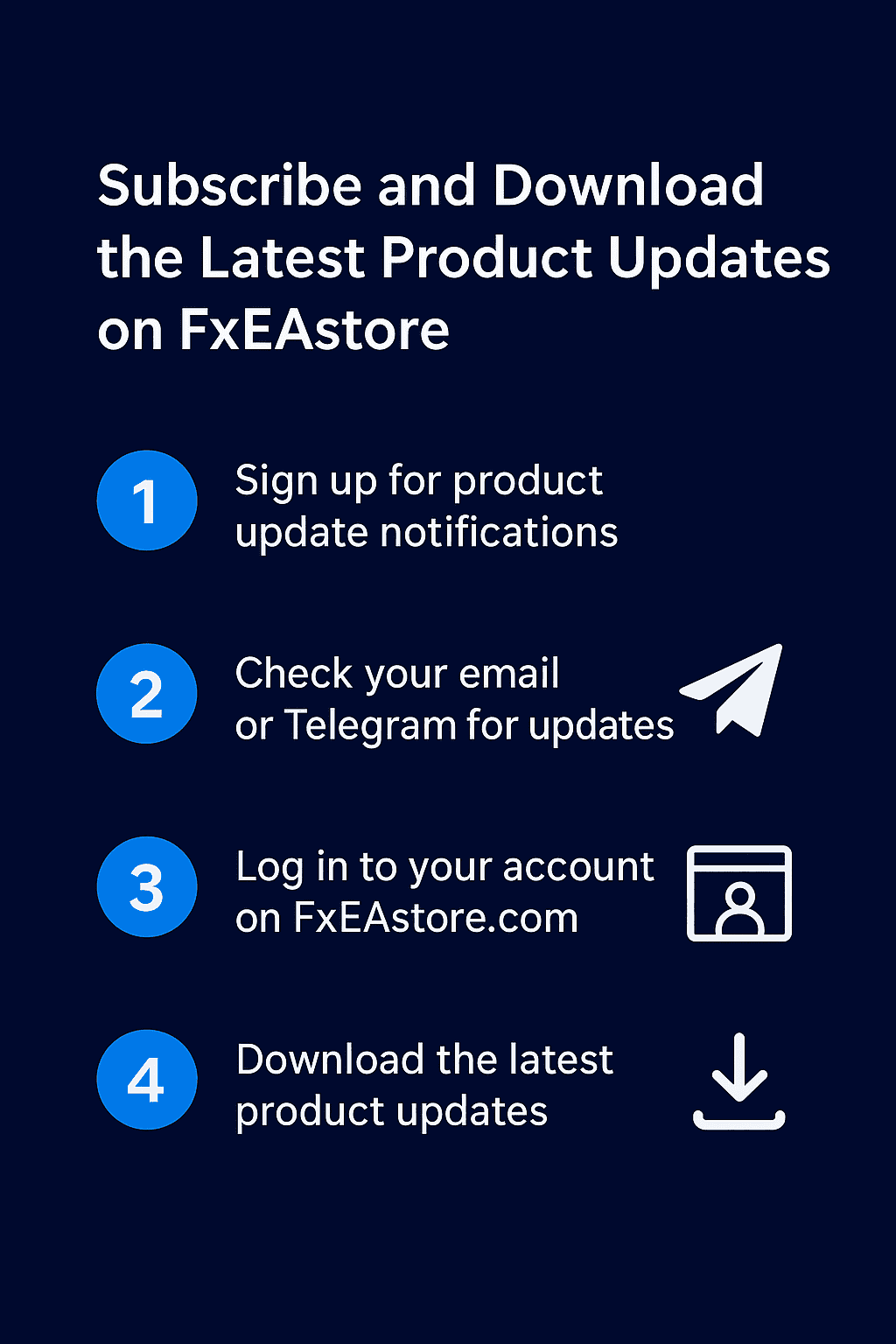
Subscribe and Download the Latest Product Updates on FxEAstore
🔔 Stay Ahead with Product Updates
At FxEAstore.com, we always strive to provide our users with the latest updates for their purchased Expert Advisors (EAs), Indicators, and other trading tools. To make sure you never miss an important update or new release, you can subscribe to our update notifications directly on each product page.
📝 Step 1: Subscribe to Update Notifications
At the bottom of every product description, you’ll find a section like this:
👉 Stay Ahead in Trading!
Enter your email address and click “KEEP ME UPDATED.”
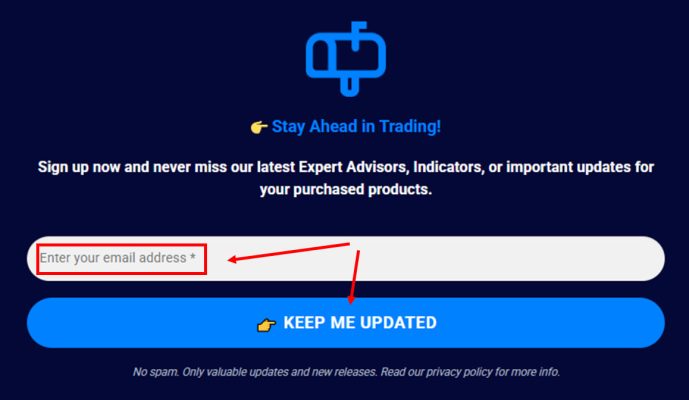
By subscribing, you’ll receive emails about:
-
New software versions and patches
-
Important updates or improvements
-
Exclusive releases and promotions
💡 Tip: We don’t send spam — only valuable updates related to your purchased products.
📩 Step 2: Check for Update Notifications
Once subscribed, you’ll receive update alerts via:
-
Email newsletters from FxEAstore.com
-
Telegram channel notifications: https://t.me/fxeastorecom
Each time a new version becomes available, we’ll notify you with a download link or product version details.
🔽 Step 3: Download the Latest Product Version
After receiving an update notification, simply:
-
Go to FxEAstore.com.
-
Log in to your account.
-
Click “My Account” → “Downloads”
https://fxeastore.com/account/downloads/
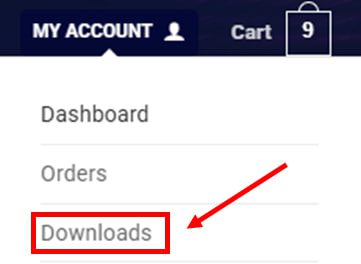
(See image below) -
Find your purchased product in the list.
-
Download the latest available version from the same download link.
If multiple versions are available, choose the most recent update listed.
💬 Stay Connected
You can always follow update announcements, new releases, and exclusive trading tools via:
-
Email Newsletters
-
Telegram Channel: https://t.me/fxeastorecom
✅ Final Tip
Keeping your Expert Advisors and Indicators up to date ensures you always benefit from the newest strategies, bug fixes, and performance improvements.
Don’t forget to subscribe and stay ahead in trading!